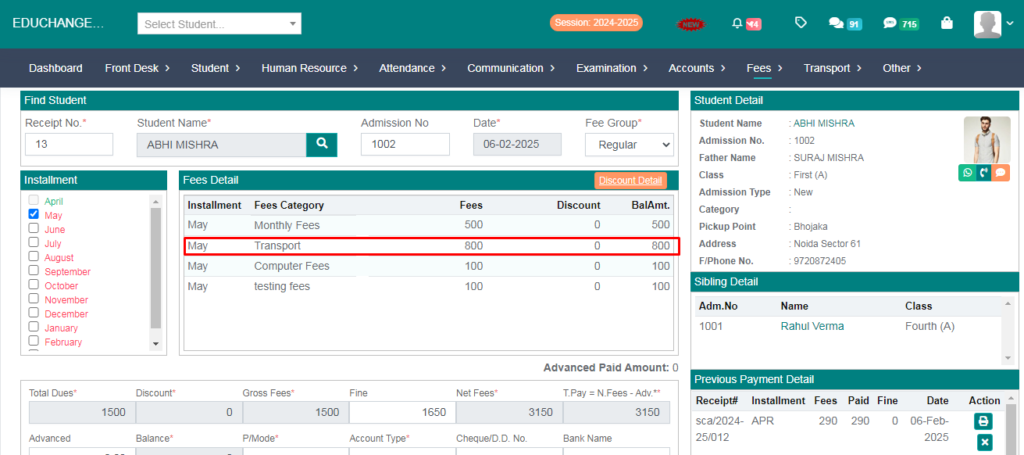
Purpose – From here, you can set up your school transport fees, define routes, and assign fares for each route in an organized manner.
> Follow these Steps :
Step – 1
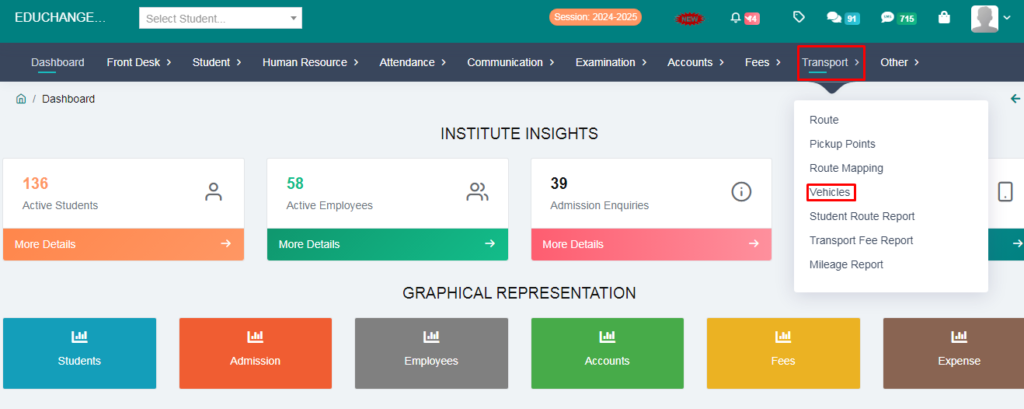
1. Go to the Transport module
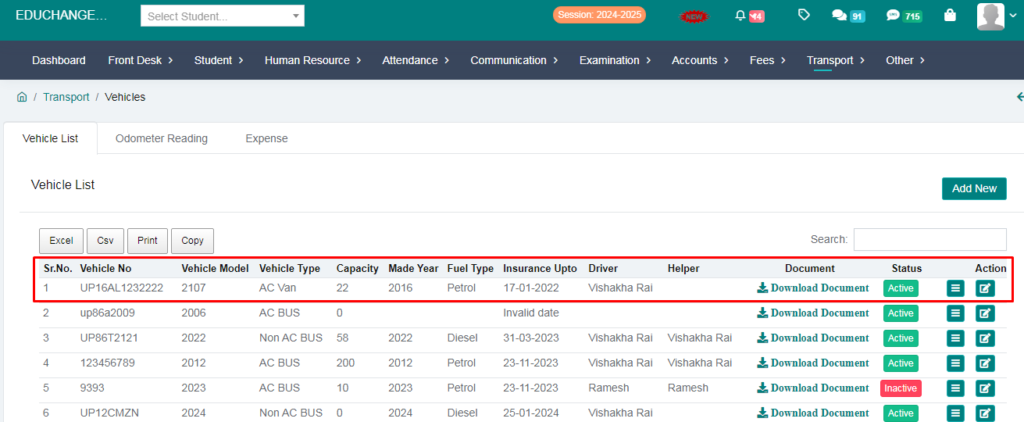
2. Click on the vehicles
Step – 2
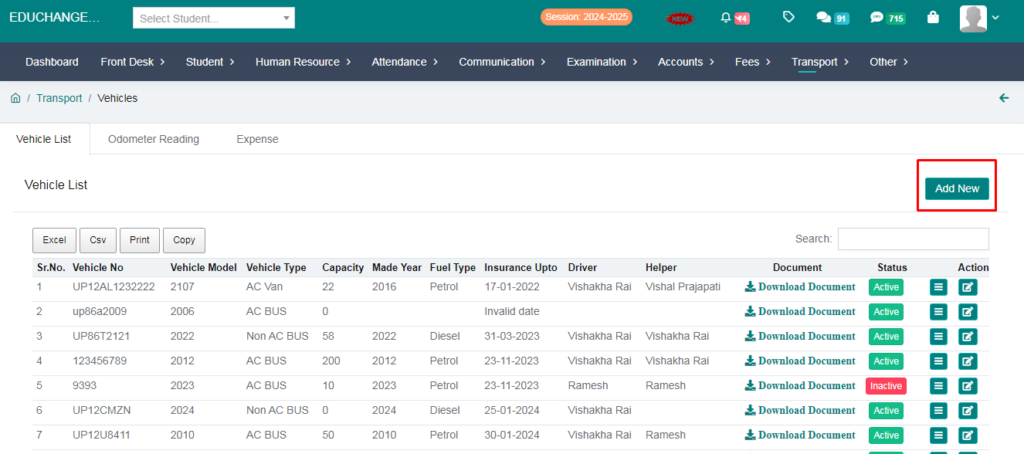
1. Add a vehicles.
2. Click on the add new option.
3. Fill the form and click on the save button.
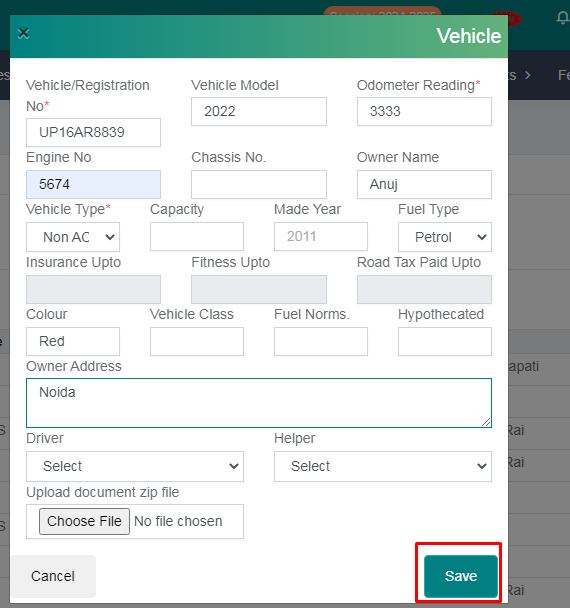
Your vehicles succesfully added.
Step – 3
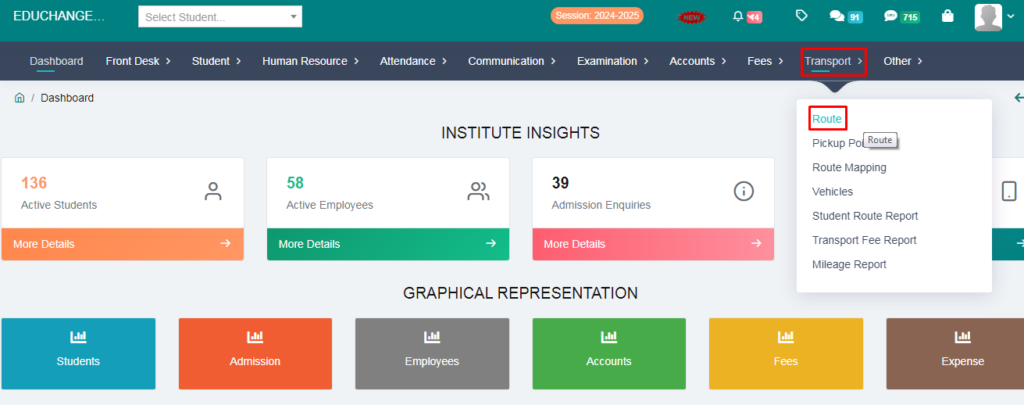
1. Go to the Transport module.
2. click on the Route.
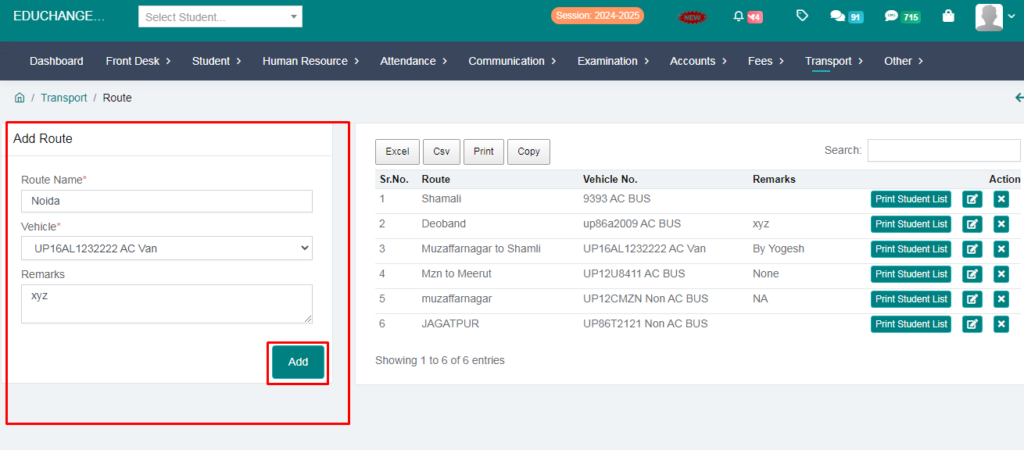
3. Fill the form and add route name.
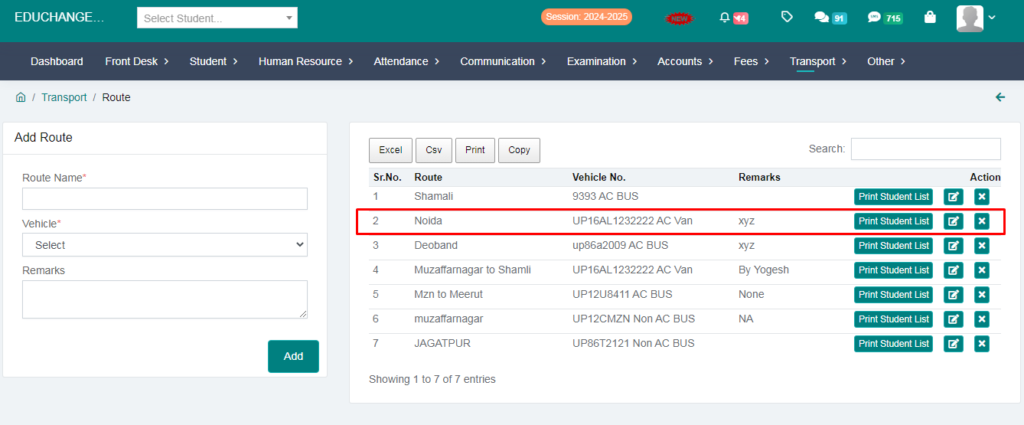
Your route name is succesfully added.
Step-4
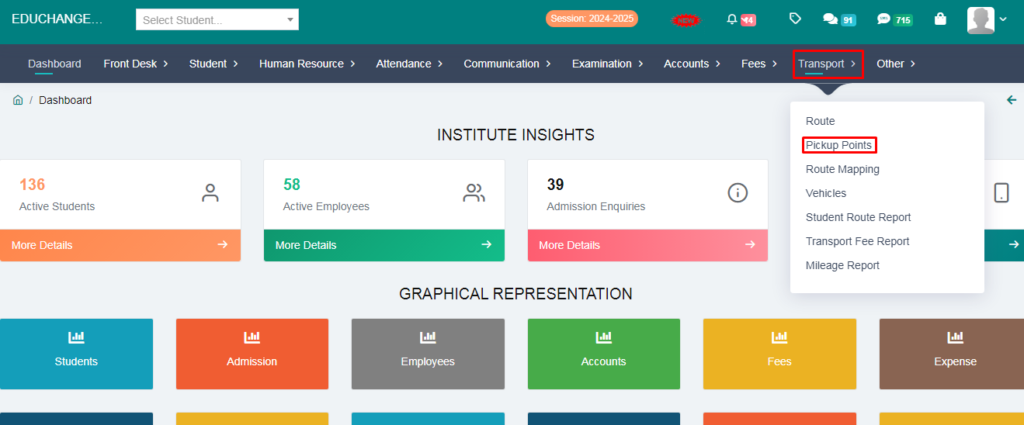
1. Go to the Transport Module.
2. Click on the Pickup points.
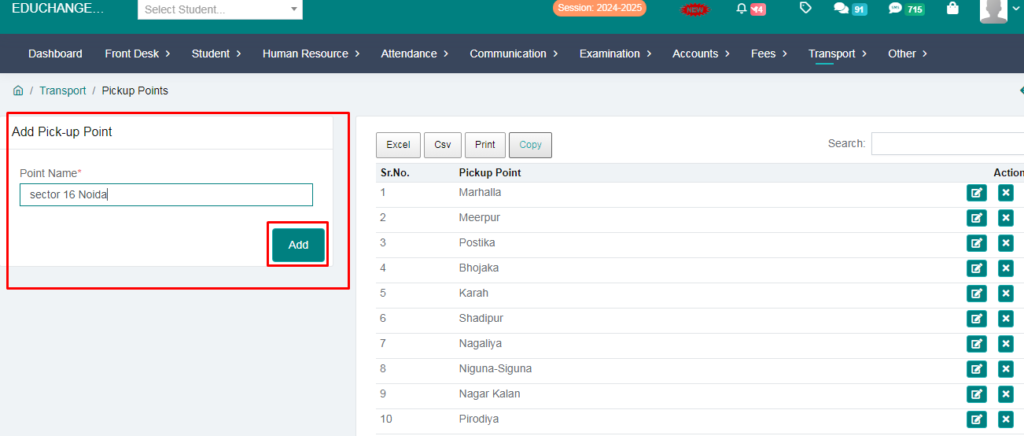
3. Add a pickup point and click on the add button.
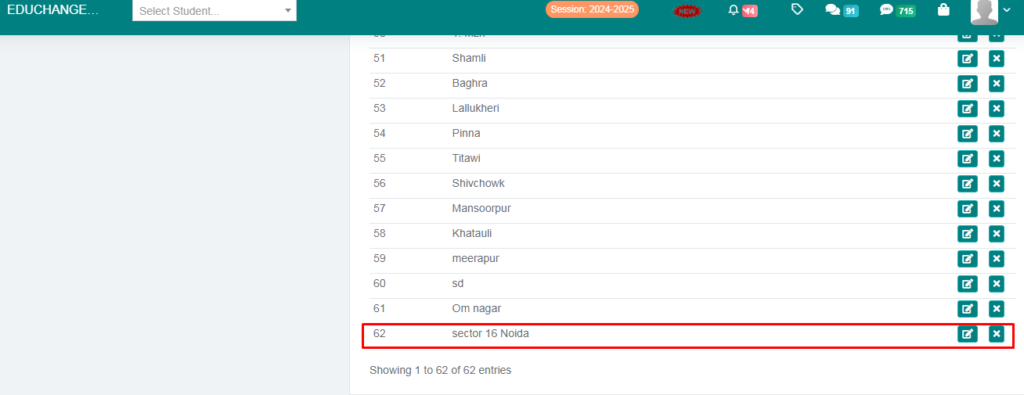
Your pickup point successfully added.
Step – 5
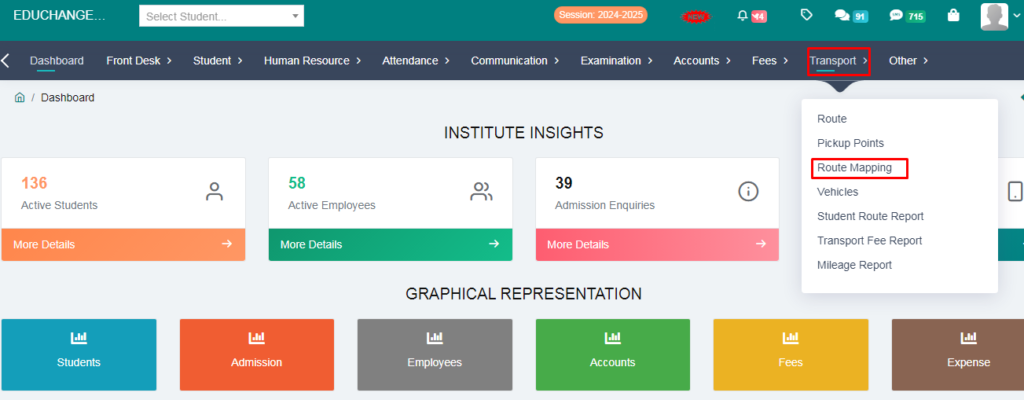
- 1. Go to the Transport Module.
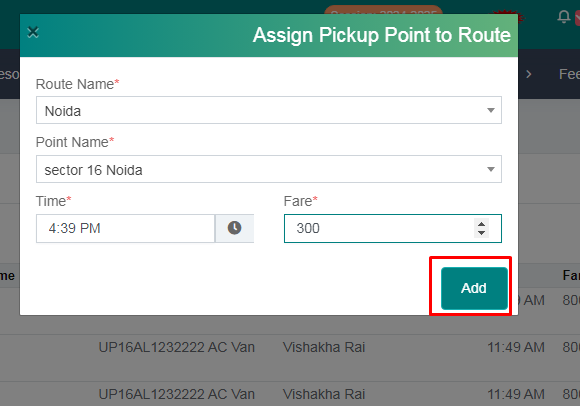
- 2. Click on the Route Mapping
3.Click on the add new option.
4.Fill the form and save the route name, Picup name and add the route fare.
Step – 6
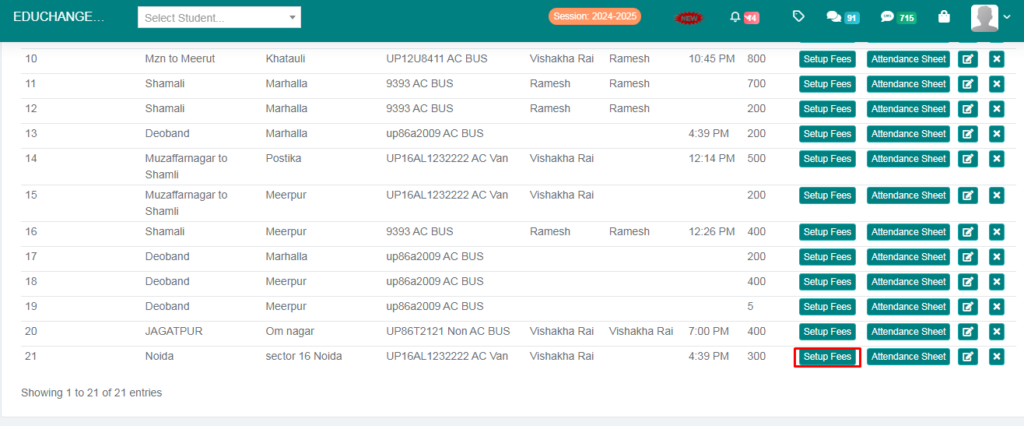
1. Click on the setup fees.
2. Fill the form and assigned fees to student and click on the save button.
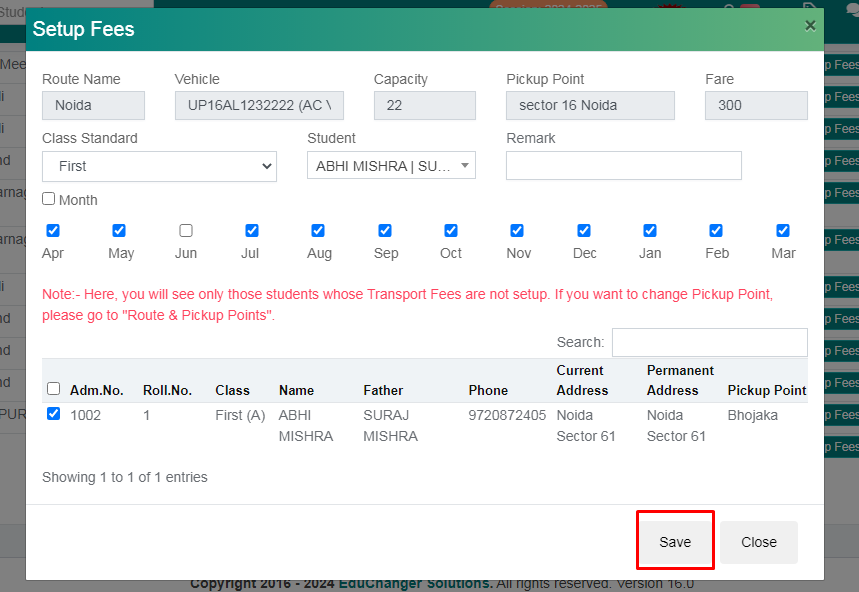
Your Transport Fees Added Successfully.