Purpose – From here, you can assign subjects to teachers, allowing them to enter marks and send homework directly from the mobile app.
> Follow these Steps :
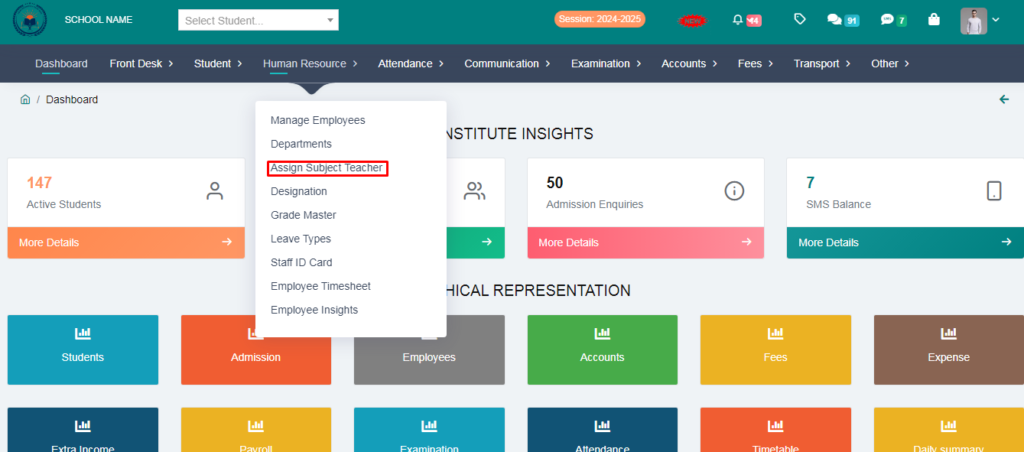
1. Go to Student Module.
2. Click on Assign Subject Teacher .
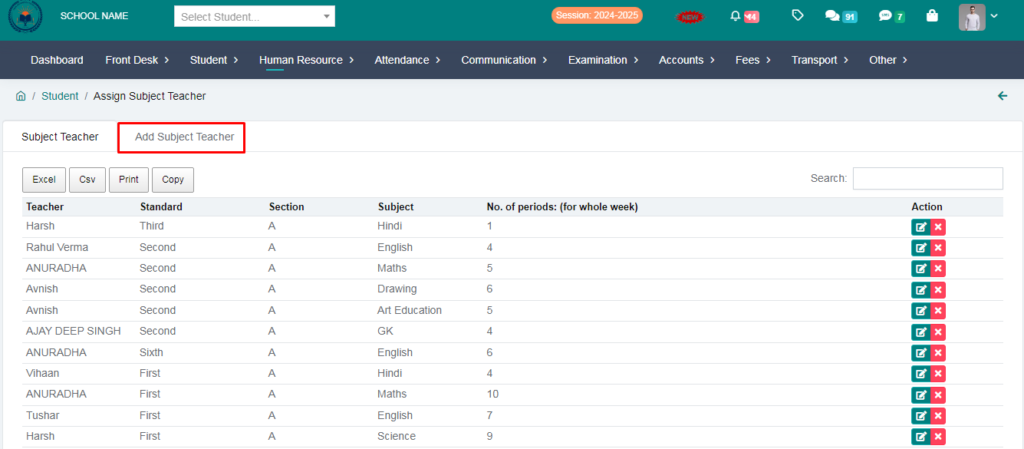
3. Click on Add Subject Teacher.
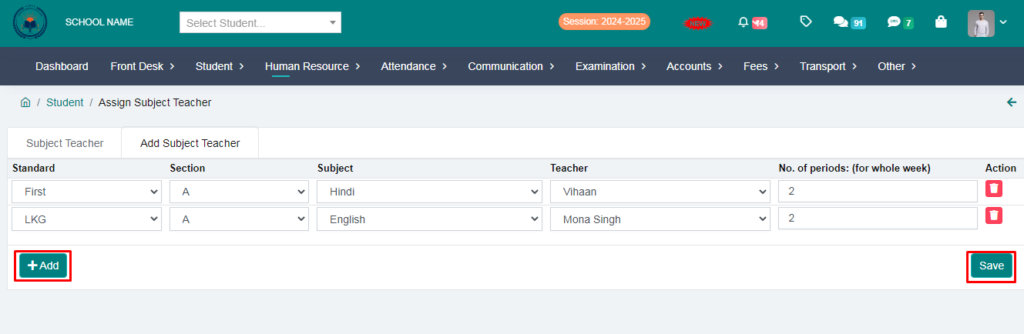
4. Fill the form & Clik on Save option.
5. You can add many teachers at once by clicking on the add option.
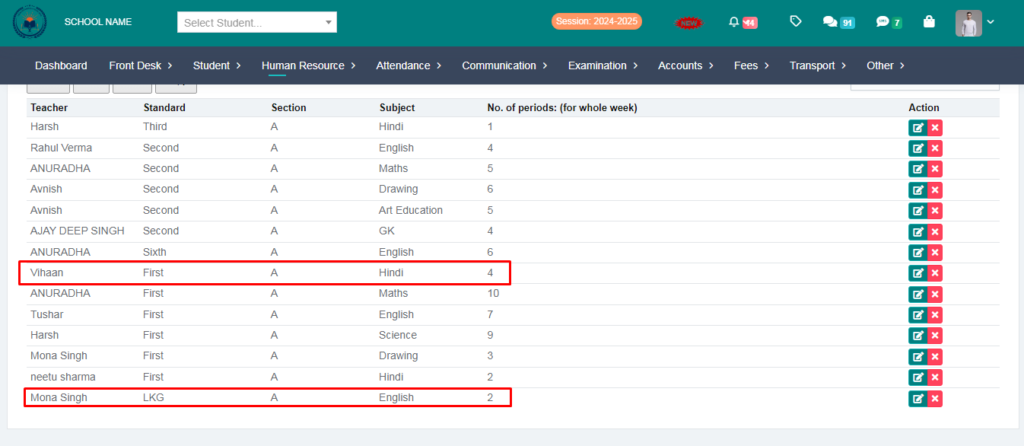
Subject TEACHER HAS BEEN ASSIGN SUCCESFULLY