Purpose – If you want to change student details like admission number or phone number, you can use bulk edit to update all students of a class at once.
> Follow these steps :
1. Go to Student Module.
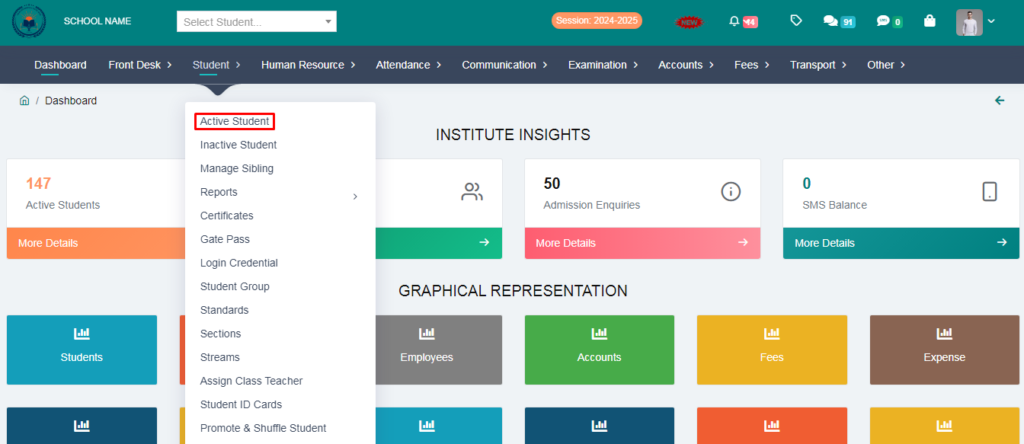
2. Click on Active Student .
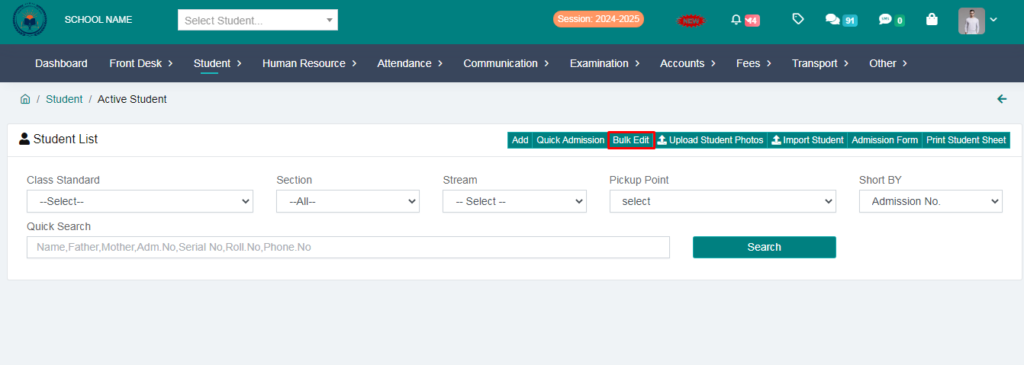
3. Click on Bulk Edit.
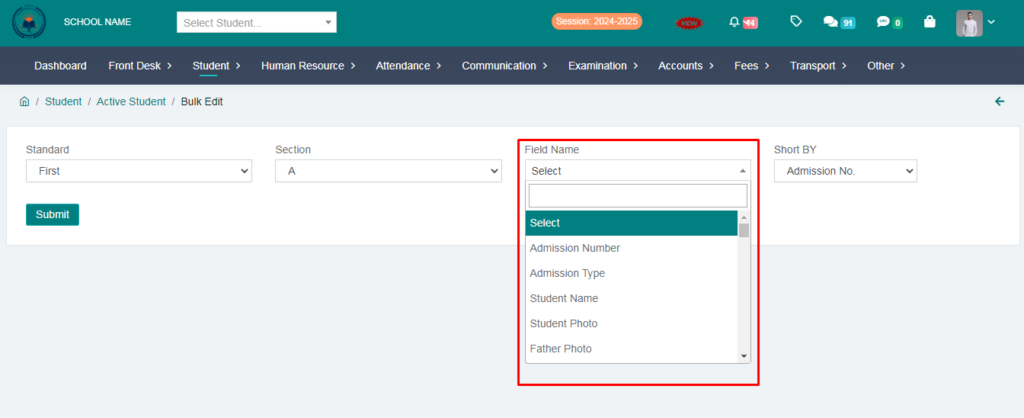
4. Select the field name in which you want to make changes,for ex. Student Name , Roll No. , Admission No. and click on submit button.
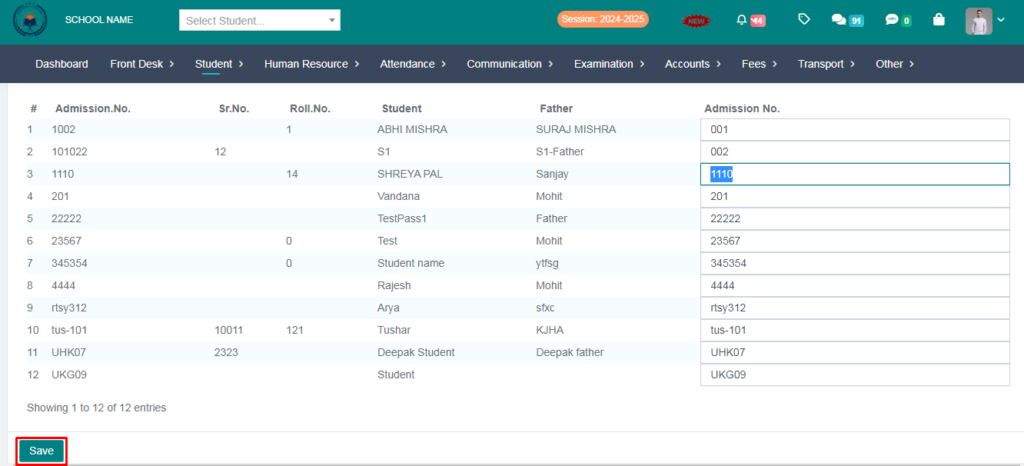
5. You can edit admission no. & click on save button .