Purpose – From here, you can add new staff members to the system and keep all their details updated in one place.
> Follow these Steps :
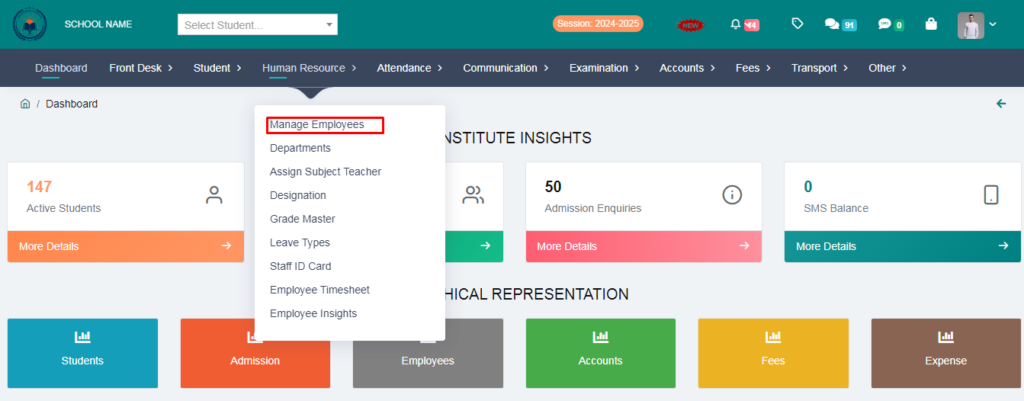
1. Go to Human Resource.
2. Click on Manage Employees .
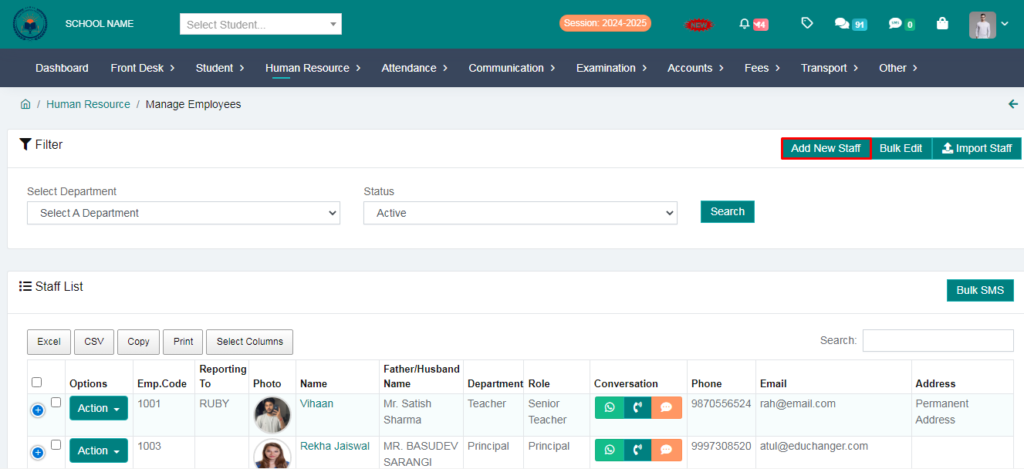
3. Click on Add New Staff.
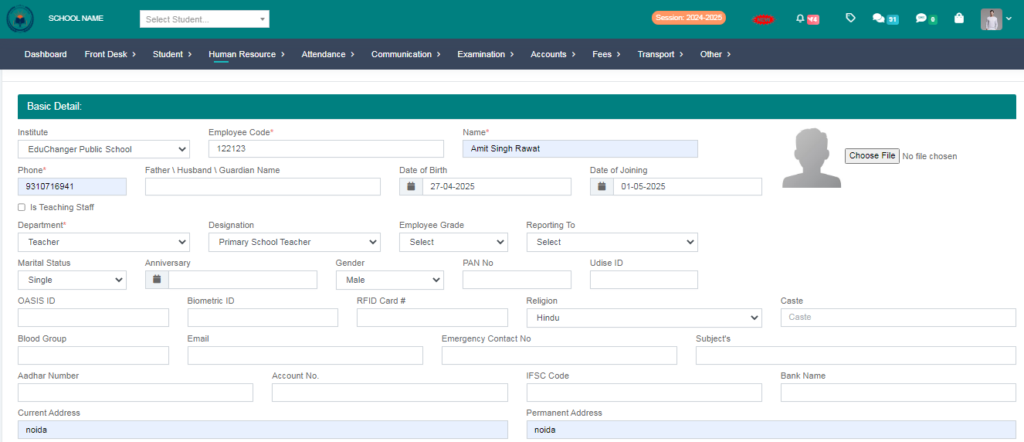
4. Fill the form & click on Save option.
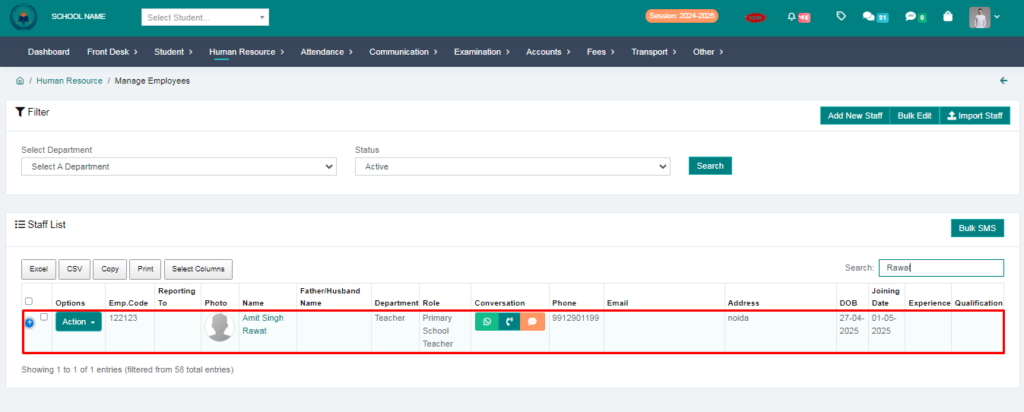
Staff has been saved