Purpose – From here, you can assign a class teacher so they can take attendance of their class directly from the mobile app.
> Follow these Steps :
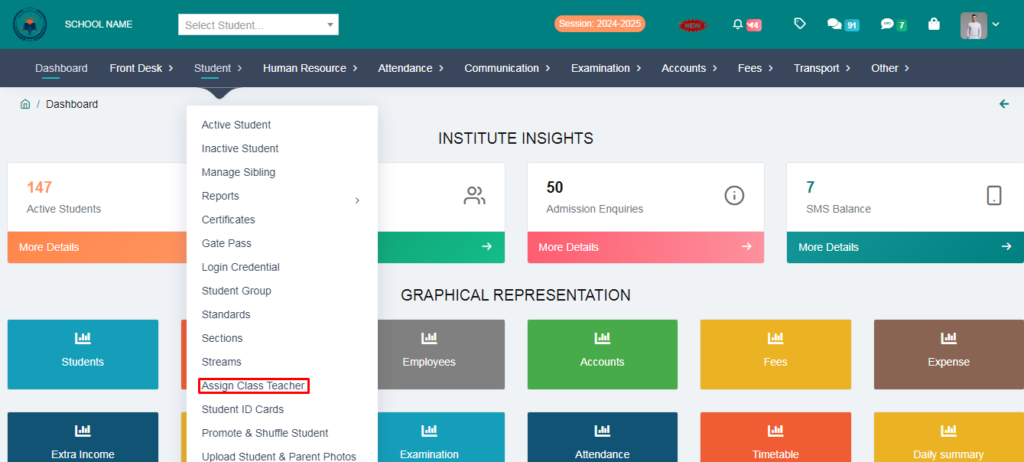
1. Go to Student Module.
2. Click on Assign Class Teacher .
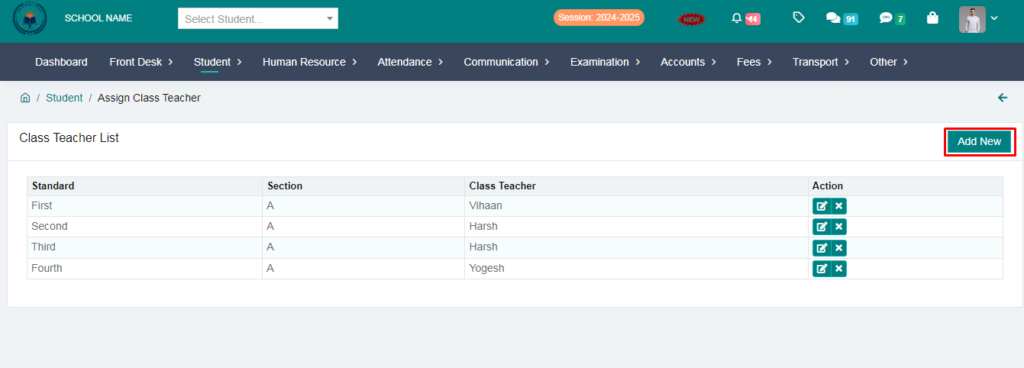
3. Click on Add New .
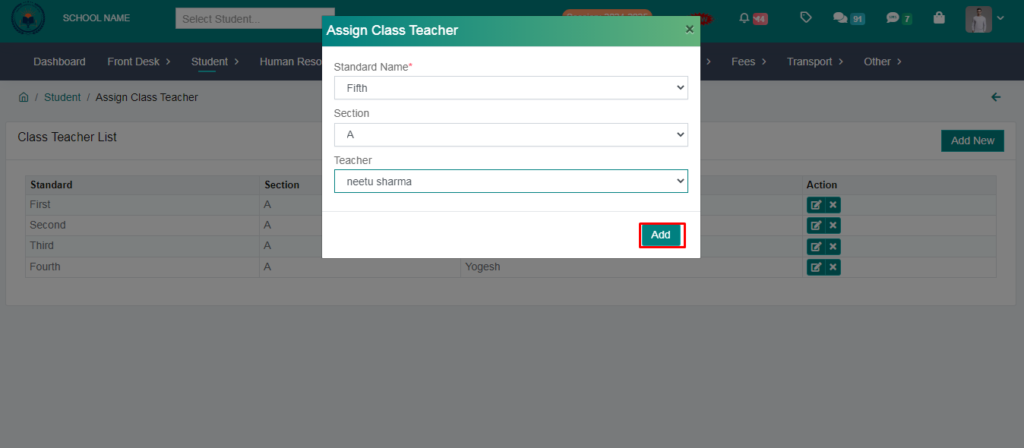
4. Fill the form & Clik on Add option.
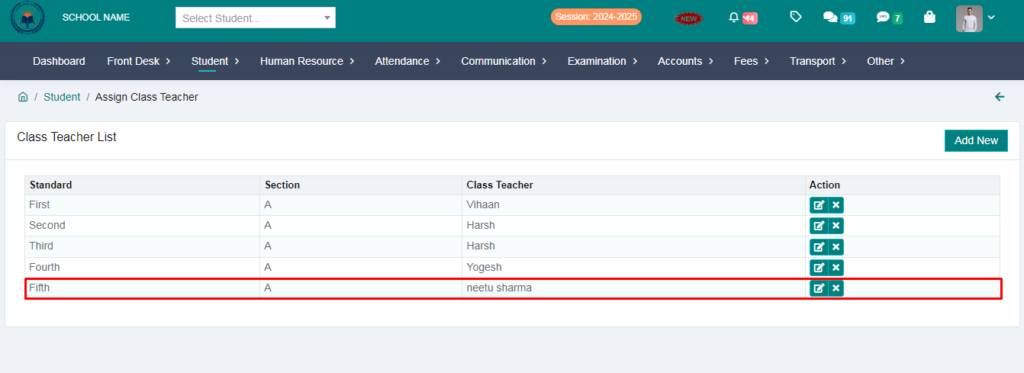
Class Teacher HAS BEEN Assign SUCCESFULLY