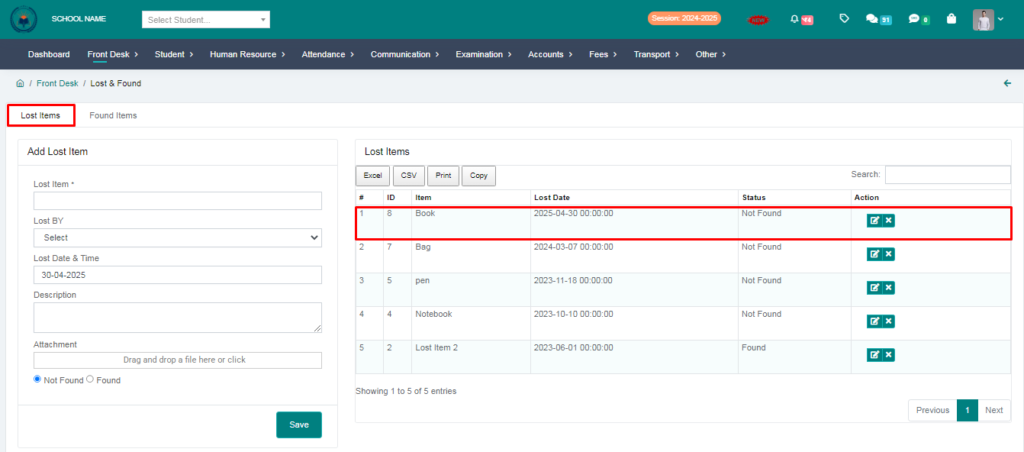
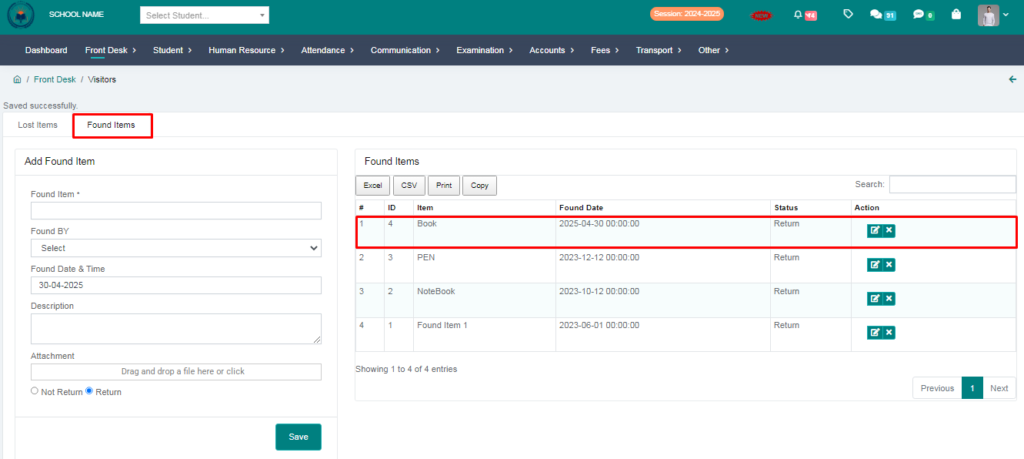
Purpose – Here you can enter details of any items like notebooks, belts, or ties that are lost or found by teachers or students in the school.
> Follow these Steps :
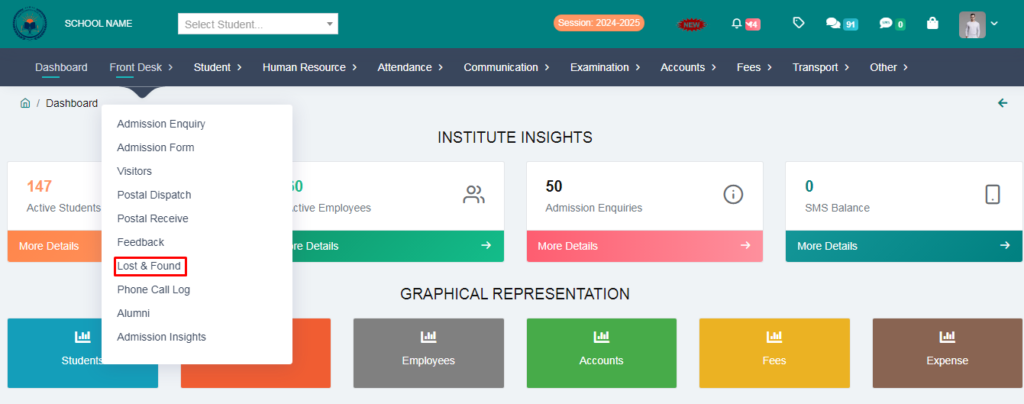
1. Go to Front Desk.
2. Click on Lost & Found.
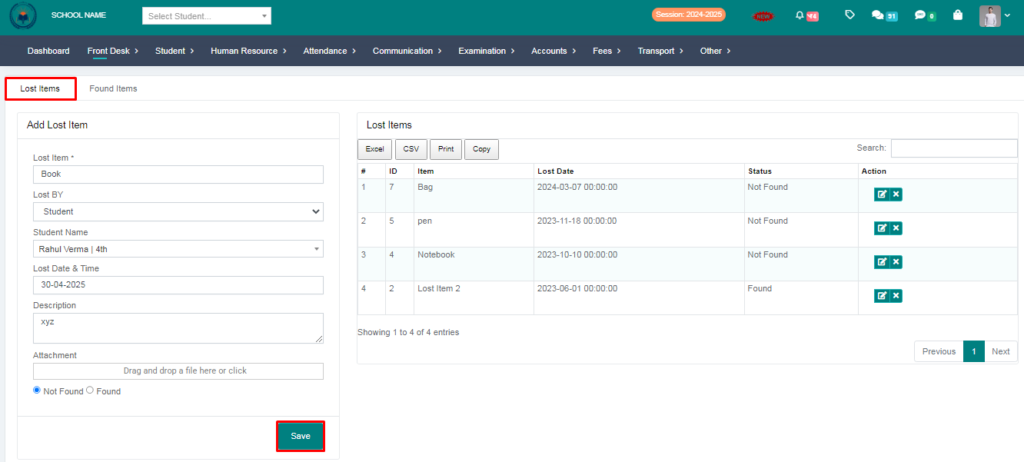
3. Go to lost items and fill the form.
4. Click on save button.
5. Go to Found items and fill the form.
6. Click on save button.
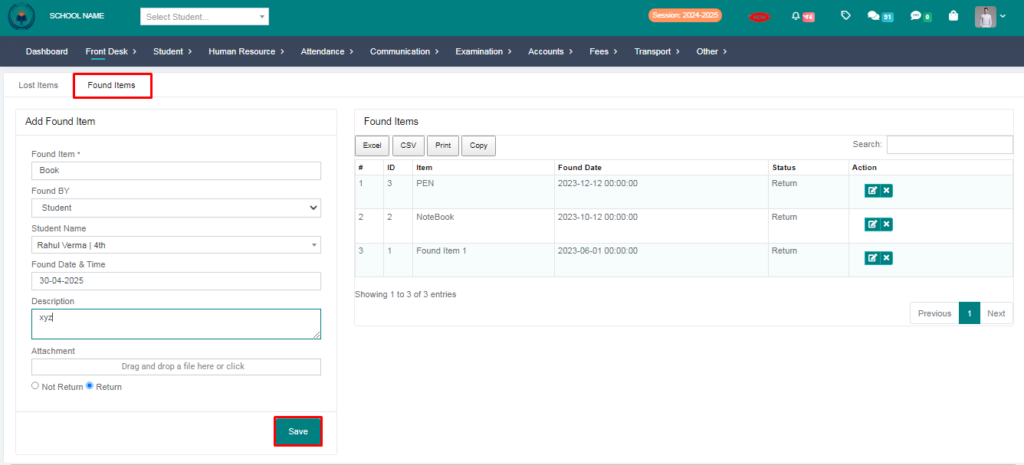
7. Your Lost & Found entry succesfully saved.