Purpose – From here, you can create and circulate circulars for both students and teachers, ensuring important information reaches everyone quickly and efficiently.
1. Go to Communication.
2. Click on Circular . You will get two option here first is student circular second is employee circular.
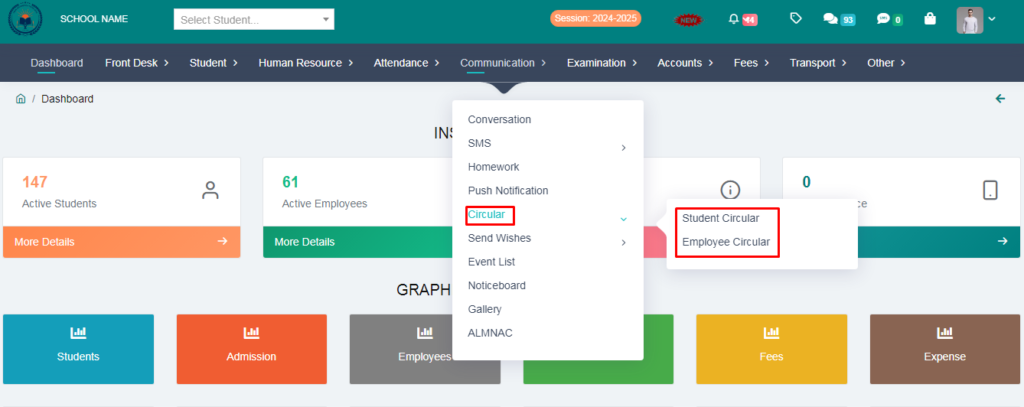
3.Click on Student Circular.
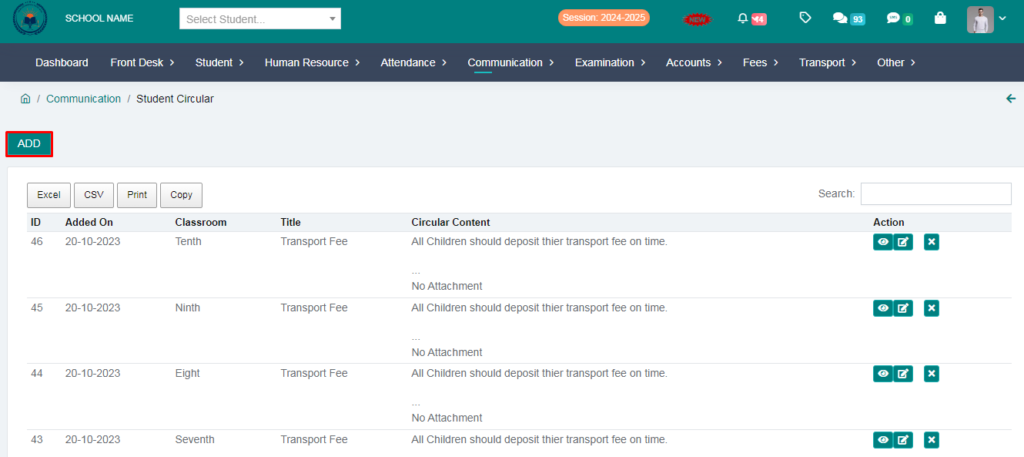
4.Click on Add option.
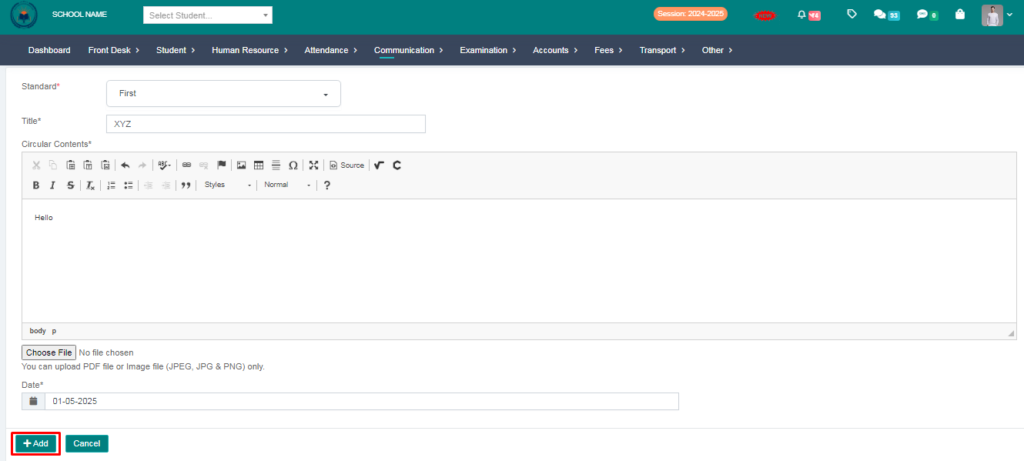
5. Fill the form & click on add button.
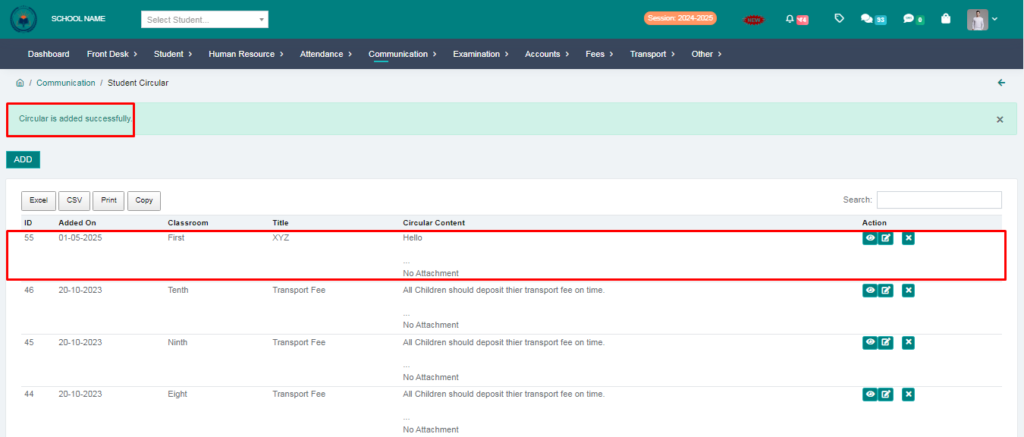
Student Circular add succesfully.
> Now let the students login and check whether the circular has arrieved or not.
6.Click on Circular option.
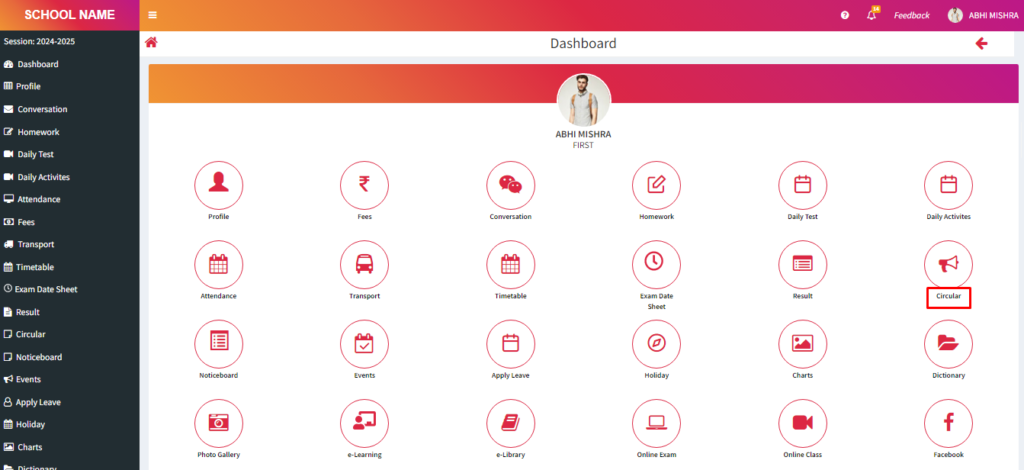
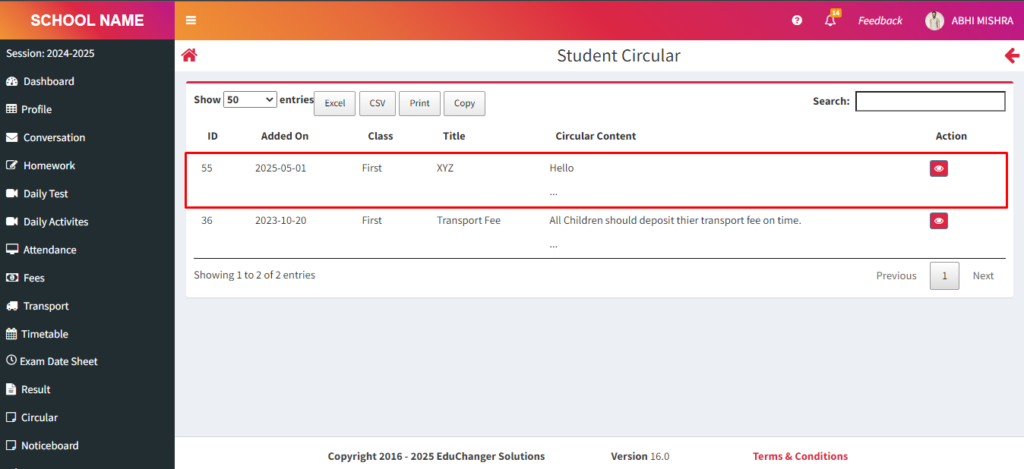
Student received circular succesfully.
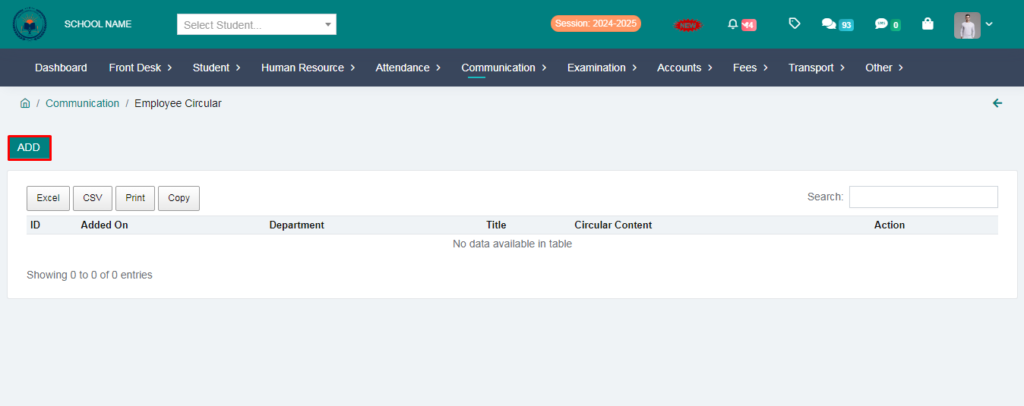
7.Click on Employee Circular.
8.Click on Add option.
9. Fill the form & click on add button.
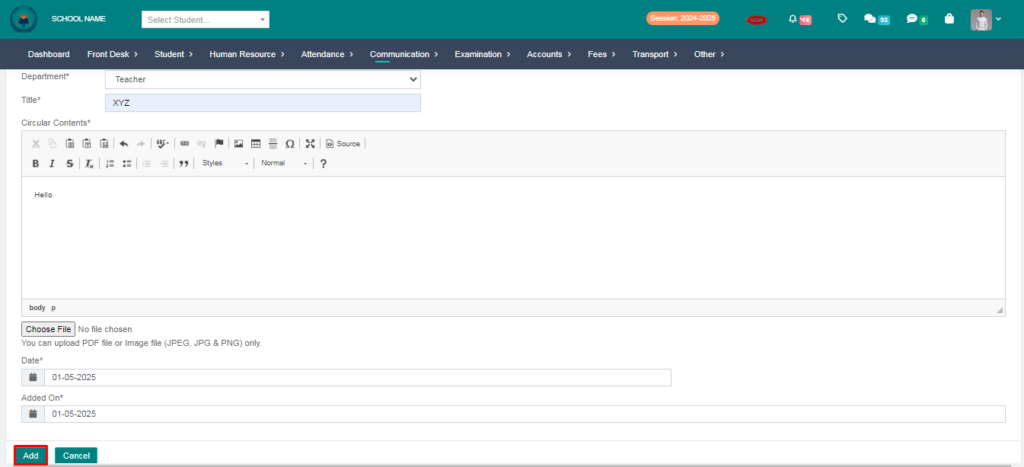
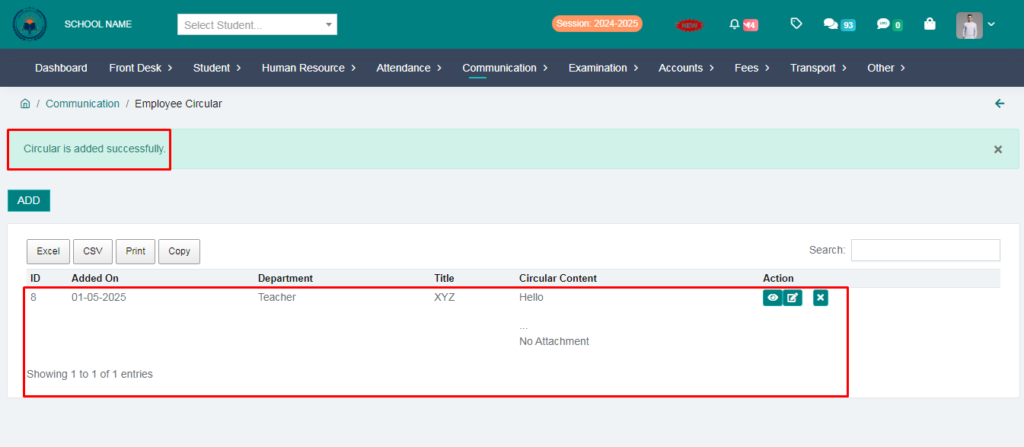
Employee Circular add succesfully.
> Now let the Teachers login and check whether the circular has arrieved or not.
10.Click on Circular option.
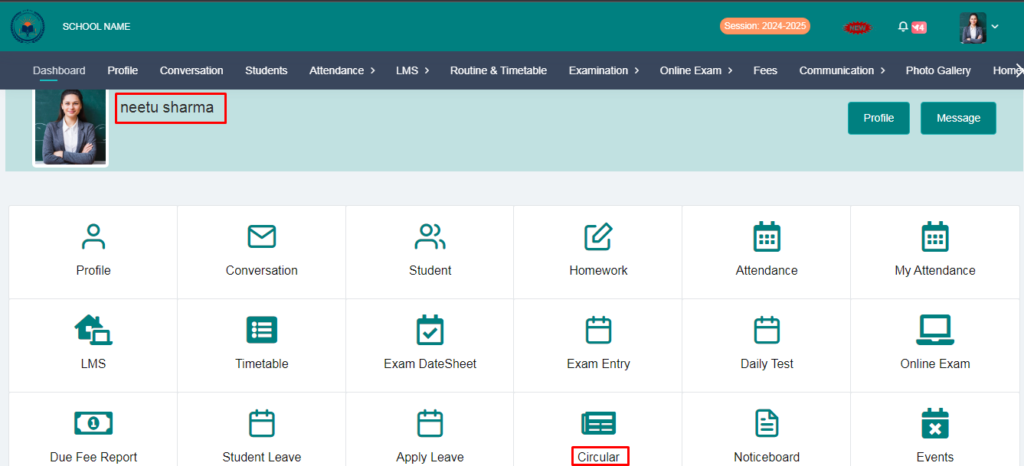
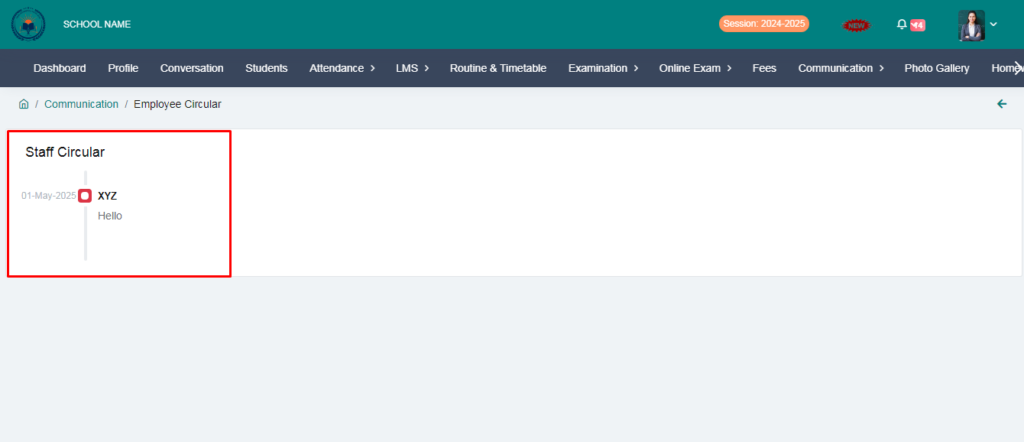
Employee received circular succesfully.
Student and employee circular send succesfully