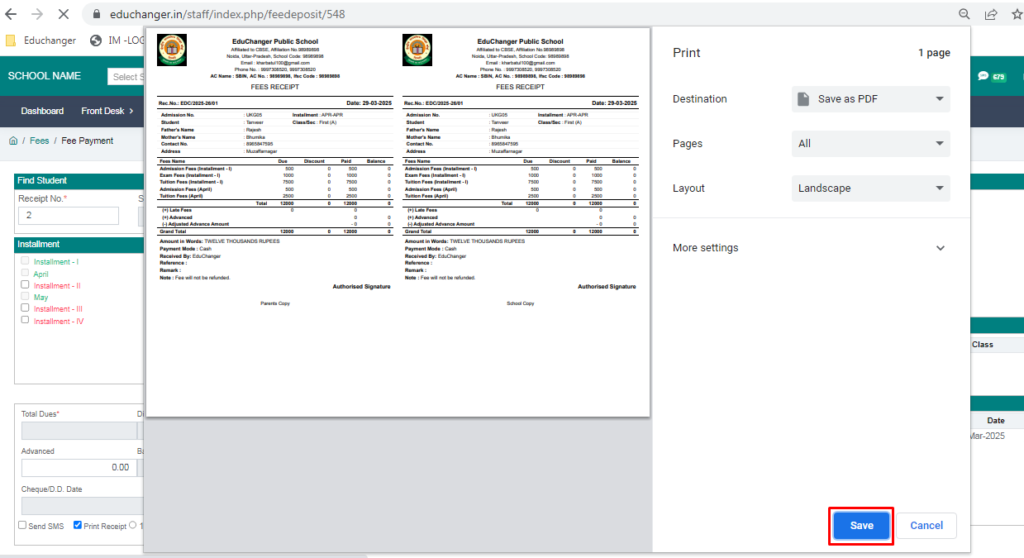
Purpose – From here, you can set up your school fee structure in the software, including different fee heads, amounts, and payment schedules.
> Follow these Steps :
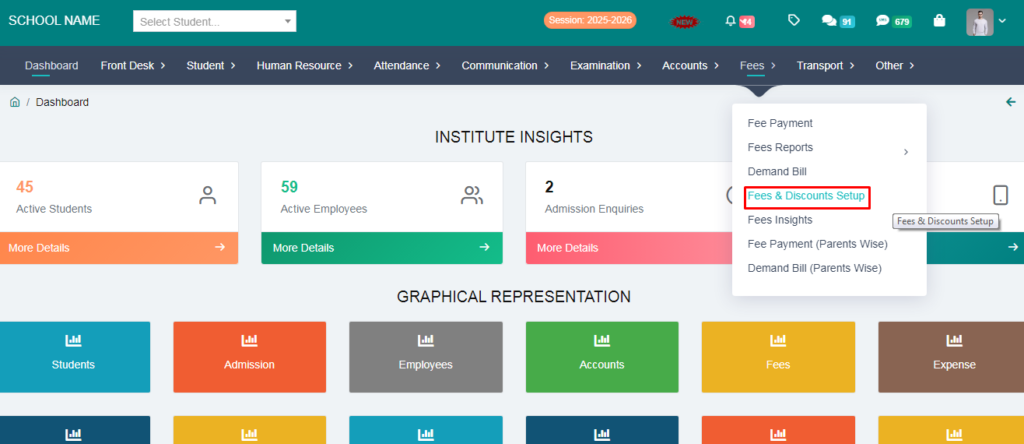
1. Go to Fees module.
2. Click on Fees & Discounts Setup.
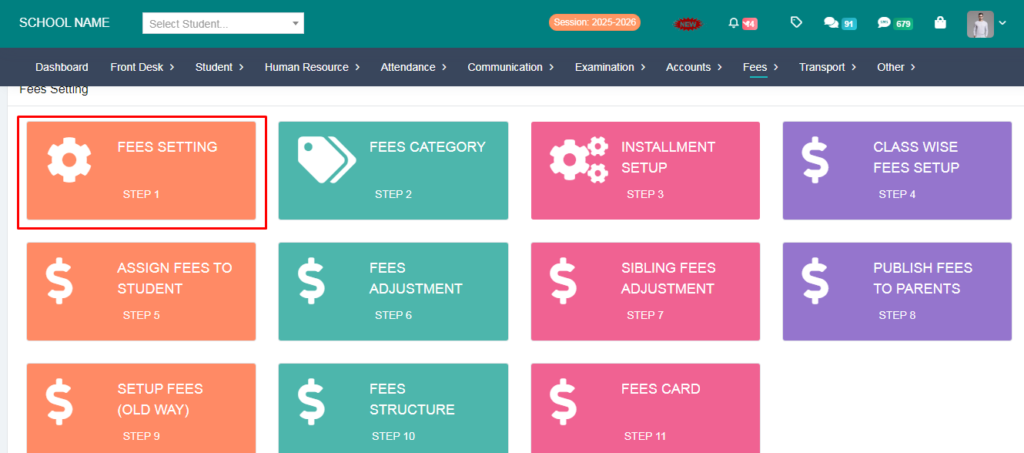
3. Click on Step -1 Fees Setting.
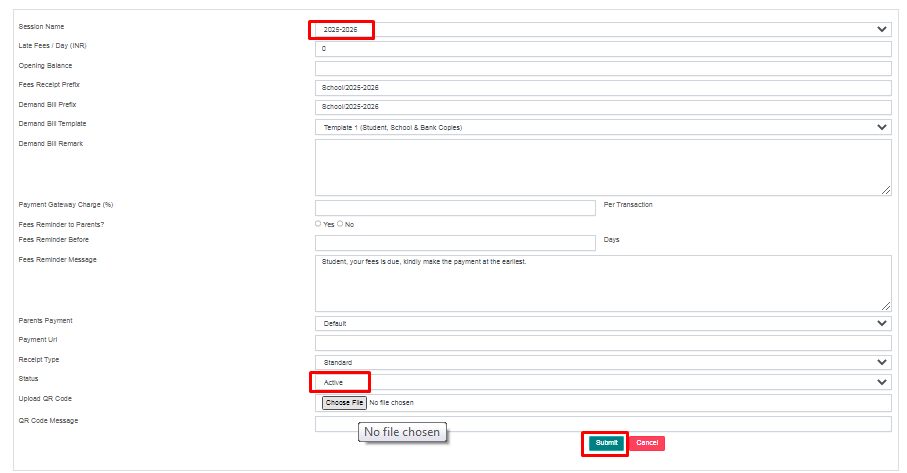
4. Click on Add option.

5. Fill the current session and click the Submit button.
6. Go to Step-2 Category option.
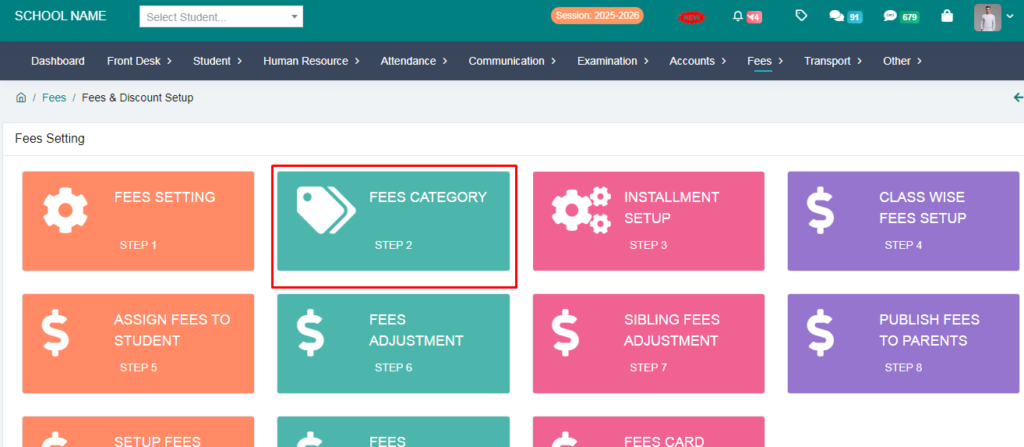
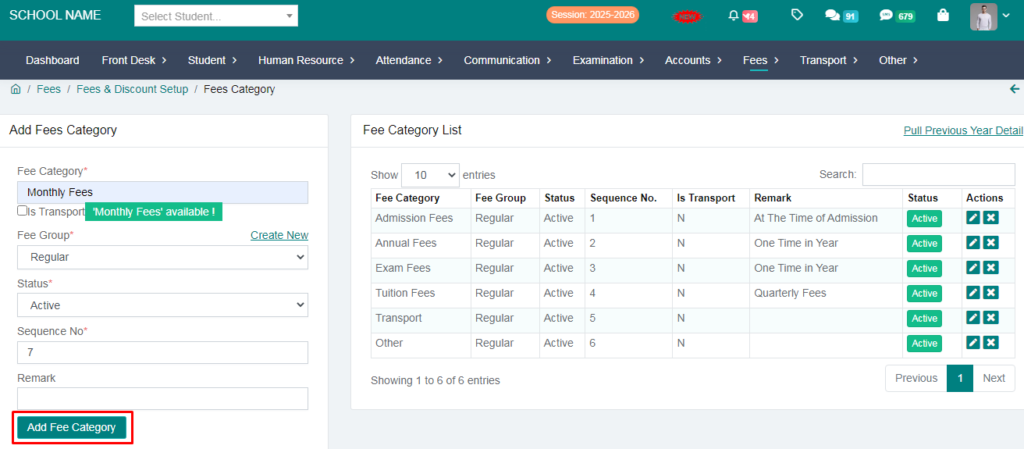
7. You can add Fees Category e.g. Monthly Fees, Registrtion Fees , Admission Fees .
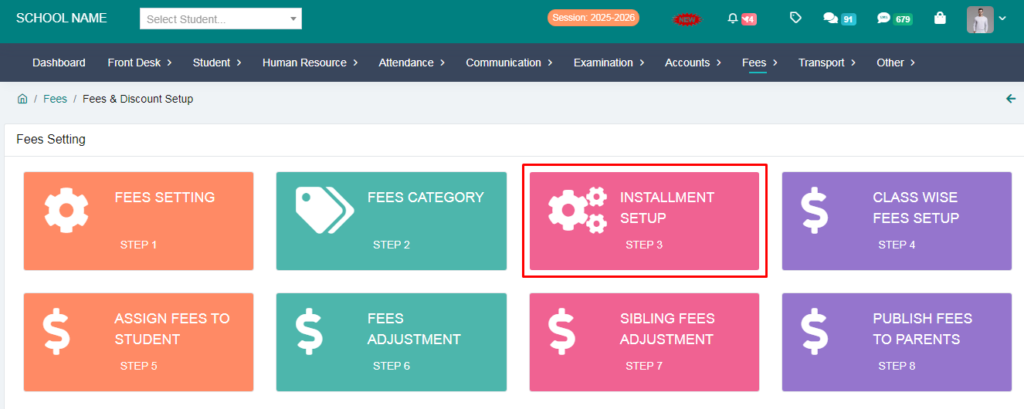
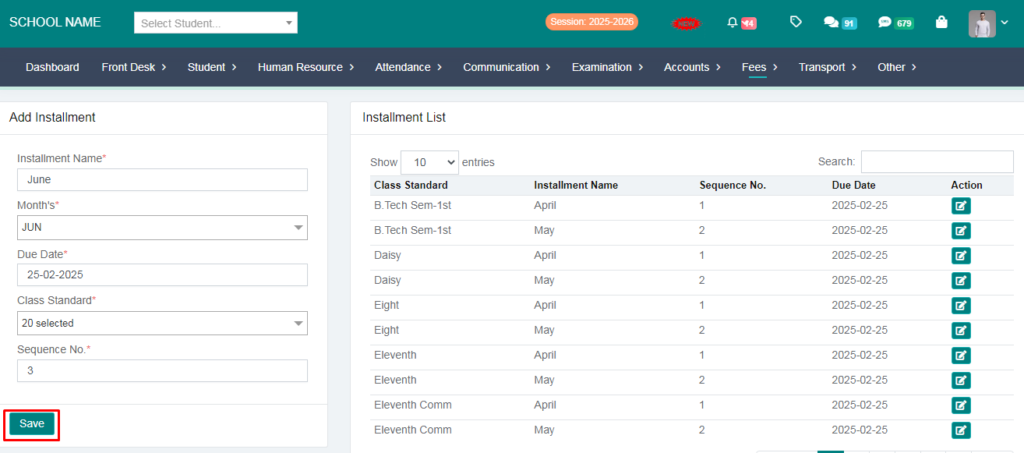
8. Go to Step-3 Installment Setup.
9. You can add Installment e.g. April, May , June .
10. Go to Class wise Fees Setup.
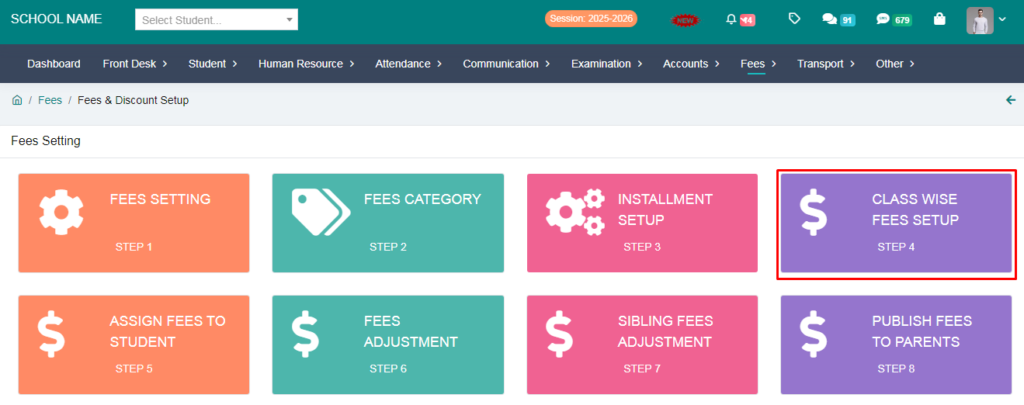
11. You can add Fees in class.
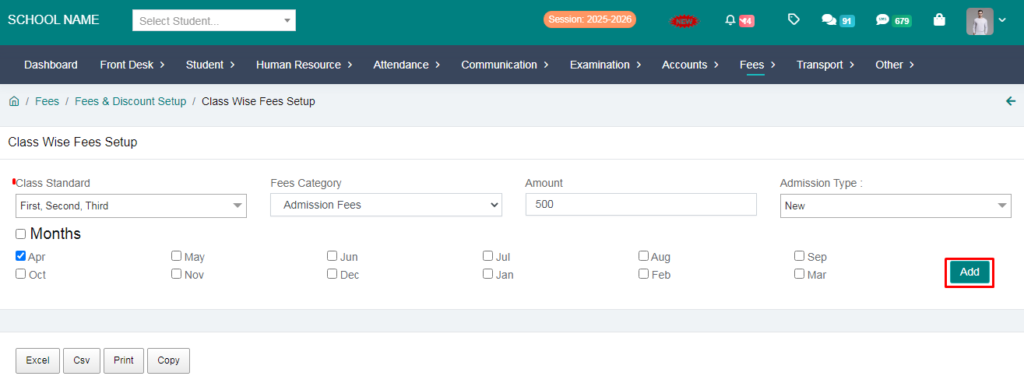
12. Your Fees has been succesfully setup.

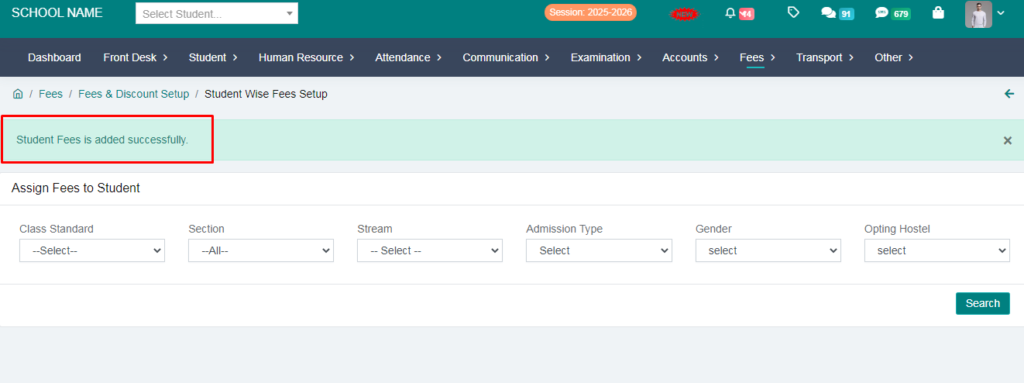
13. Click on Assign Fees To Student.
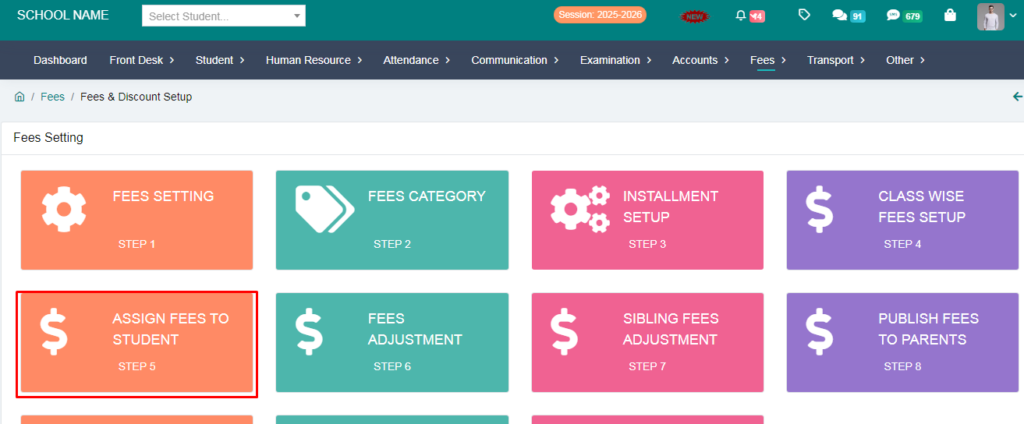
14. Assign Fees to Students.
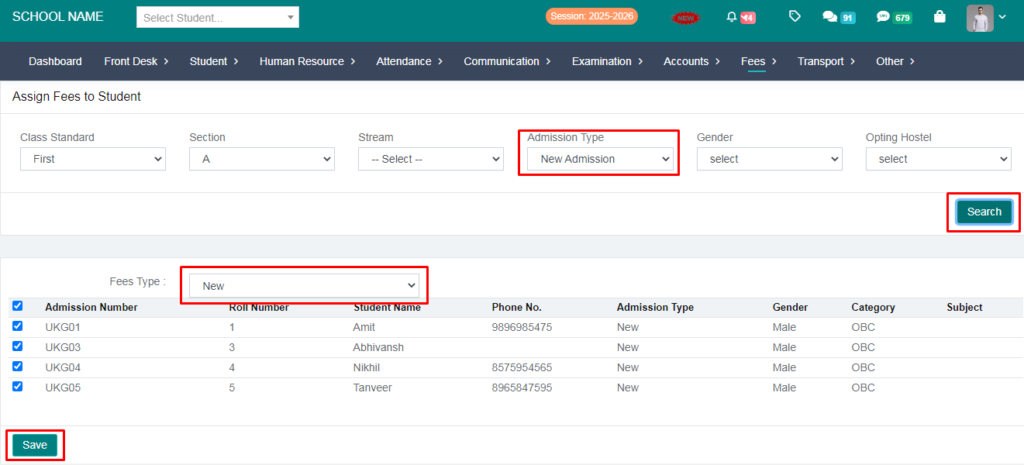
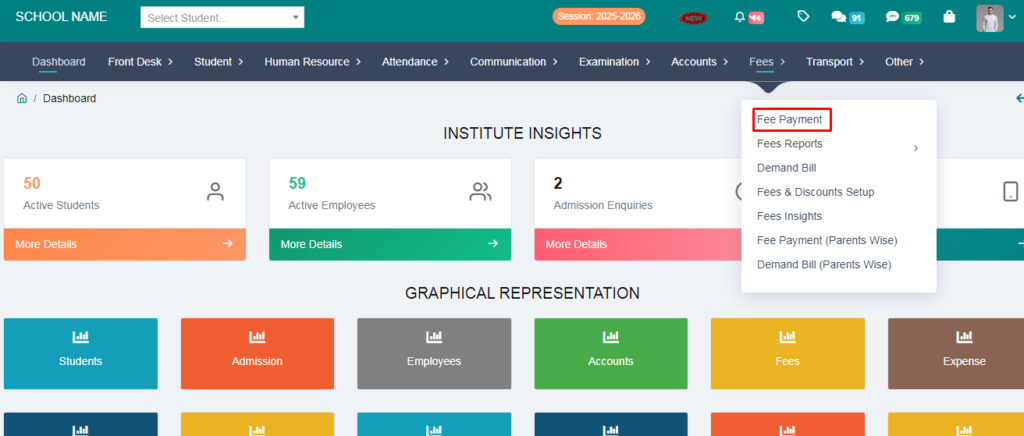
15. Go to Fees Payment.
16. Now You Can Now Deduct the fees.
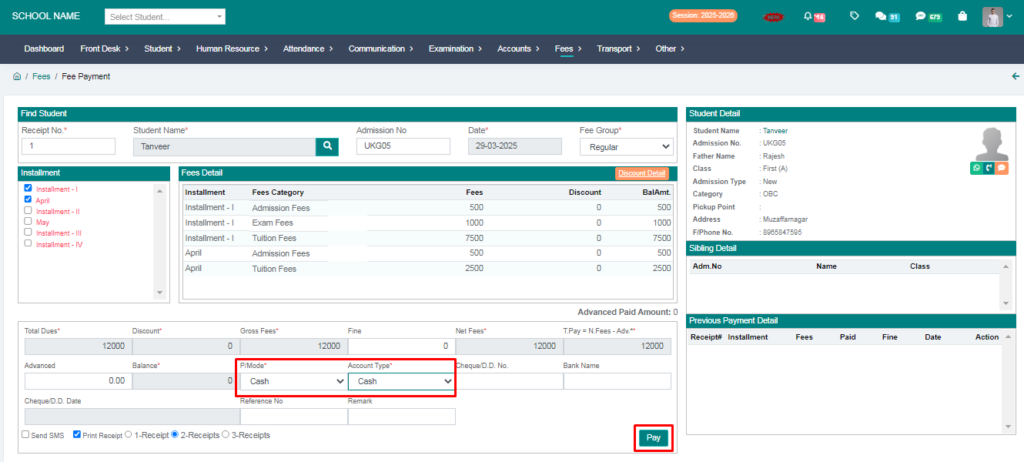
17. Your Fees Receipt has been generated.