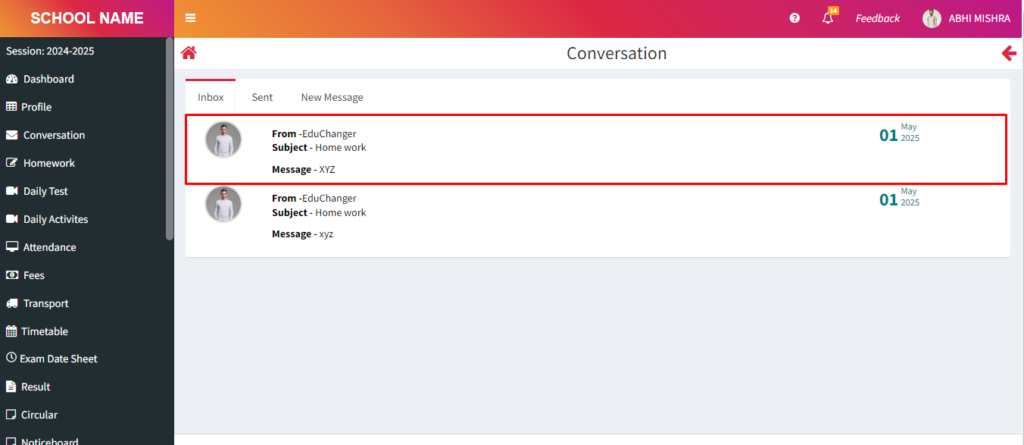
Purpose – From here, you can start a conversation with any student and send messages directly, making communication fast and easy.
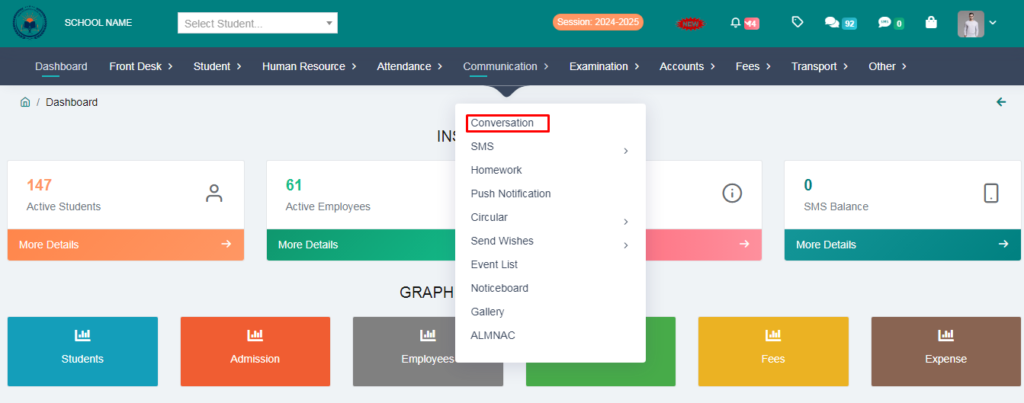
1. Go to Communication.
2. Click on Conversation .
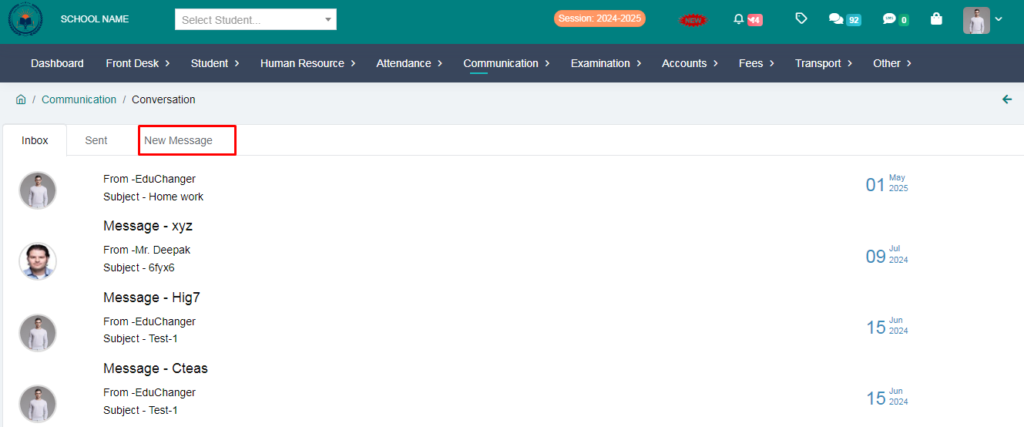
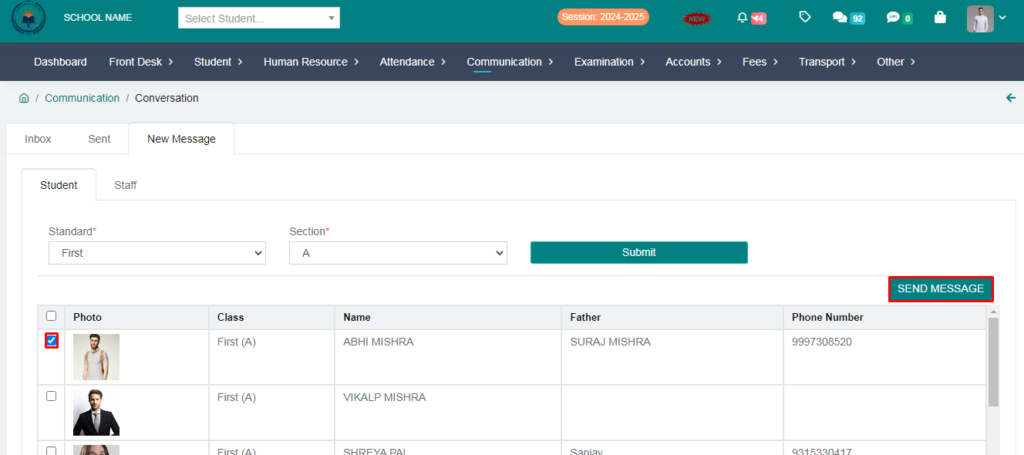
3. Click on New Message.
4. Select Standard , Section and click on submit button.
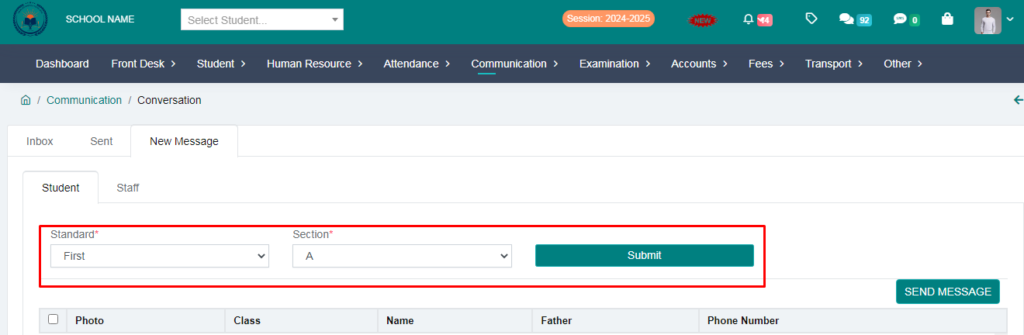
5. Select student and click on send message option.
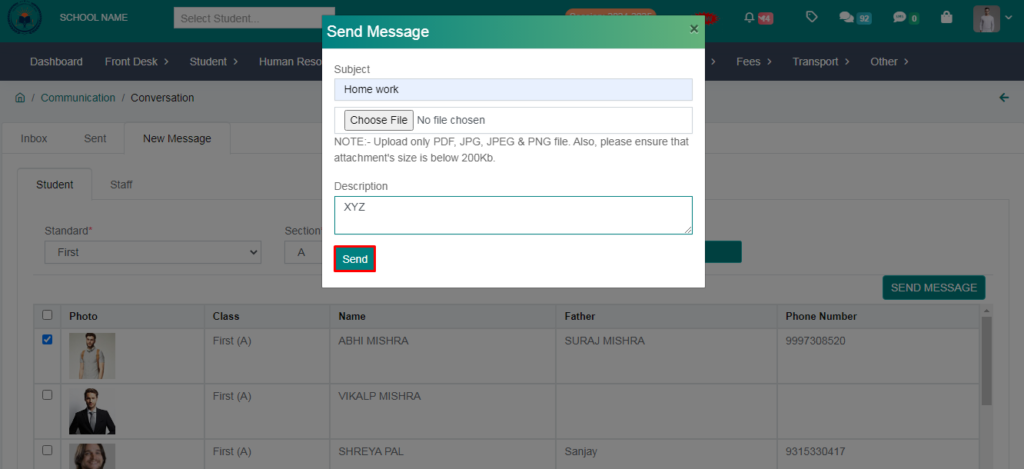
6. Fill the form & Click on send button.
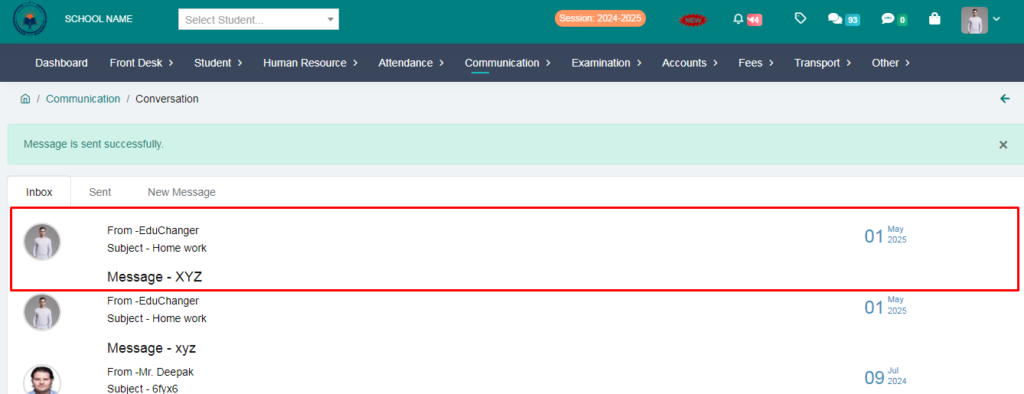
Message is sent succesfully.
> Now let the students login and check whether the message has arrieved or not.
7.Click on Conversation option.
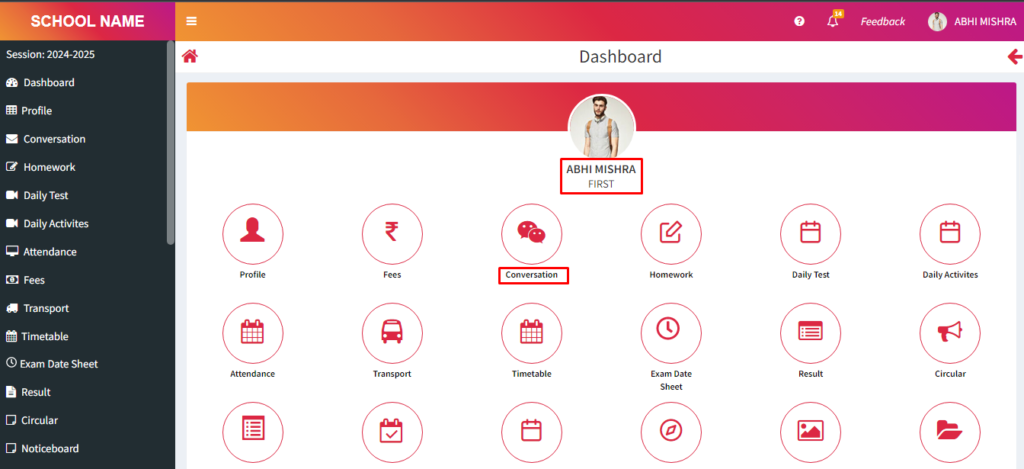
8. student received messsage succesfully.