Purpose – Here you can record all received postal items for your school.
Follow these steps-
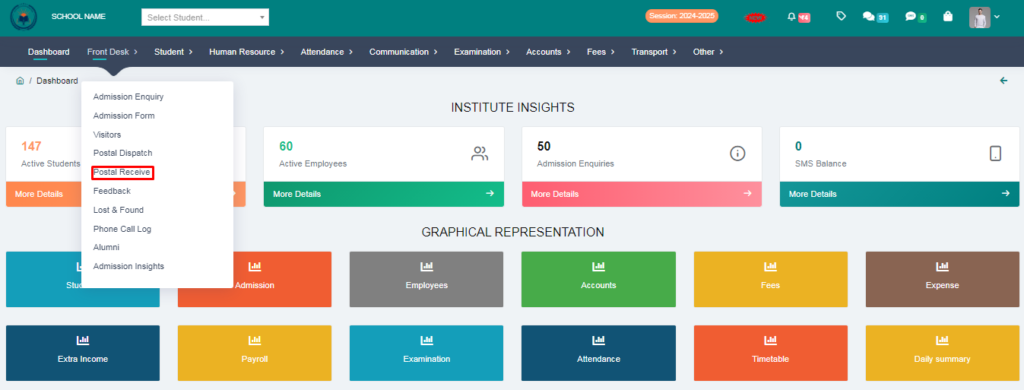
1.Go to Front Desk.
2. Click on Postal Receive.
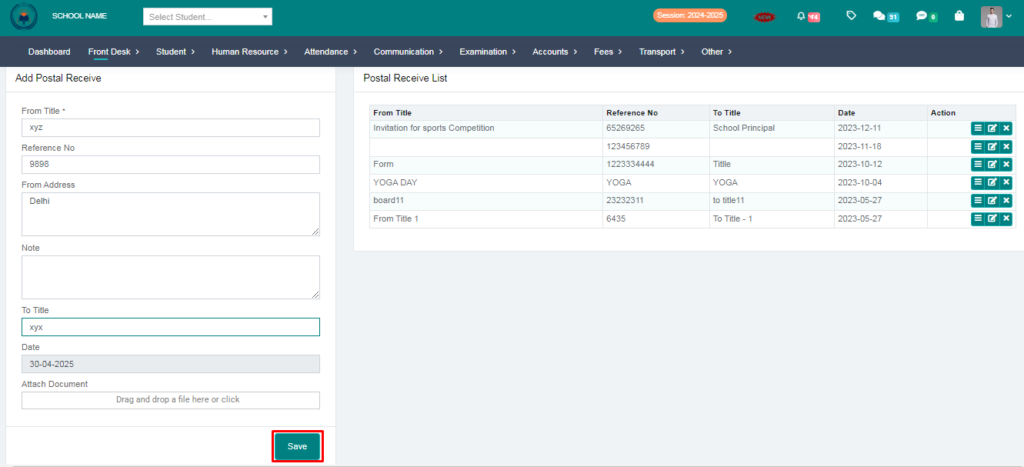
3. Fill the form & click on save button.
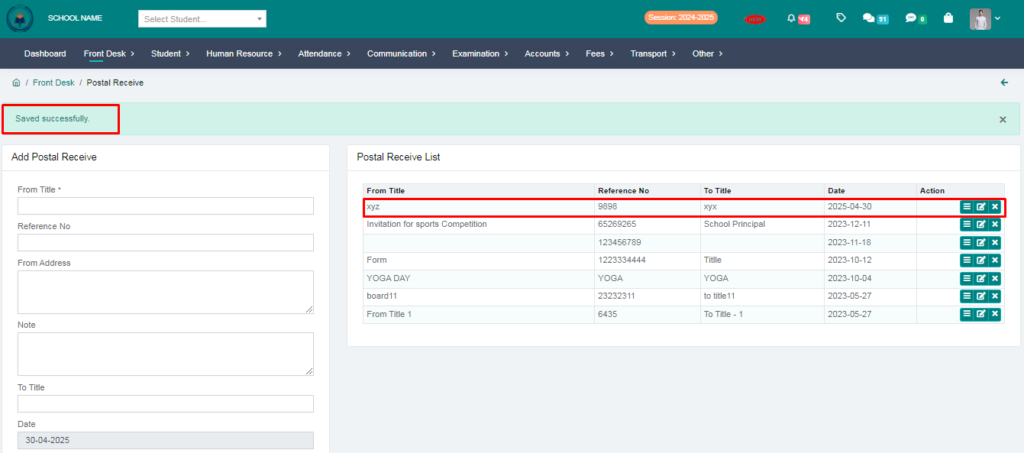
4. Your Postal Receive entry succesfully saved.
Purpose – Here you can record all received postal items for your school.
Follow these steps-
1.Go to Front Desk.
2. Click on Postal Receive.
3. Fill the form & click on save button.
4. Your Postal Receive entry succesfully saved.