Purpose – From here, you can add and manage details of any extra income to maintain accurate and organized financial records.
> Follow these Steps :
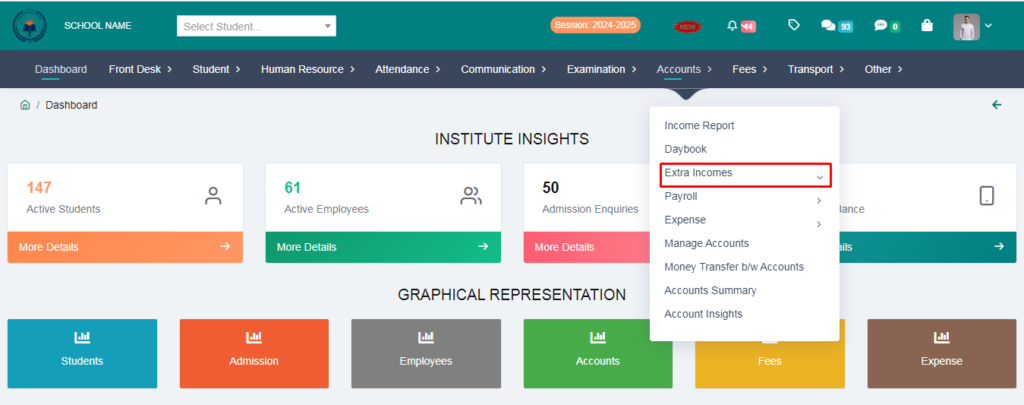
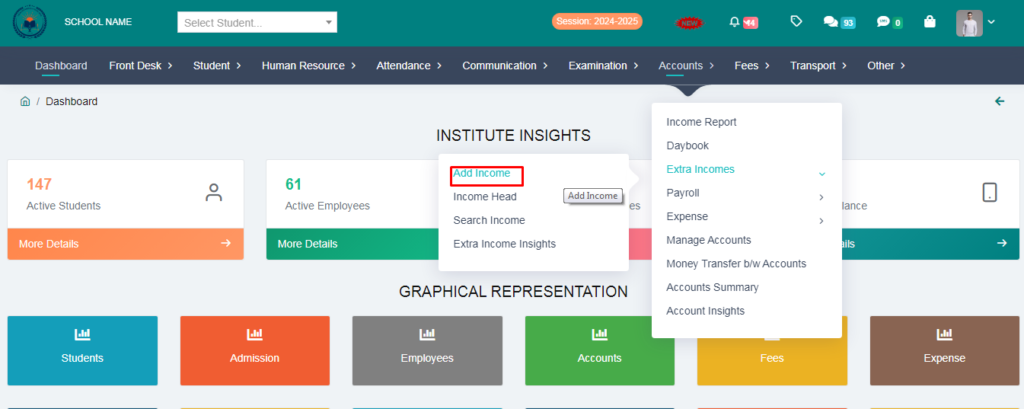
1. Go to Accounts module
2. Click on Extra Income
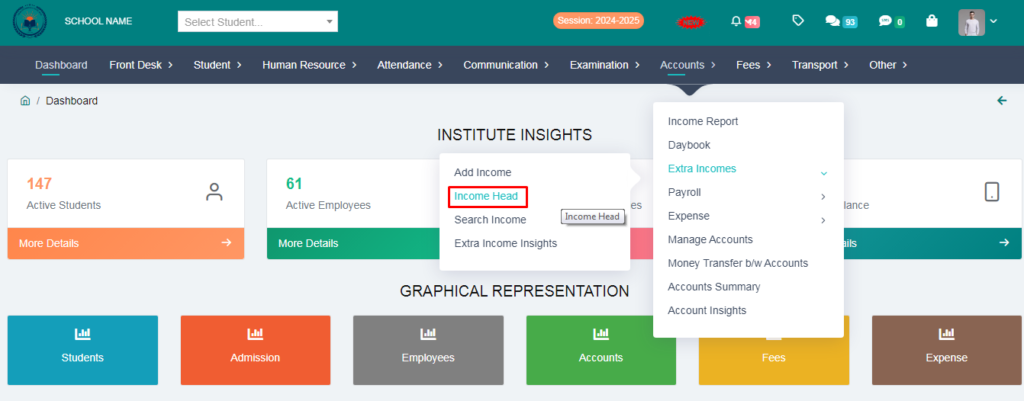
3. Click on Income Head
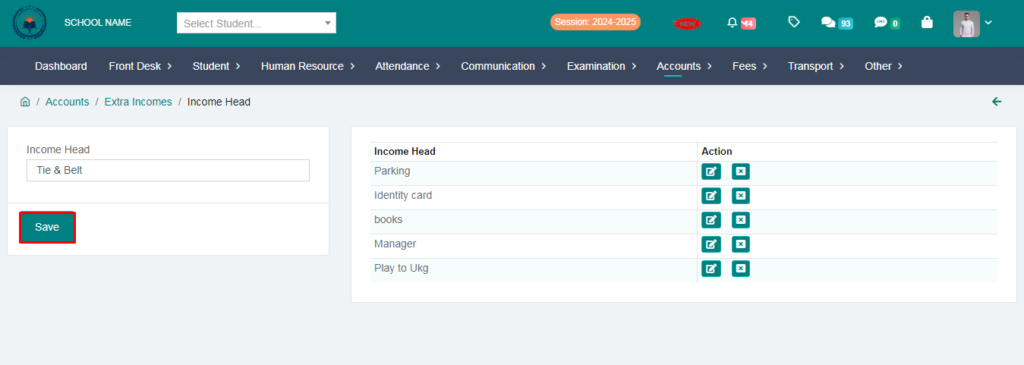
4. Create a income head & click on save button.
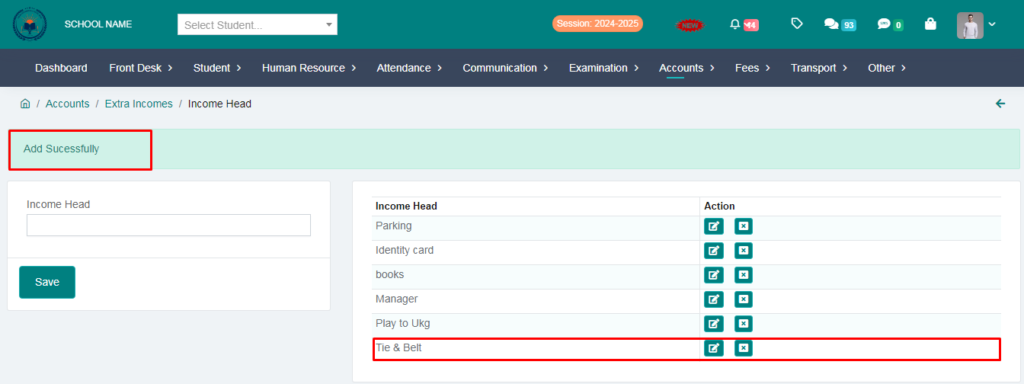
Income Head Added Sucessfully
5. Click on Add Income.
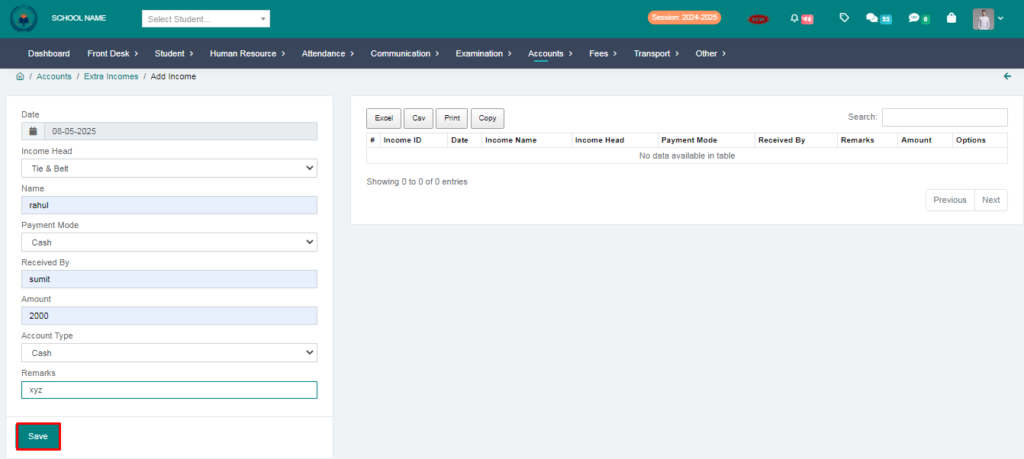
6. Fill the form & Click on save button.
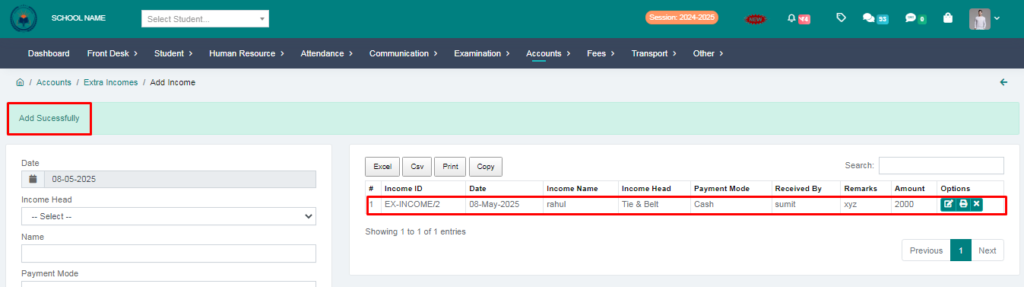
Extra Income Added Succesfully.
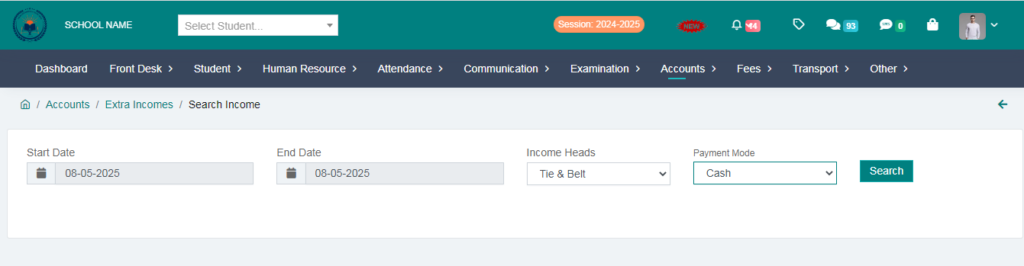
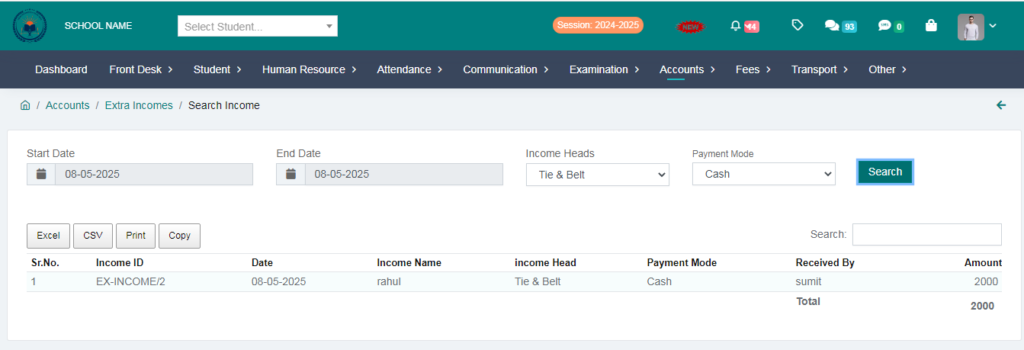
7. Click on Search Income.
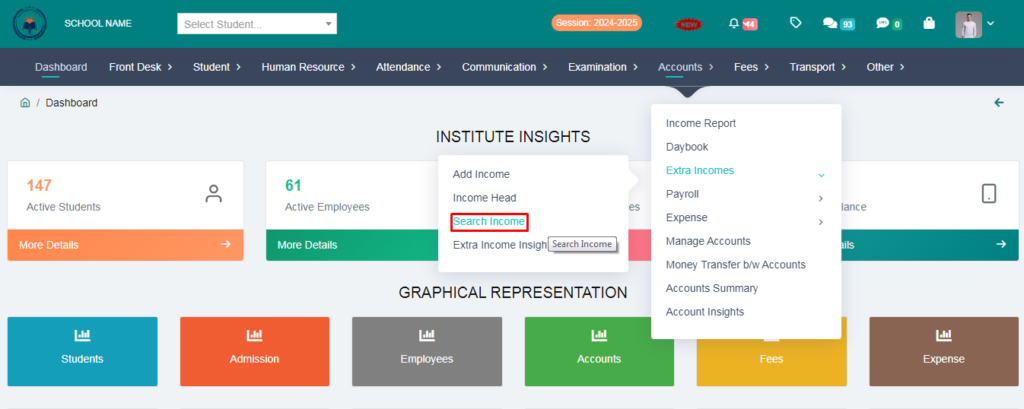
8. Here You can search your Income
> Fill the form & click on search option.
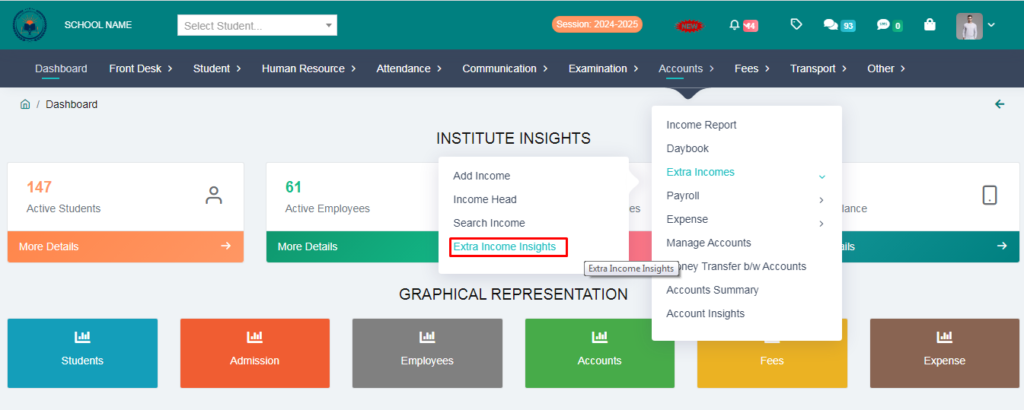
9. Click on Extra Income Insights.
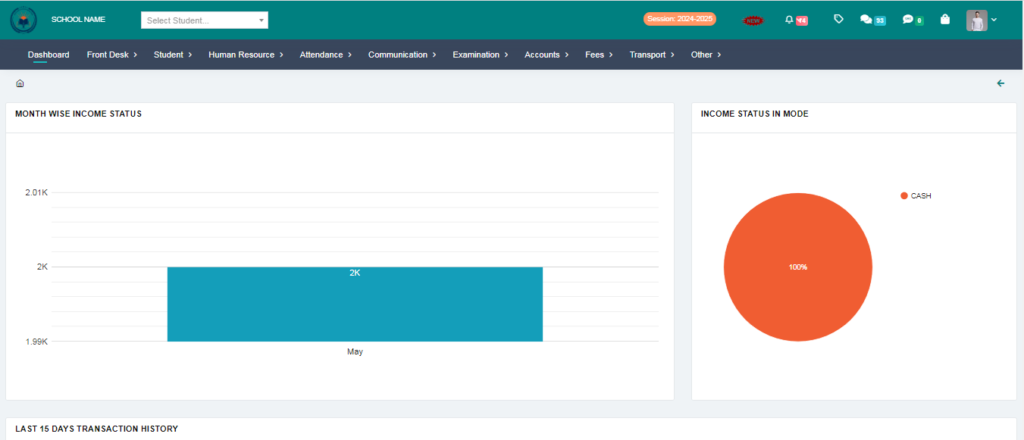
Here you can check your extra income in graphically report .