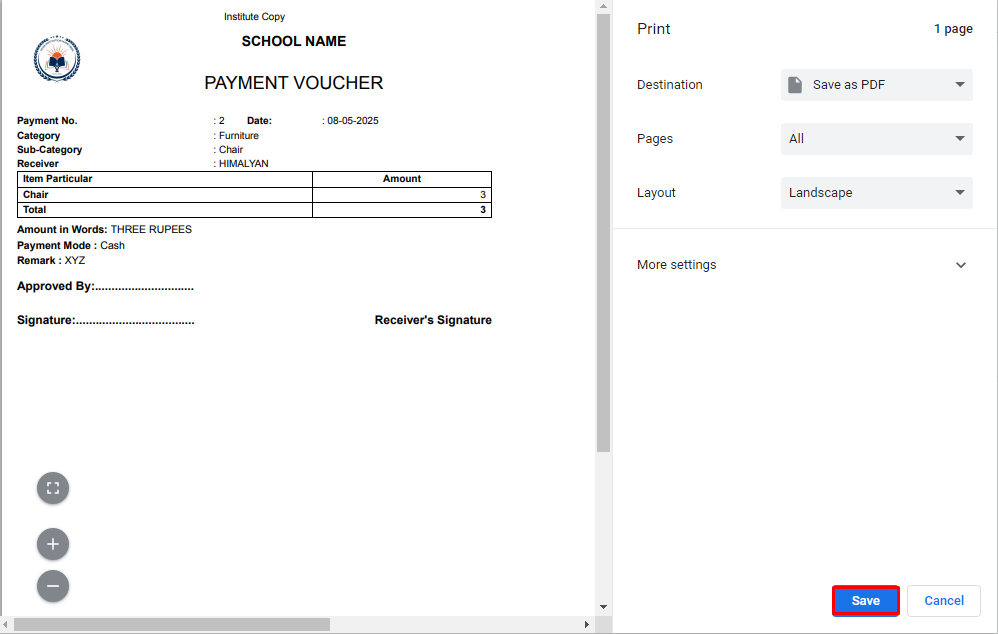
Purpose – From here, you can add and manage all expense details to keep accurate and organized financial records.
> Follow these Steps :
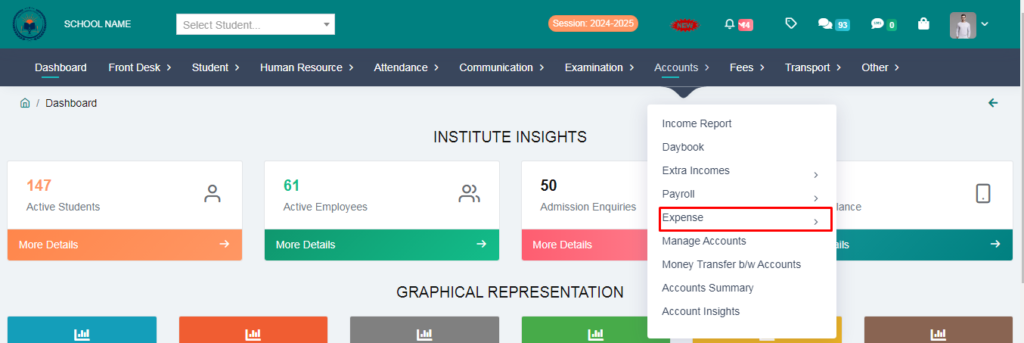
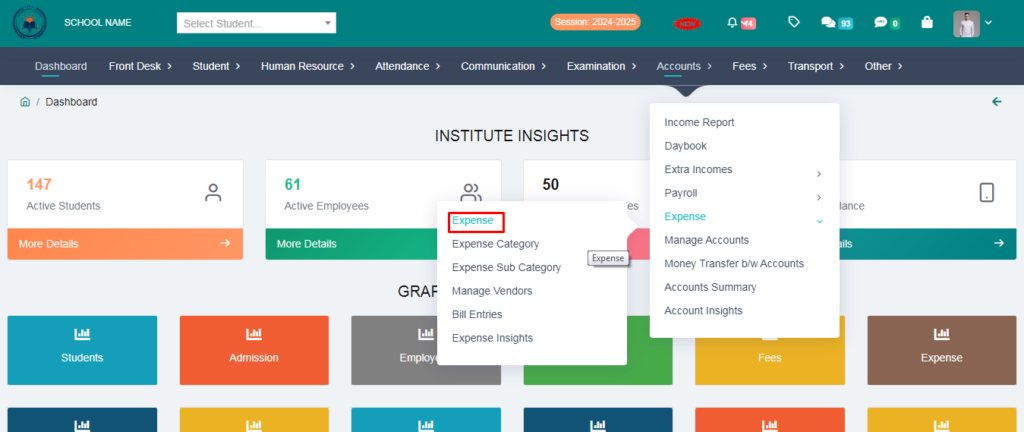
1. Go to Account Module.
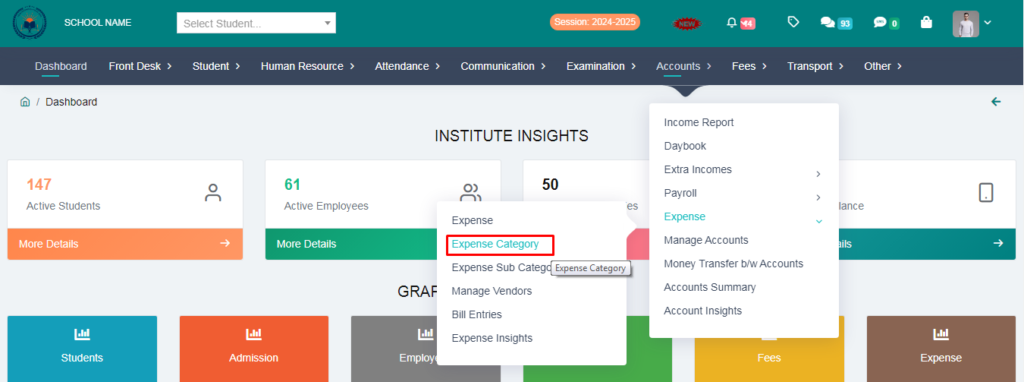
2. Click on Expense.
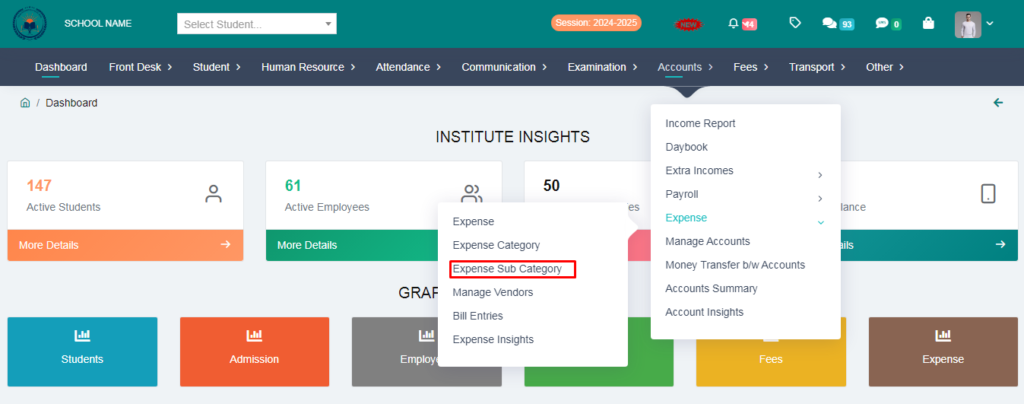
3. Click on Expensive Sub Category.
4. Fill the form and click on save button.
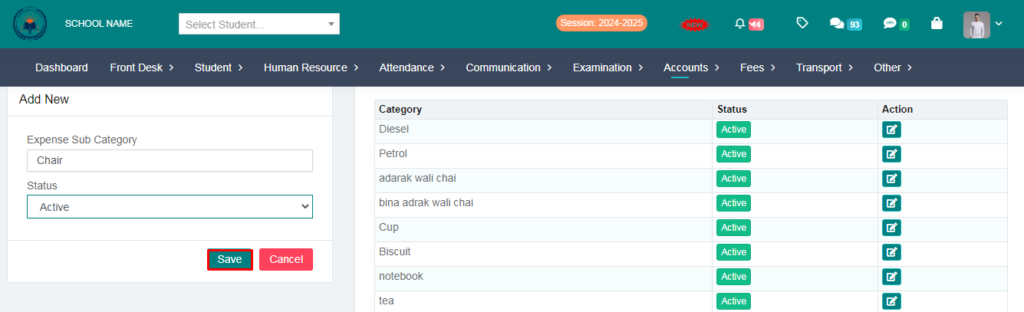
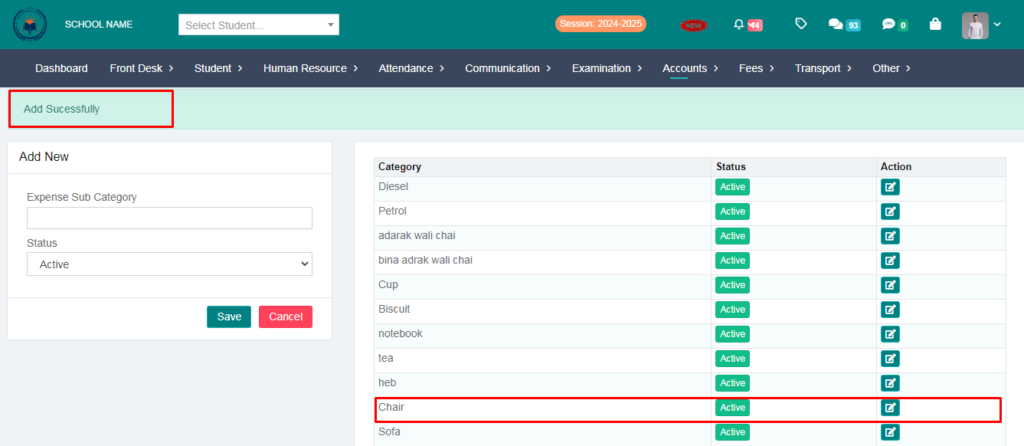
Expense Sub Category Added Succesfully.
5. Click on Expense Category.
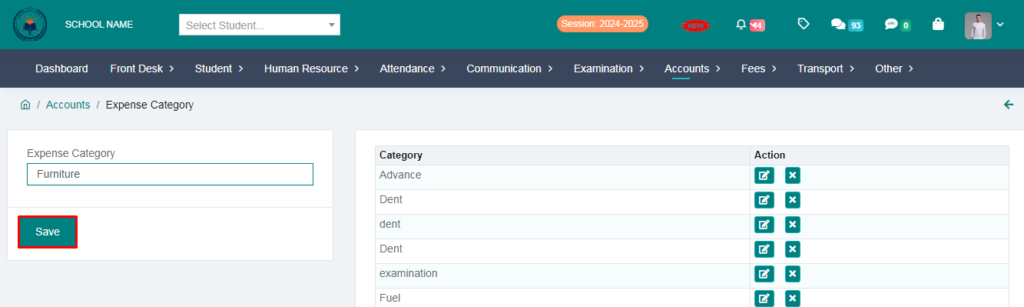
6. Fill the form & Click on save button.
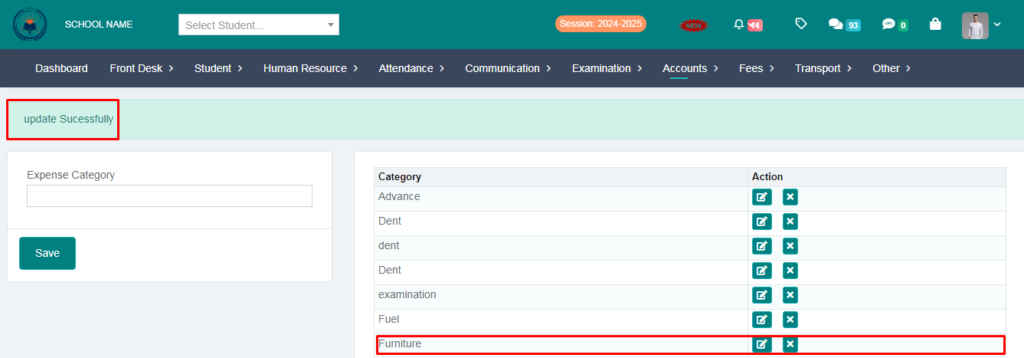
Expense Category Added Succesfully.
7. Click on Expense.
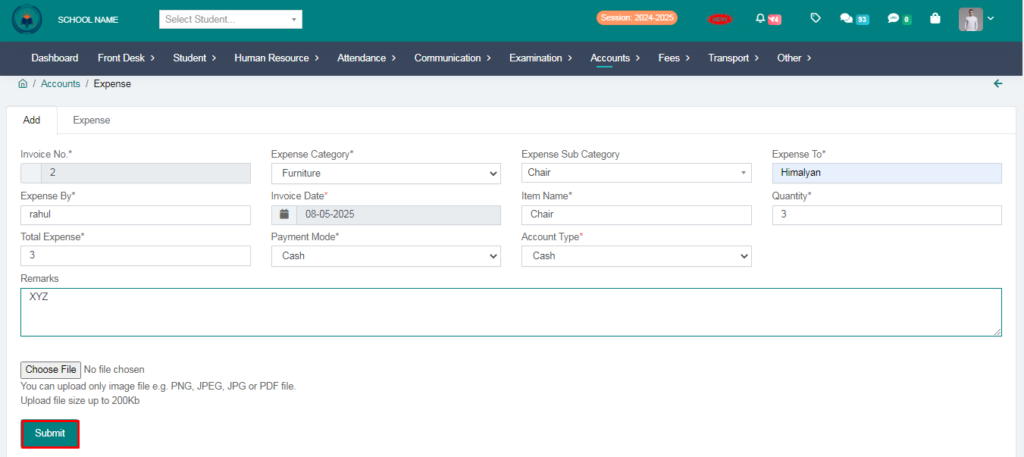
8. Fill the form & Click on submit button.
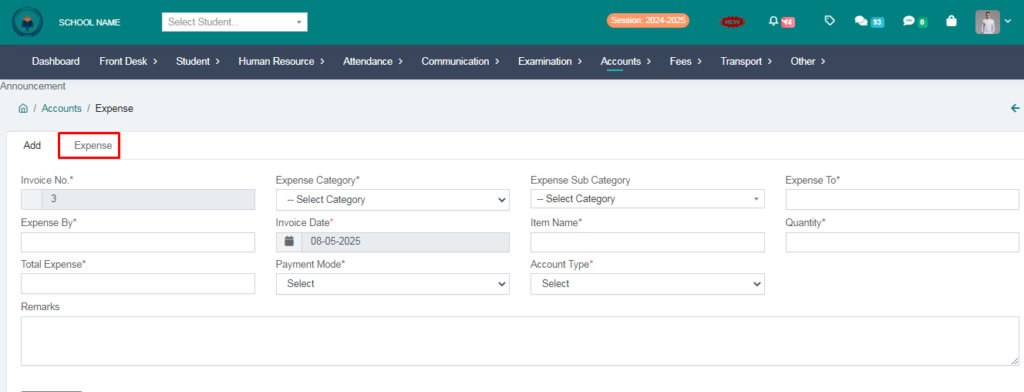
9. Click on Expense
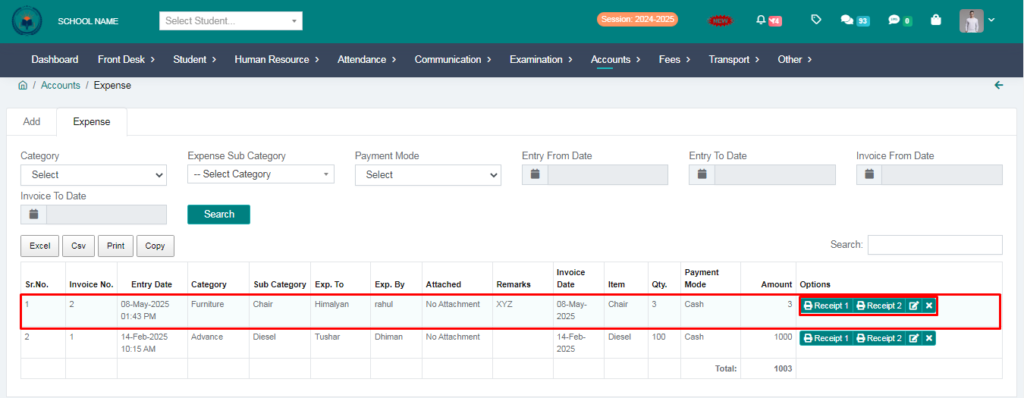
Expense Added Succesfully
Click on Receipt and you can print your expense entry.