Purpose – Here you can create new standards, manage existing ones, and organize them for your school’s classes and sections.
> Follow these Steps:
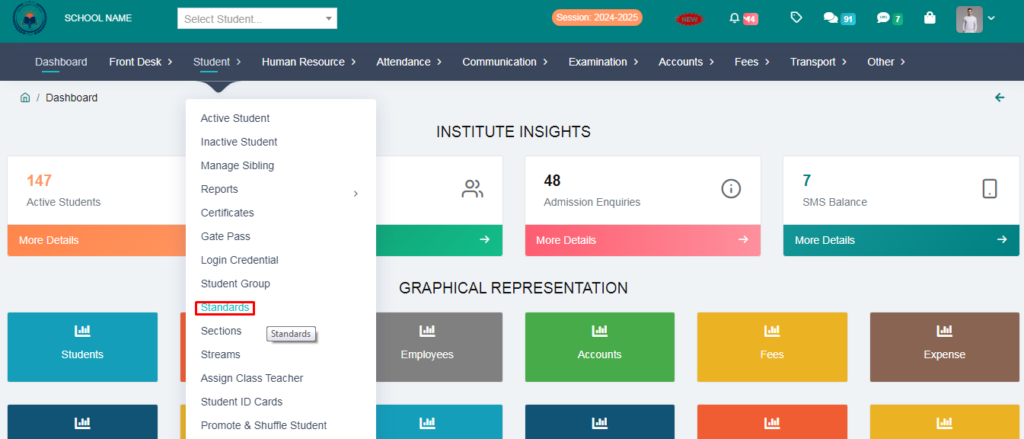
1. Go to Student Module.
2. Click on Standards .
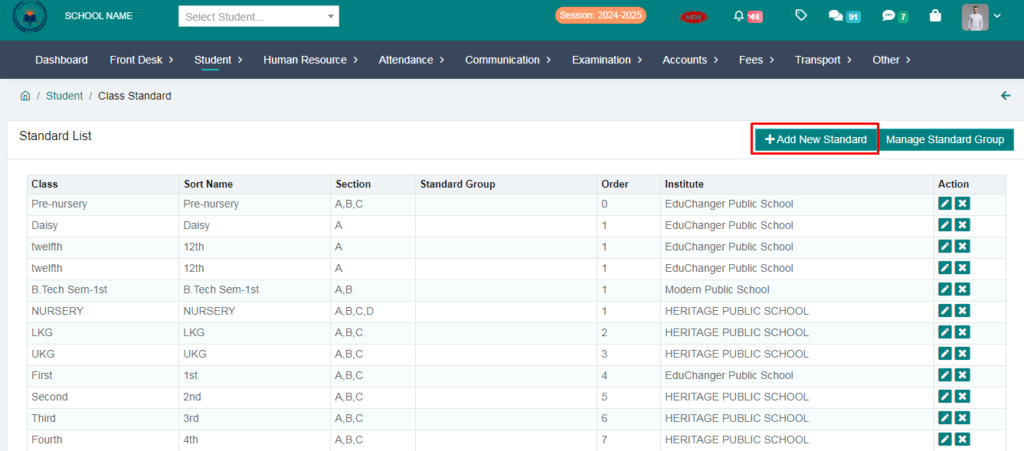
3. Click on Add New Standard .
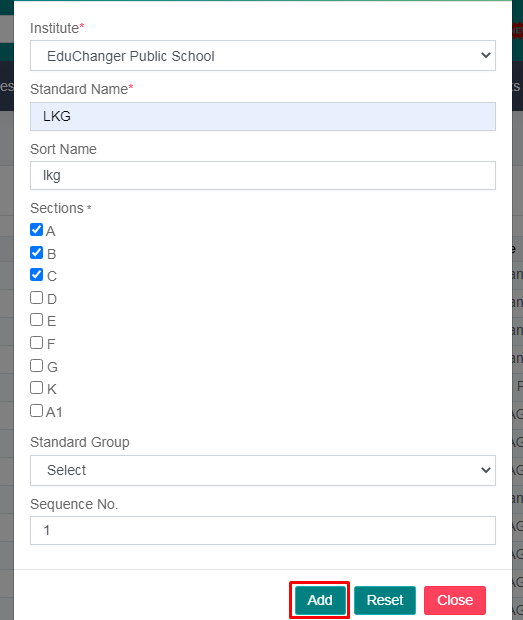
4. Fill the form & Click on Add Button..
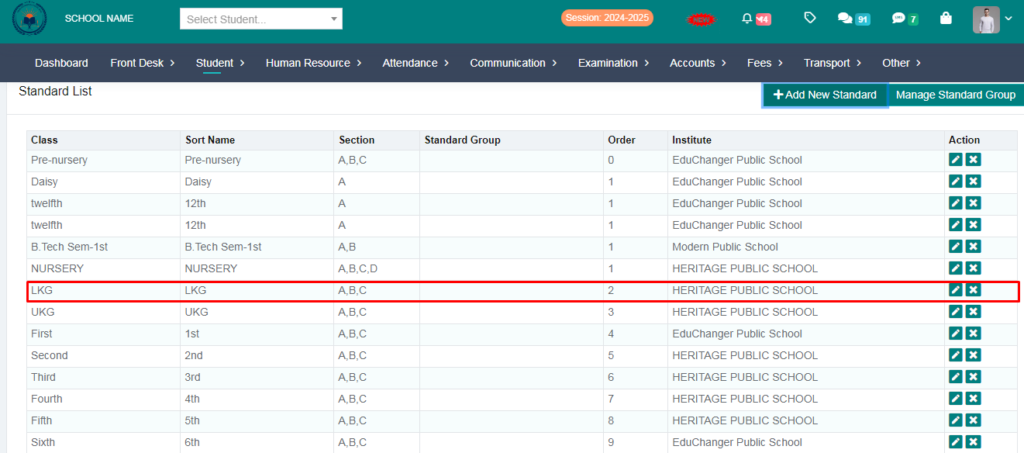
YOUR Standard HAS BEEN ADDED SUCCESFULLY