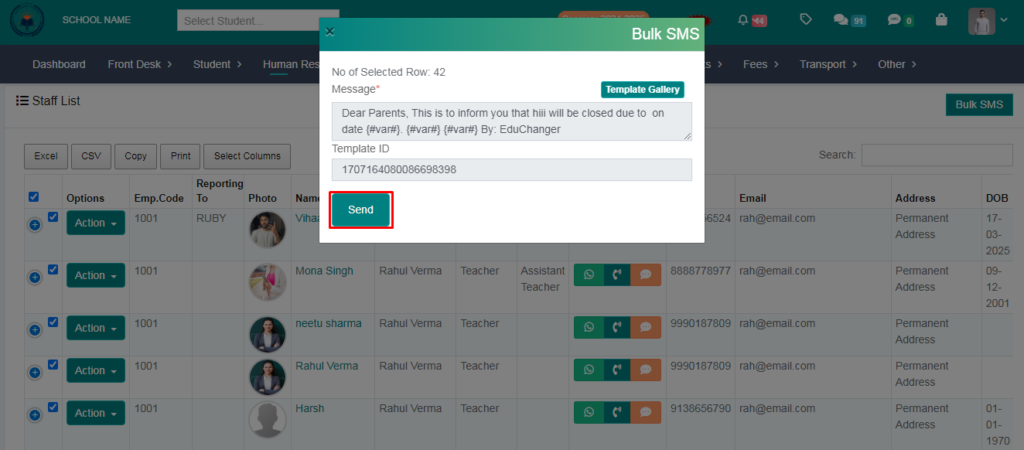
> From here you can send a text message to all teachers.
> Follow these Steps :
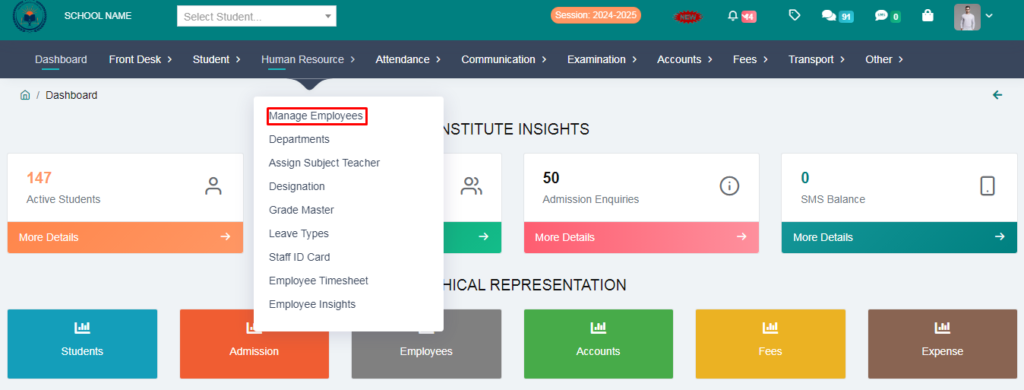
1. Go to Human Resource Module.
2. Click on Manage Employees .
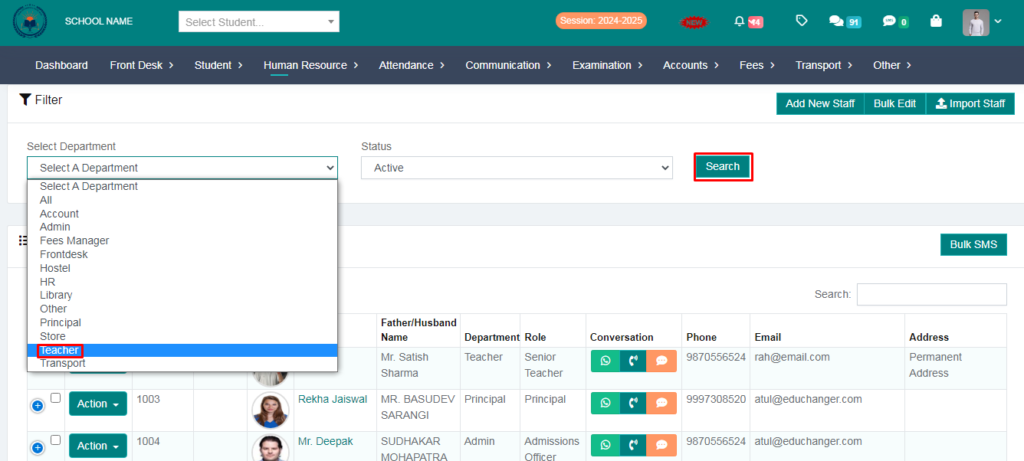
3. Select the Department & click on search option.
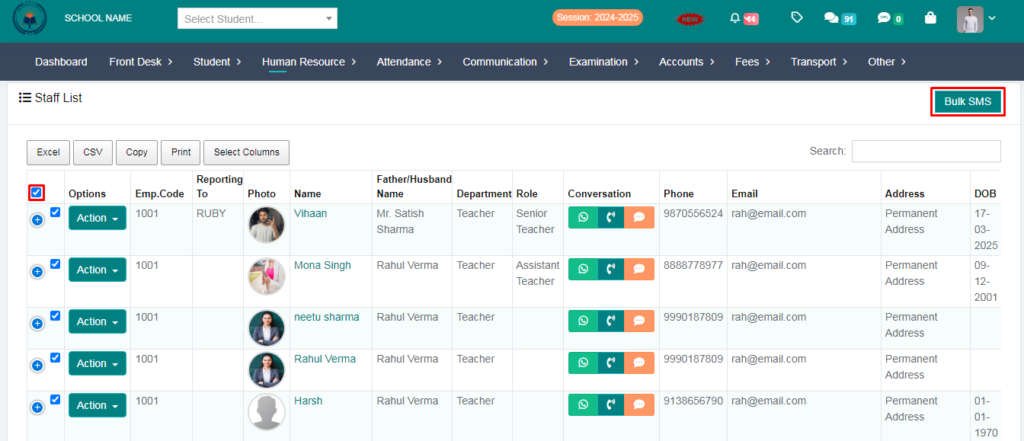
4. You need to click on the checkbox & then click on bulk sms.
5. Now you need to choose a template .
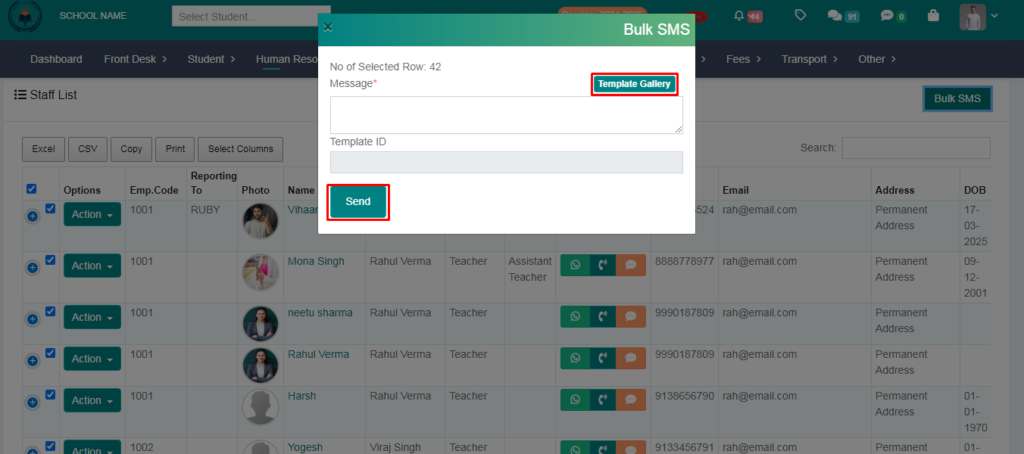
6. Select the template for which you want to send the message.
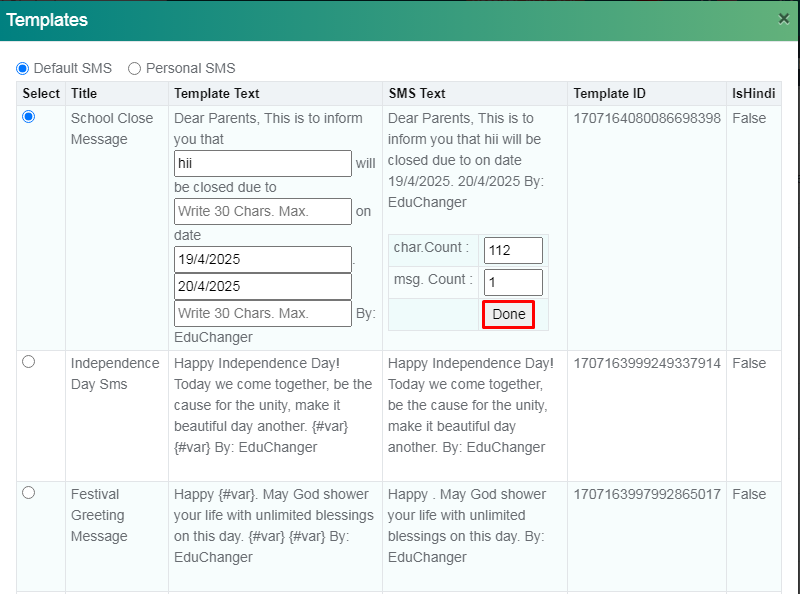
7. Now you can send SMS.