Purpose – From here, you can create and manage the complete timetable for all classes, including subjects, teachers, and periods, ensuring smooth daily schedules.
> Follow these Steps :
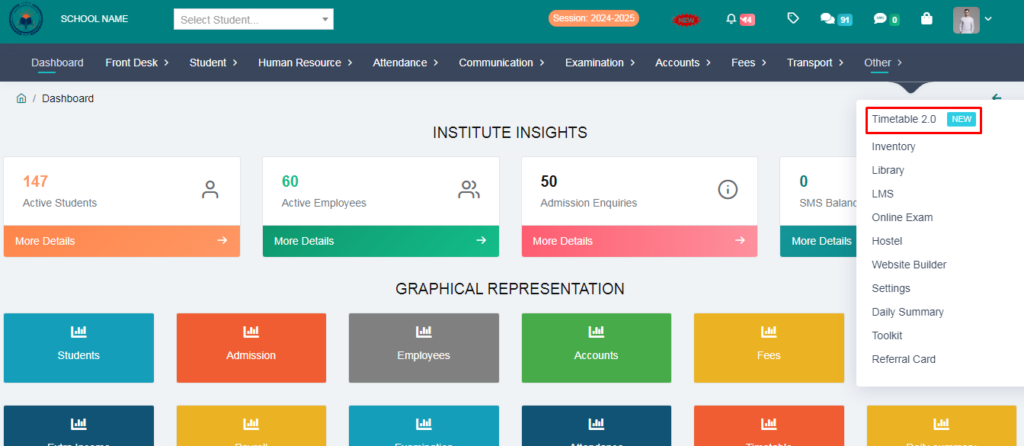
1. Go to Other Module.
2. Click on Timetable .
3. You can make a TimeTable by following these steps:
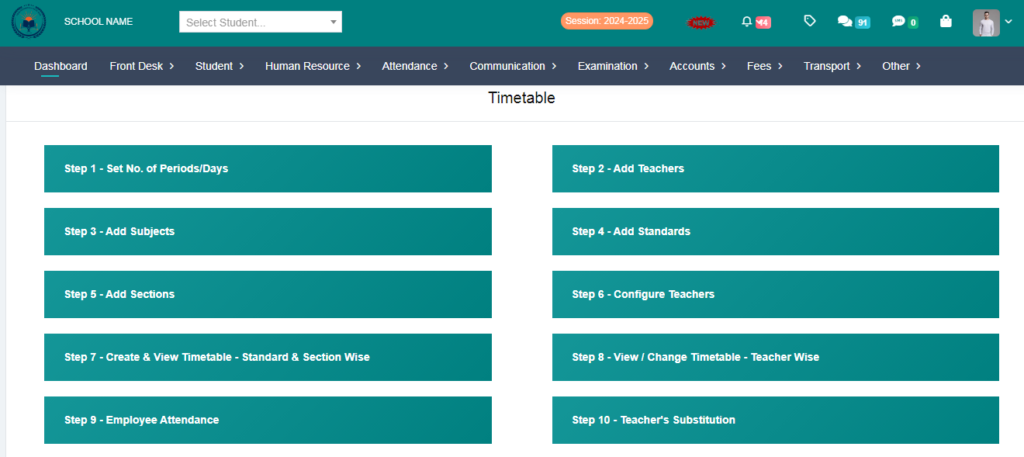
Step -1
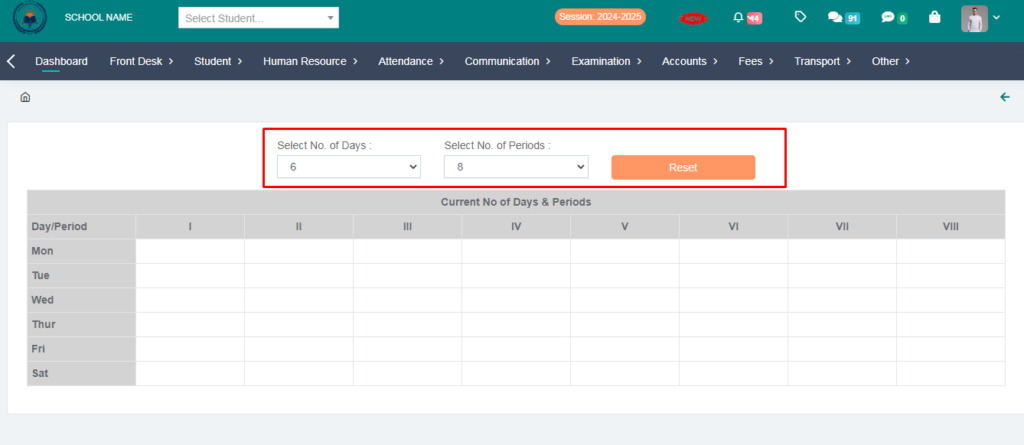
> Set No. of Periods.
> Select No. of Days and Select No. of Periods & Click on Reset option.
> From here you can set your days and periods.
Step -2
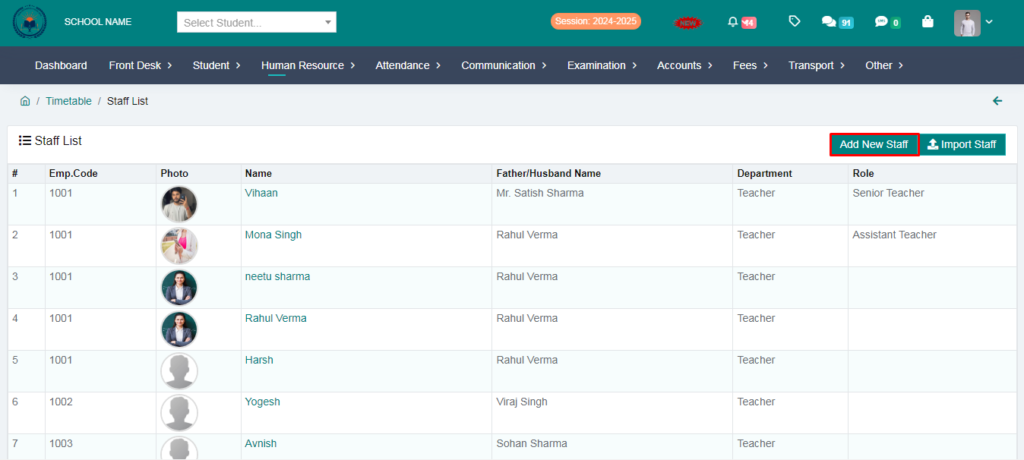
> Add Teachers .
> You can add teachers from here.
Step -3
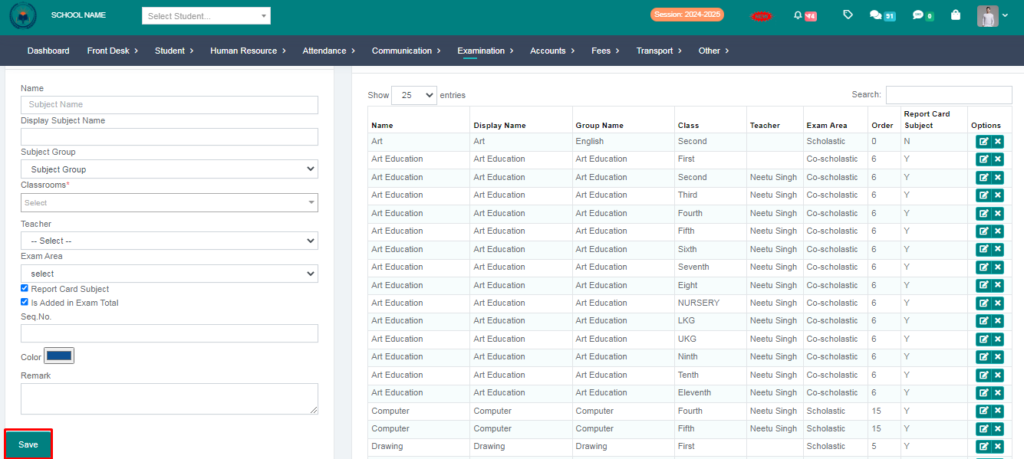
> Add Subjects .
> You can add subjects from here.
Step -4
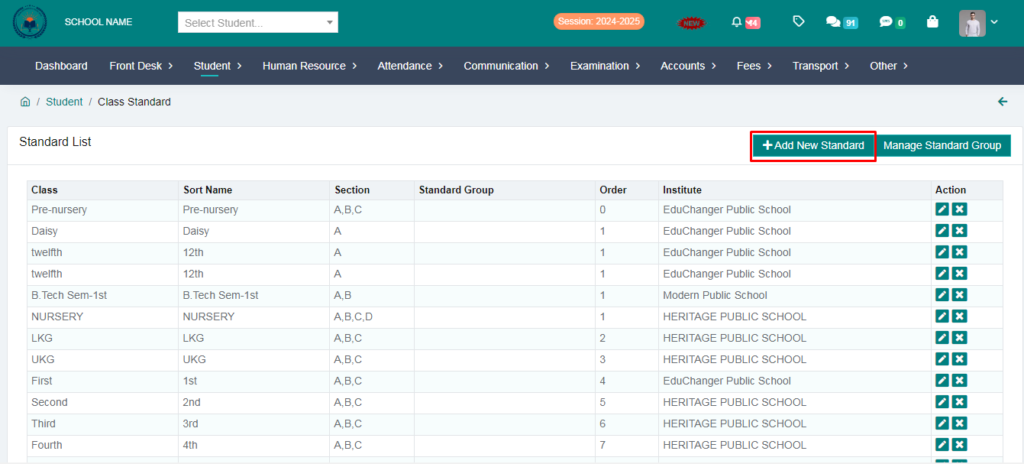
> Add Standards.
> You can add standards from here.
Step –5
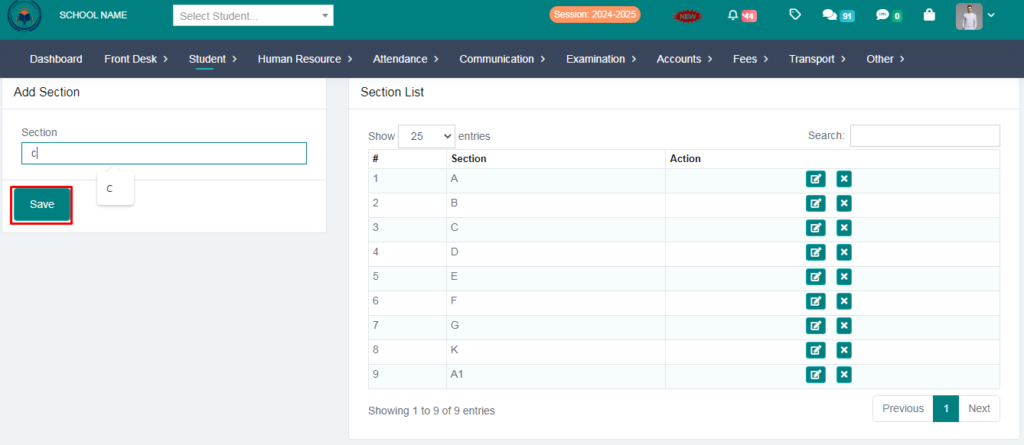
> Add Sections.
> You can add sections from here.
Step -6
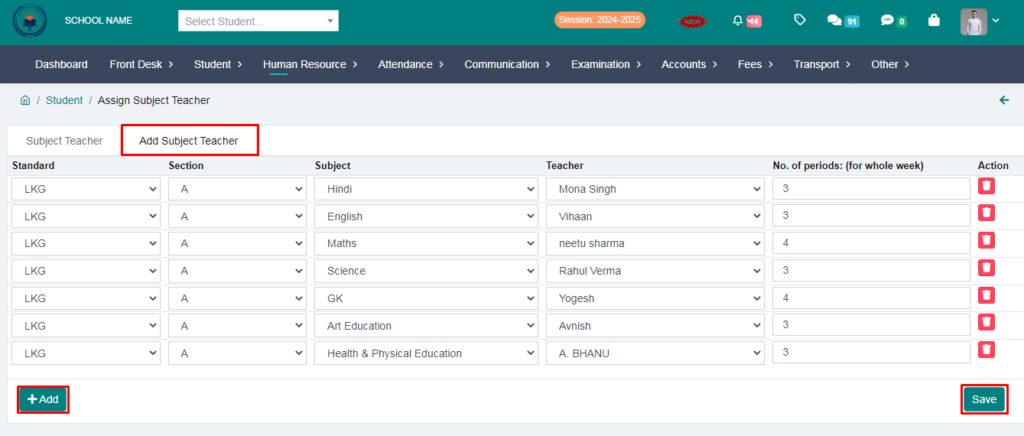
> Configure Teacher.
> From here you can add subject teacher.
> You can add multiple teachers by clicking on the add button.
Step -7
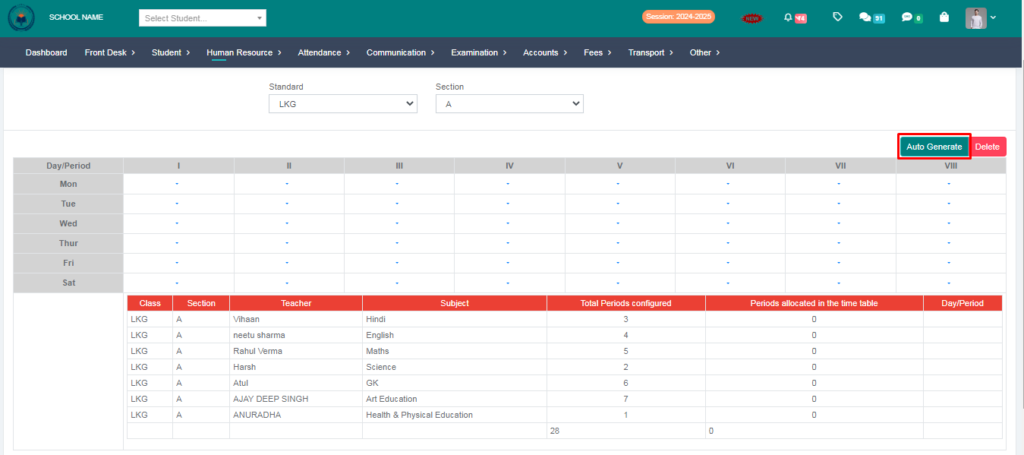
> Create & View TimeTable – Standard & Section Wise.
> Click on Auto Generate & Your TimeTable has been generated automatically.
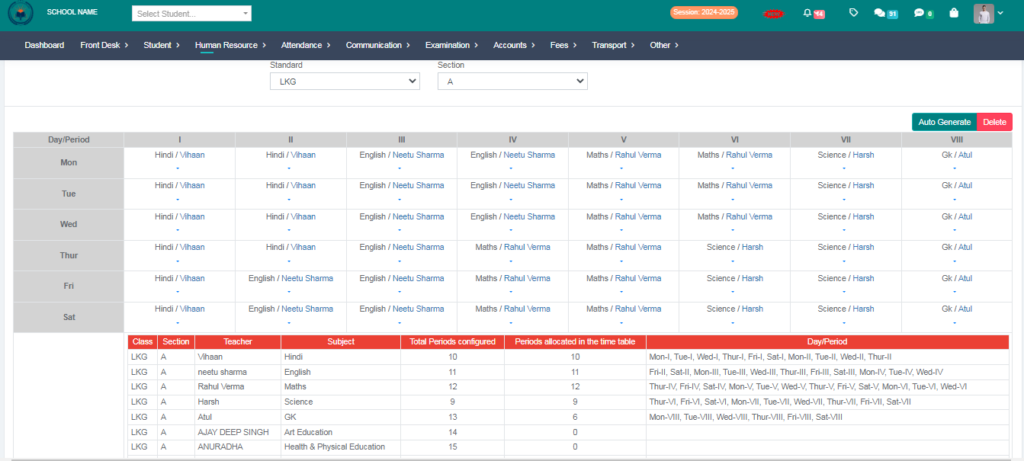
> You can print TimeTable from here.
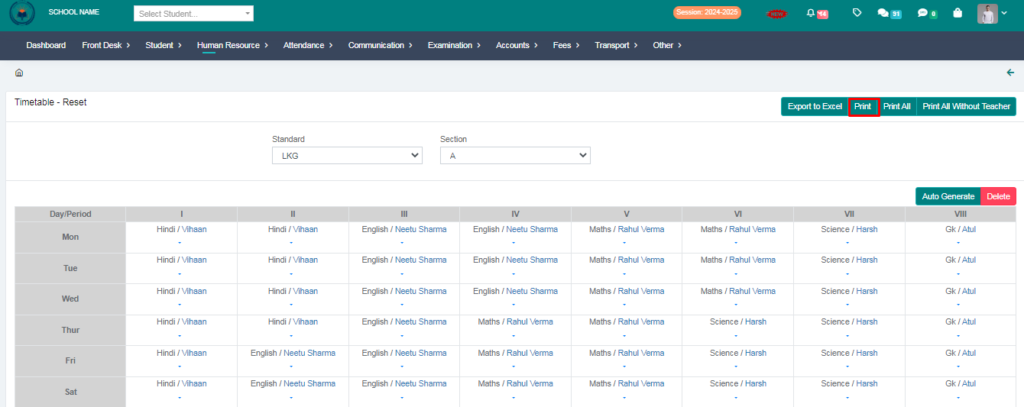
Your timetable has been generated succesfully