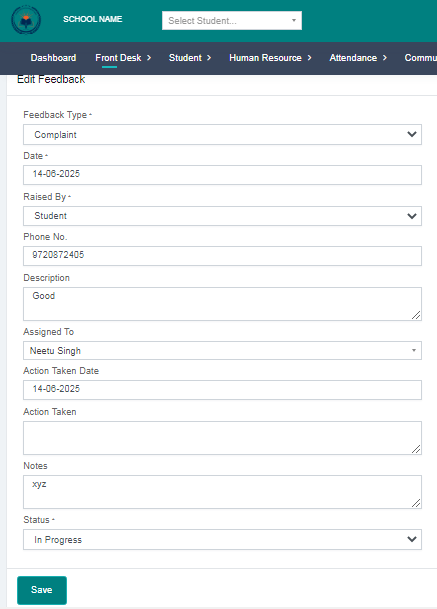
Purpose – Here you can view students’ feedback and complaints and assign them to the respective teachers.
> Follow these Steps :
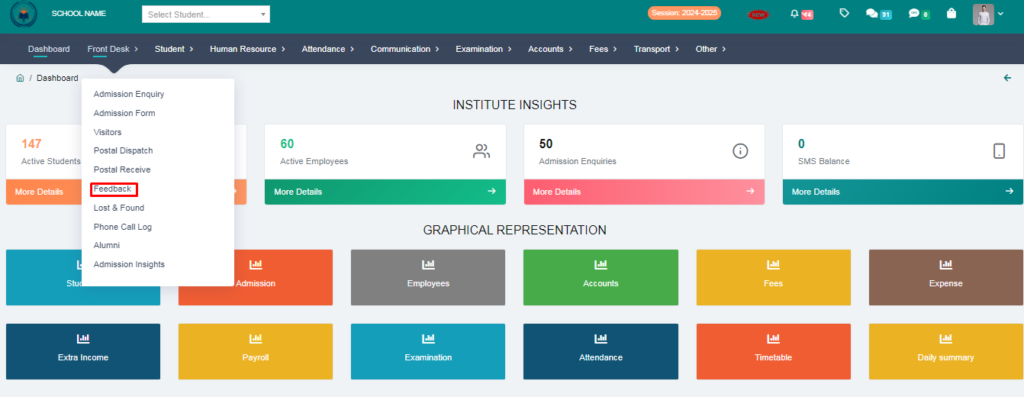
1. Go to Front Desk.
2. Click on Feedback.
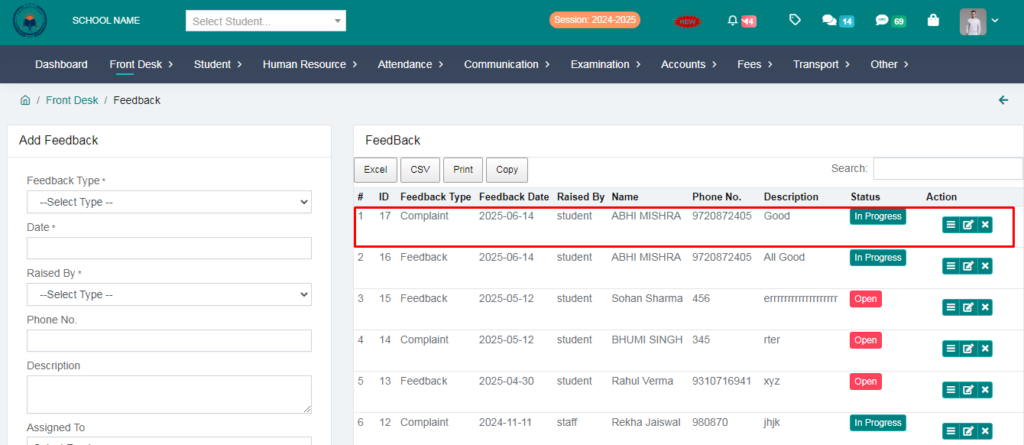
3. Here you will see the feedback entries of all the students.
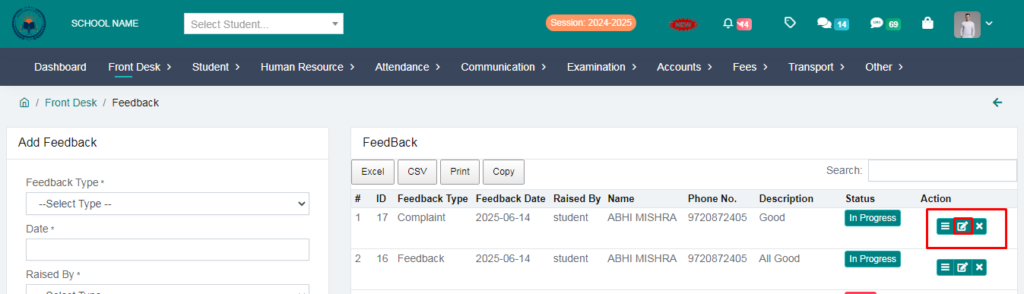
4. Click on Edit Button .
> By clicking on Edit, you can change the status of the feedback or complaint to closed or in progress and if there is any complaint, you can assign it to a teacher.
5. Fill the form and click on save button.