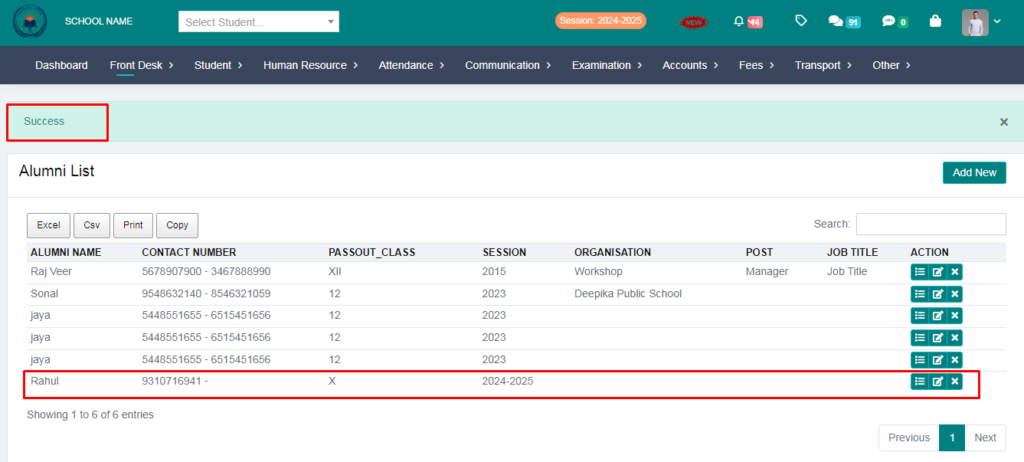
Purpose – Here, you can add the names of alumni students and your list will be updated.
> Follow these Steps:
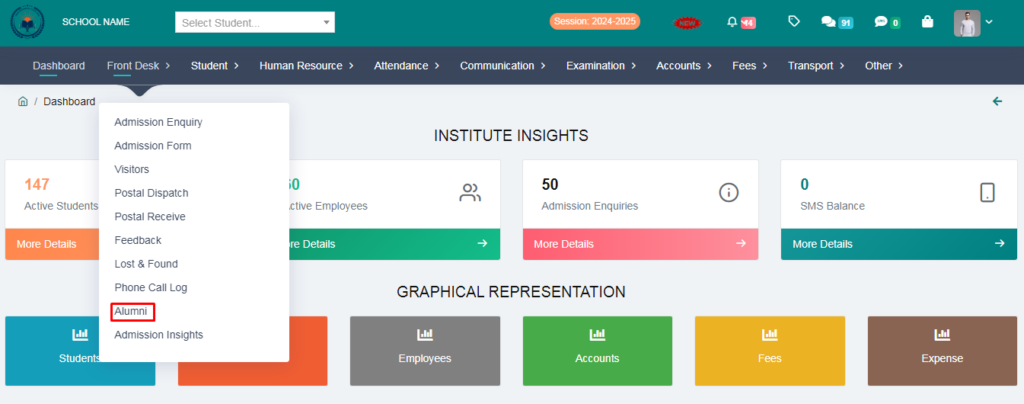
1. Go to Front Desk.
2. Click on Alumni List.
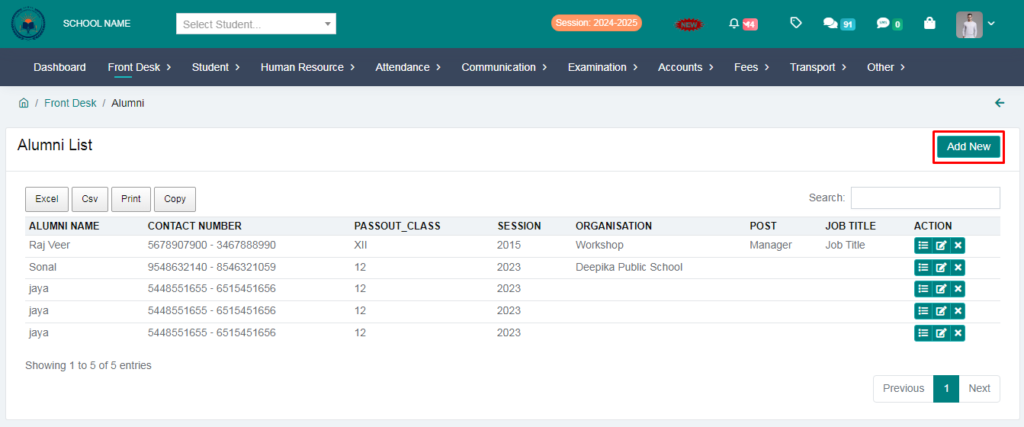
3. Click on Add New option.
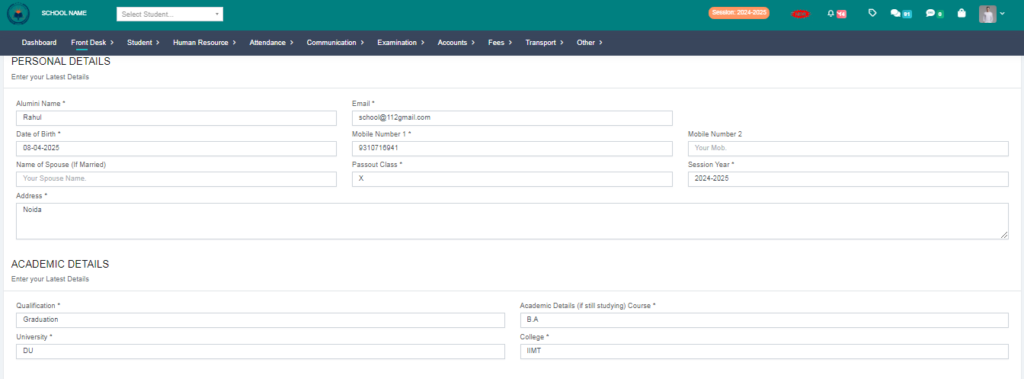
4. Fill the form and click on save button.
5. Your Alumni entry succesfully saved.