Purpose – Here you can manage the entire library system, including adding and categorizing books, tracking which students have issued or returned books, monitoring due dates, and maintaining accurate library records for smooth operations.
> Follow these Steps :
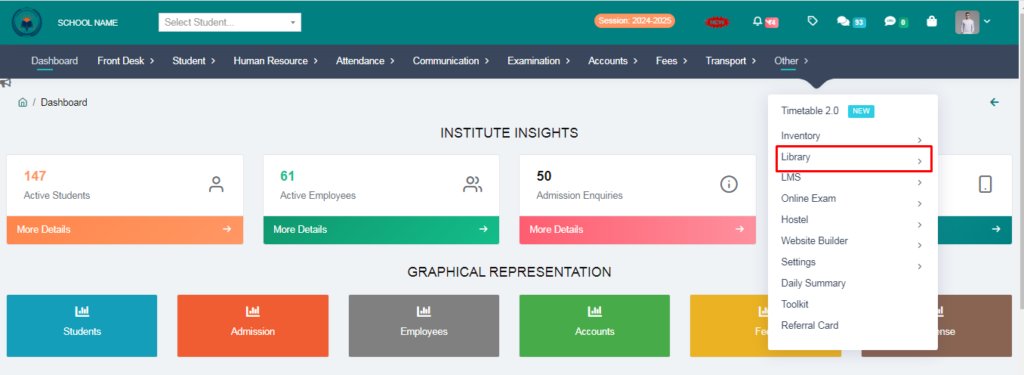
1. Go to other module.
2. Click on Library.
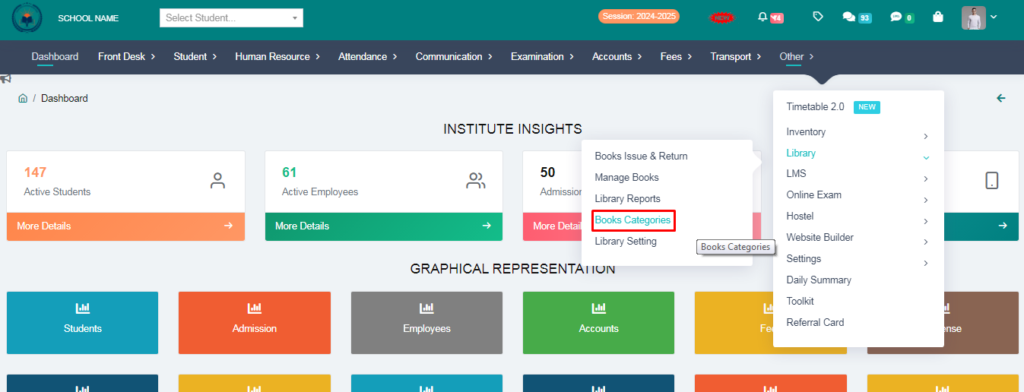
3. Click on Books Categories.
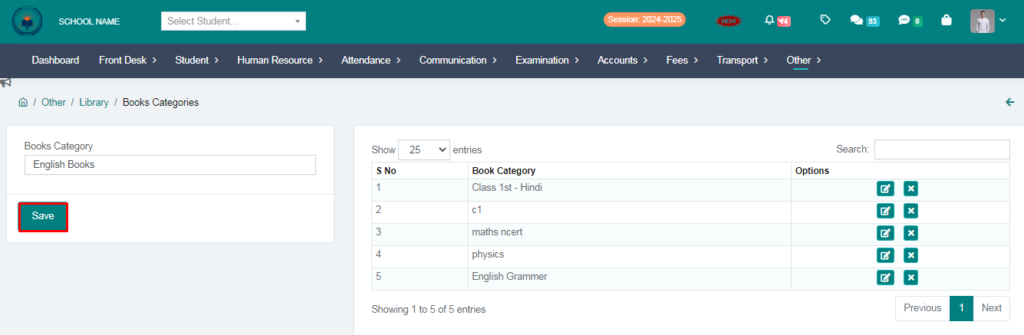
4. Add a book category.
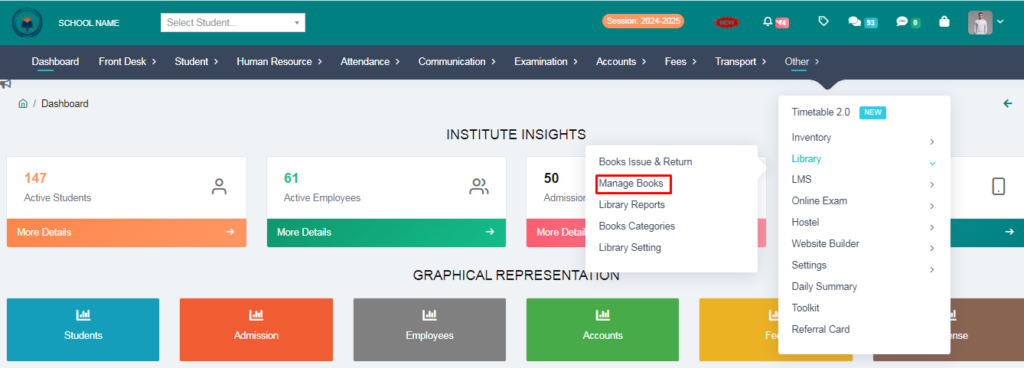
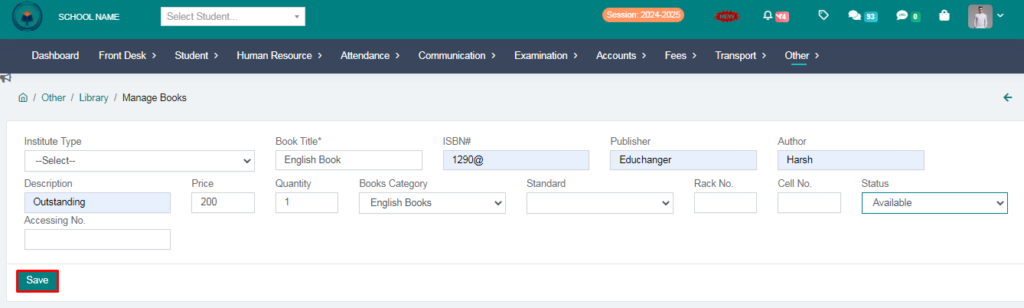
5. Click on Manage Books.
6. Fill the form & click on save button.
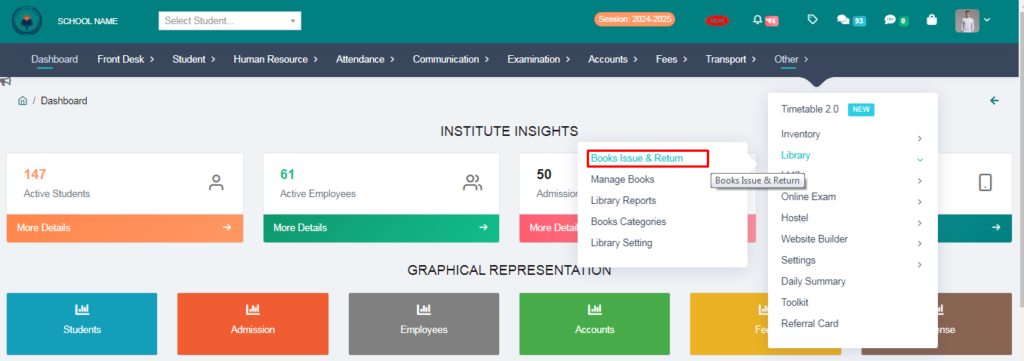
7. Click on Books Issue & Return.
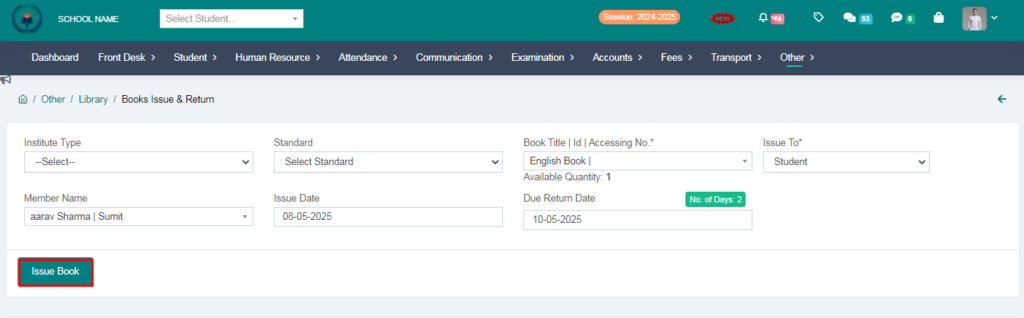
8. Fill the form & click on issue book.
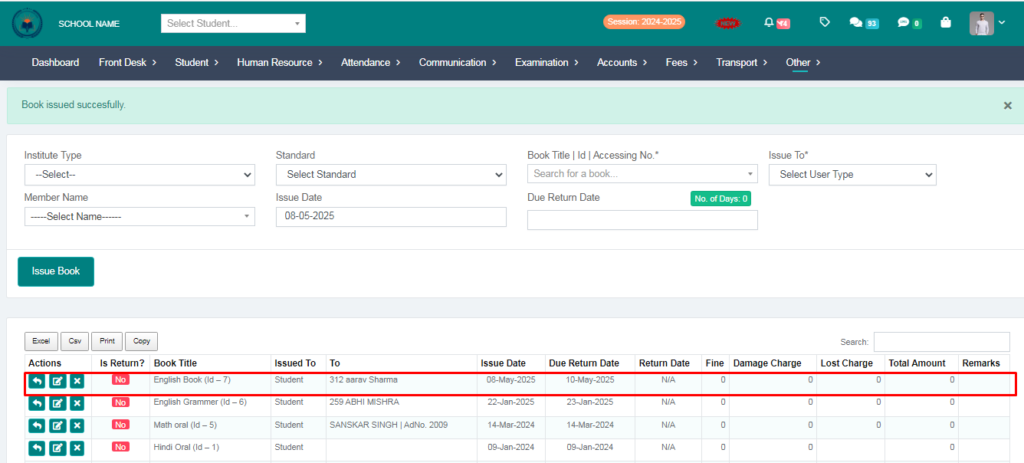
Your entry added succesfully .