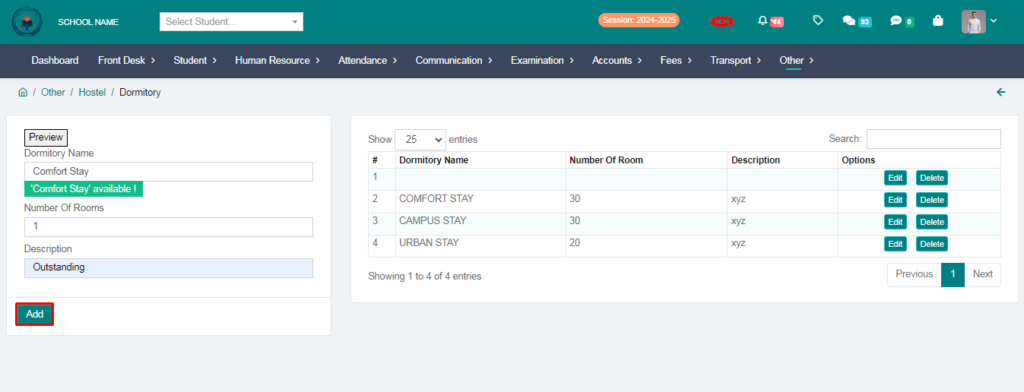
Purpose – From here, you can enter and manage all hostel details, including rooms, student allocations, and facilities, to keep complete and organized records.
> Follow these Steps :
1. Go to Other Module.
2. Click on Hostel.
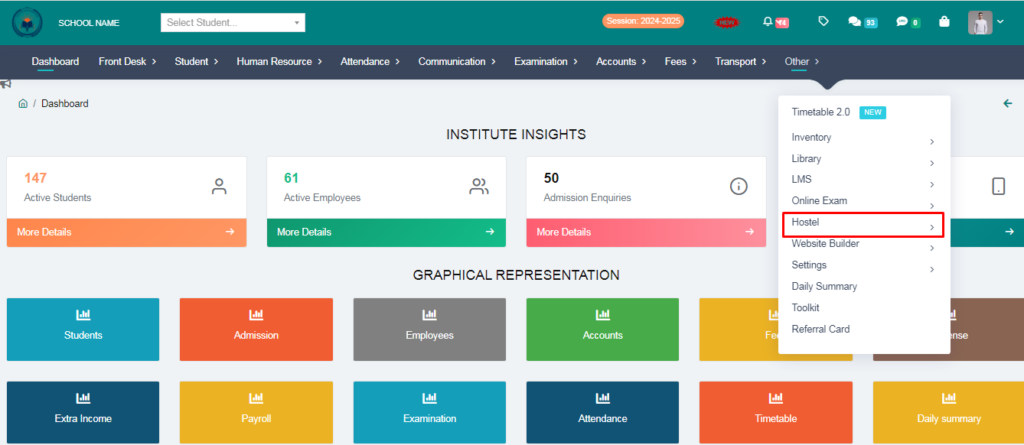
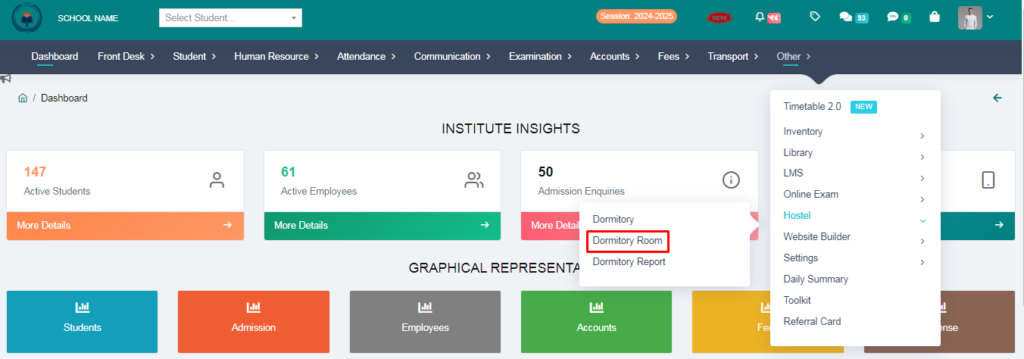
3. Click on Dormitory Room.
4. Fill the form & click on add room.
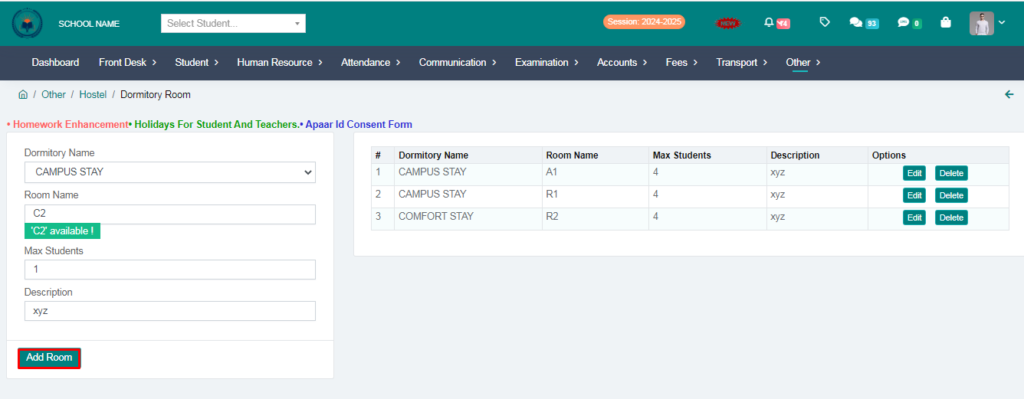
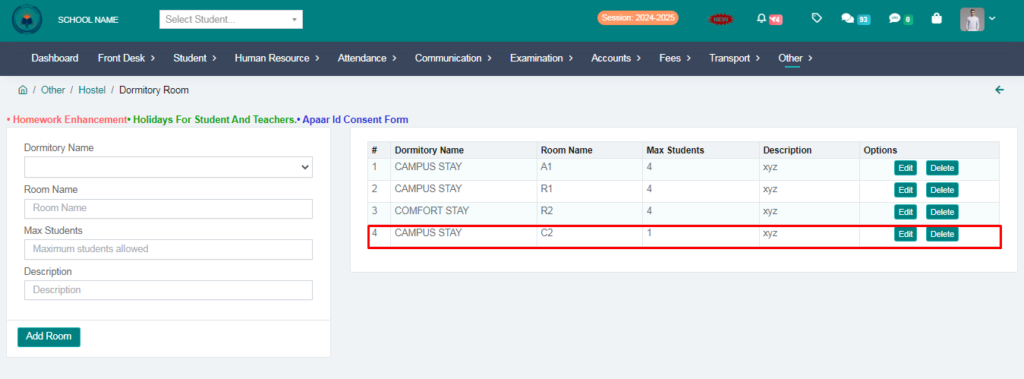
Dormitory Room Added Succesfully.
5. Click on Dormitory.
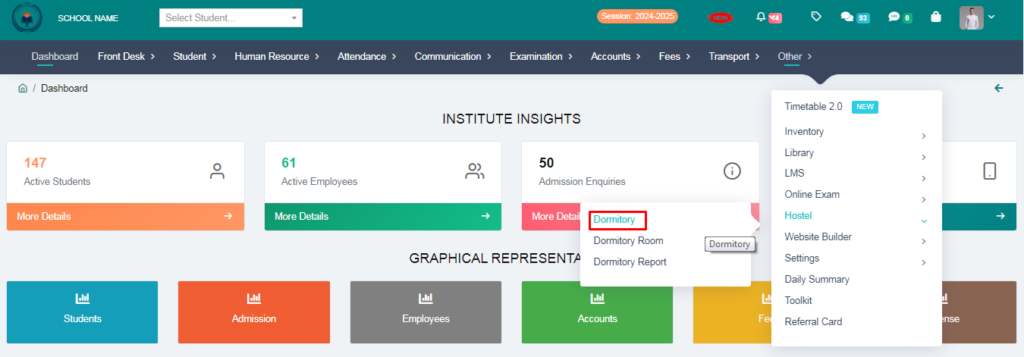
6. Fill the form & click on Add option.