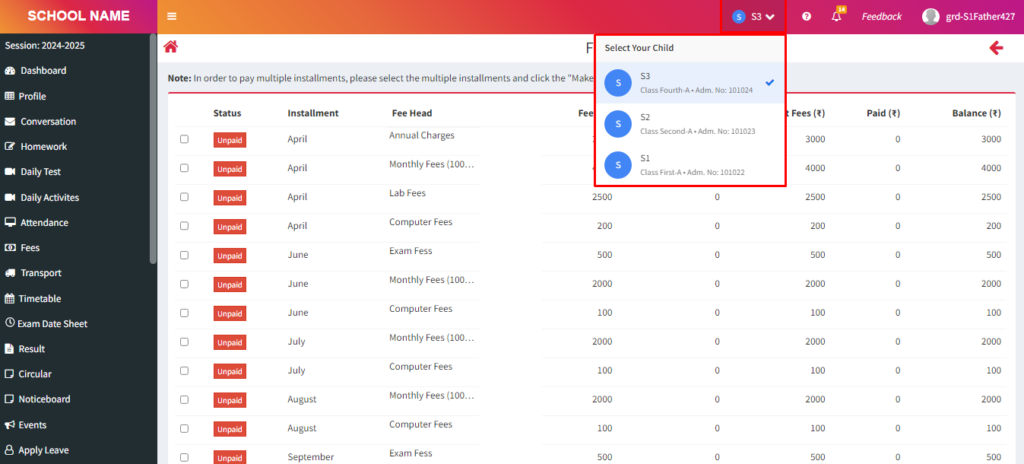
Purpose – Now, parents can also log in to the system just like students. If a parent has two or more children studying in the school, they can view details of all their children from a single parent login, without the need to log in separately for each student.
> Follow these Steps :
1. Click on Parents/Siblings
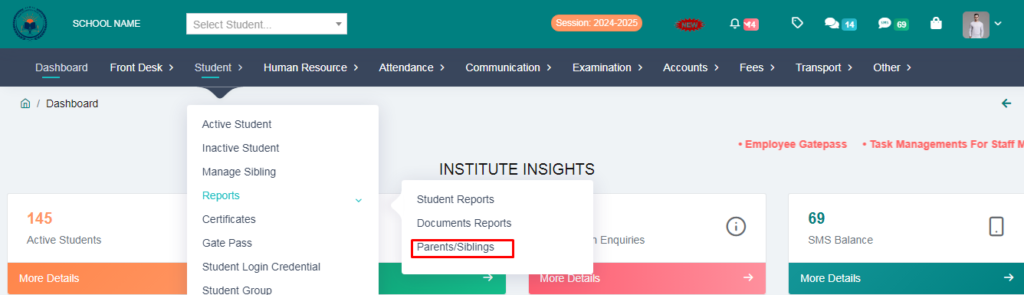
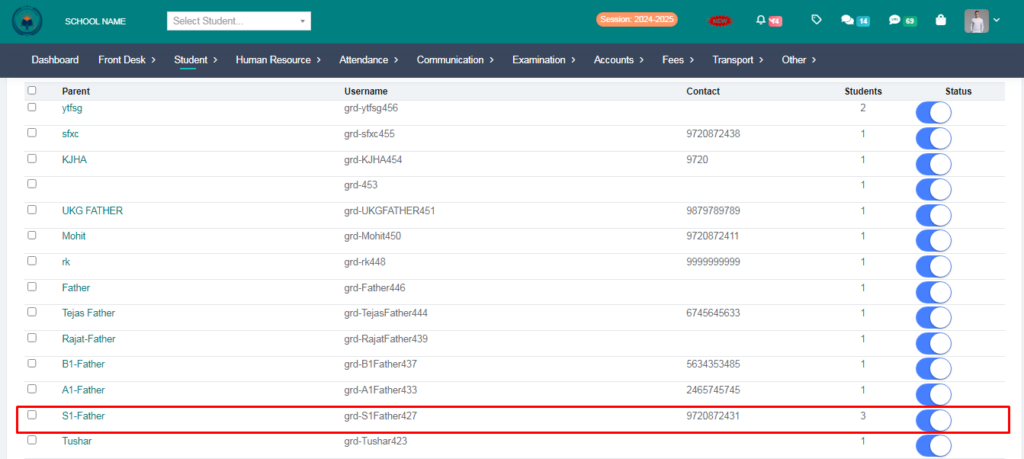
2. Here, you will see the parent’s name, parent login username, and number of student siblings associated with the account.
> From here you will send the parents their username and password.
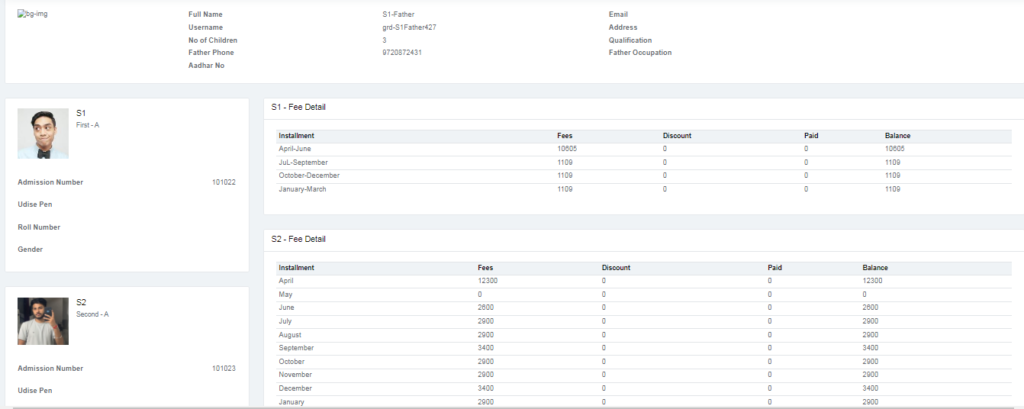
> When you click on the parent’s name, it will show how many children they have studying and their fees will show

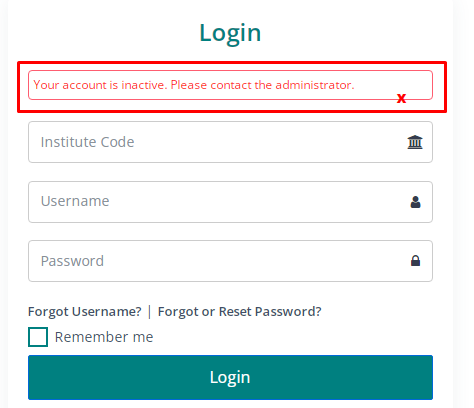
> If you disable this option in front of a parent, their login will no longer work.

> After disabling, if the parents try to log in, they will see this notification.
3. Now let us check the parents login by logging in
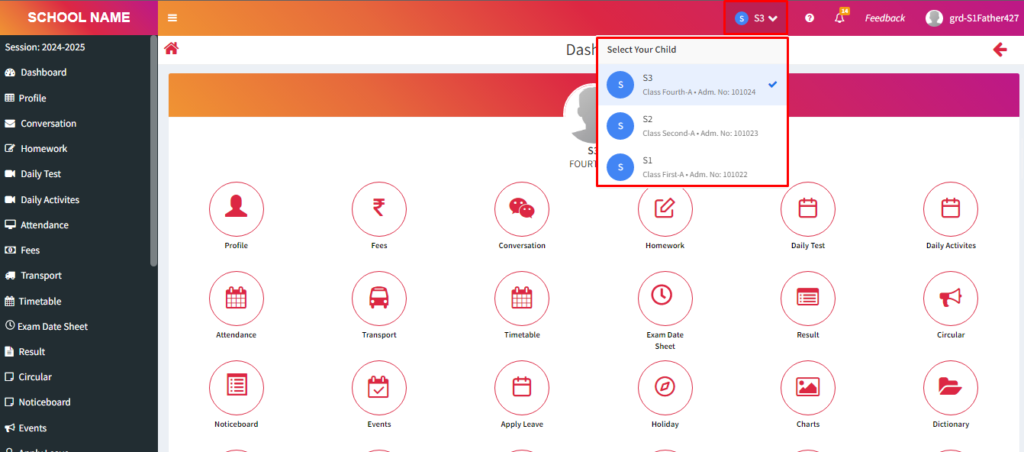
> This is the dashboard you will see after logging in with the parent account. If you have three children, it will automatically open the dashboard of the eldest child. You can click on the top bar to switch between your children.
4. Click on Fees .
> Now you can check the fees of all your children from here. Instead of logging in separately for each student, you can view the fees of all three students together using the parent login.
> If you want to check the fees of the second student, you can simply switch the student from the top bar.