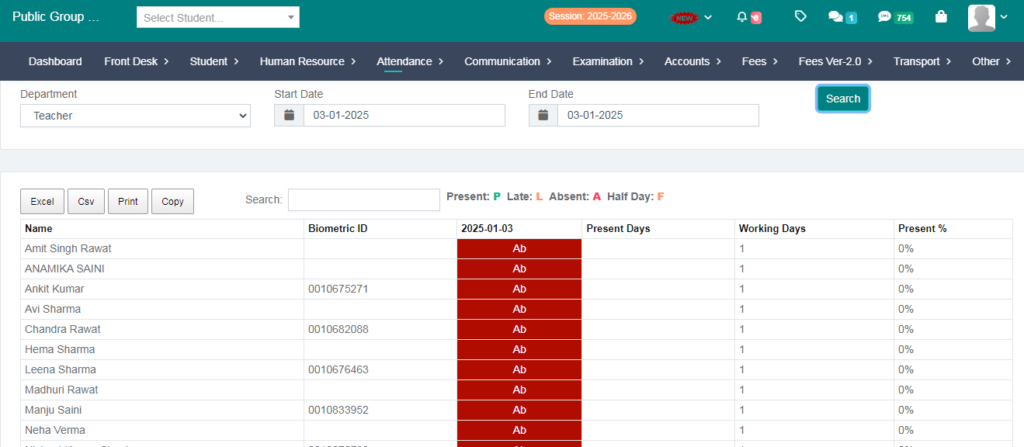
Purpose – Step-by-Step Guide to Sending and Marking Attendance: Learn how to record student attendance accurately and efficiently using the system.
Follow the Steps:
Step 1:
Go to the Attendence Option:
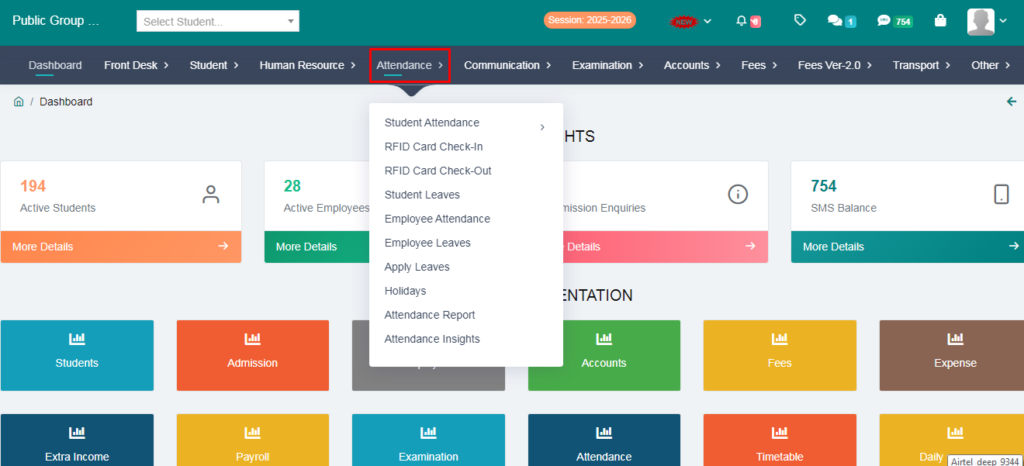
Step 2:
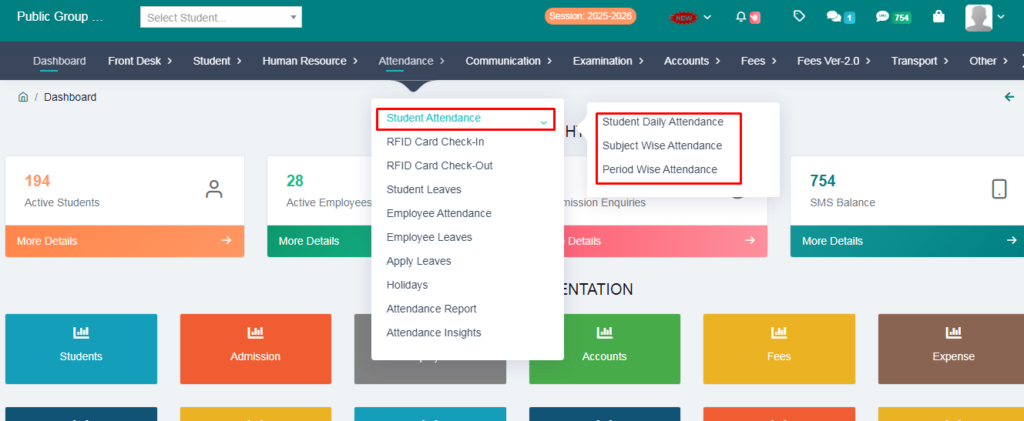
Go to the Student Attendence Option:
You Will get 3 options here:
>Student Daily Attendence:
>Subject Wise Attendence:
>Period Wise Attendence:
Step 3:
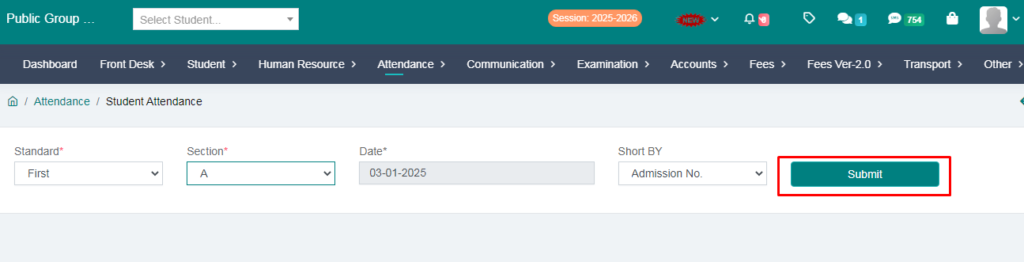
Go to the Student Daily Attendence:
Fill the details and press submit button:
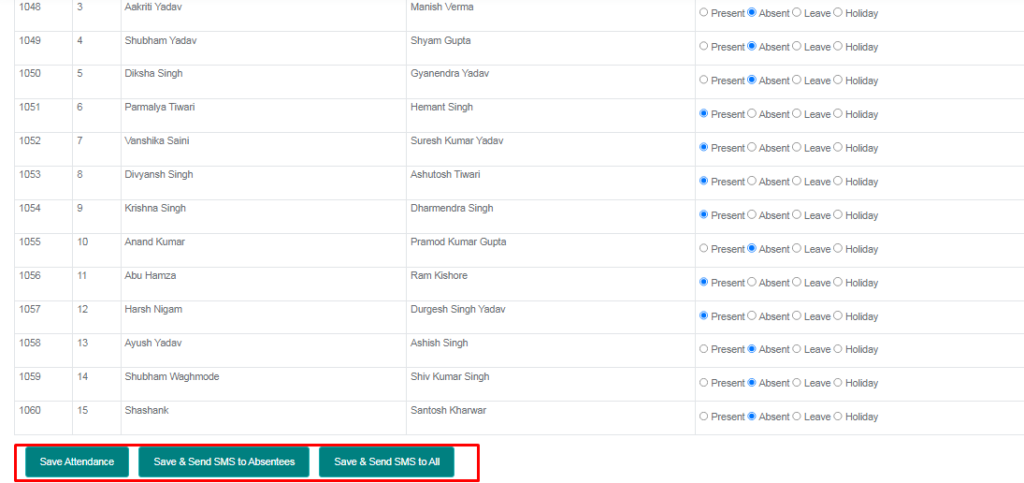
Step 4:
Now You can mark attendence and save attendence:
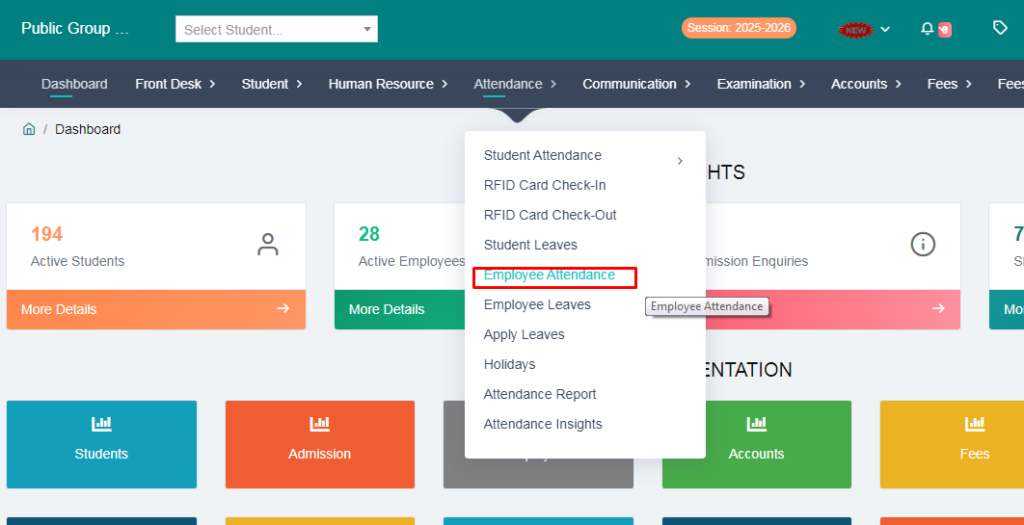
Step 5:
Go to the Employee Attendence:
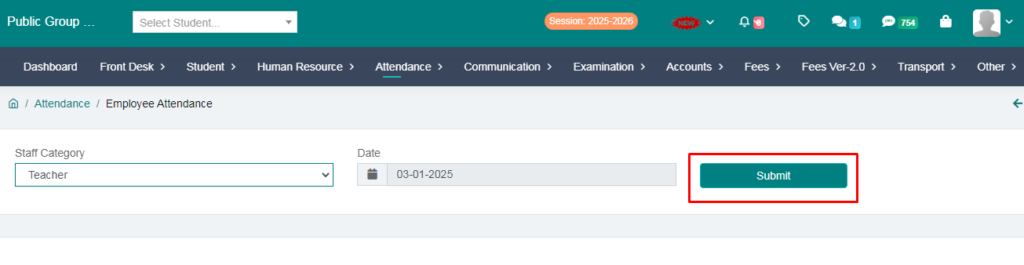
Step 6:
Go to press submit button:
Save and mark the attendece:
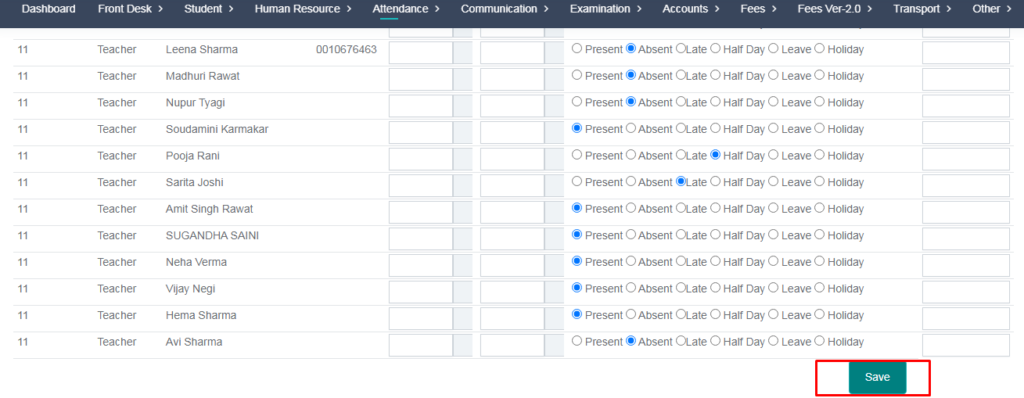
Step 7:
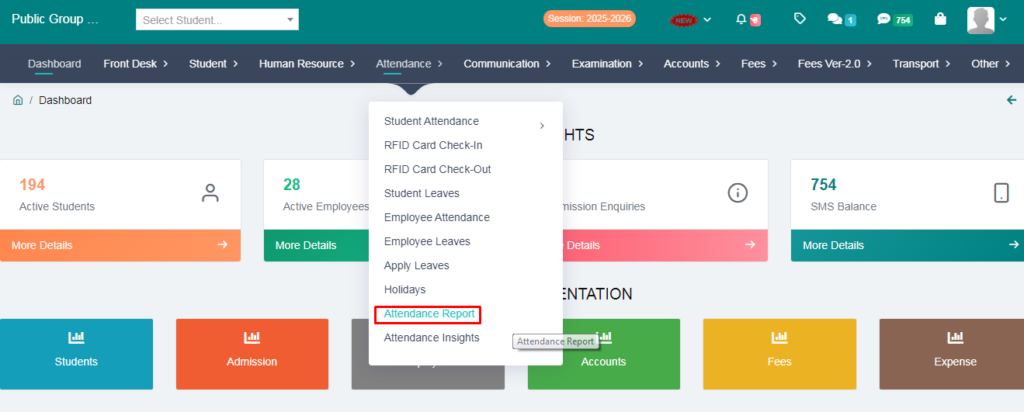
Check Attendence Report:
>Go to the Attendence module and press the Attendence Report:
Step 8:
You Can check Student attendence report and Employee attendence report:
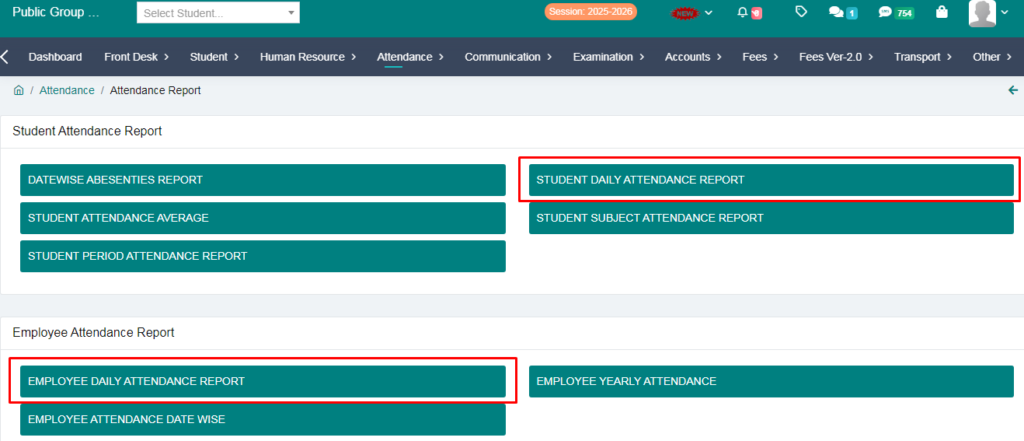
>Student Attendece report:
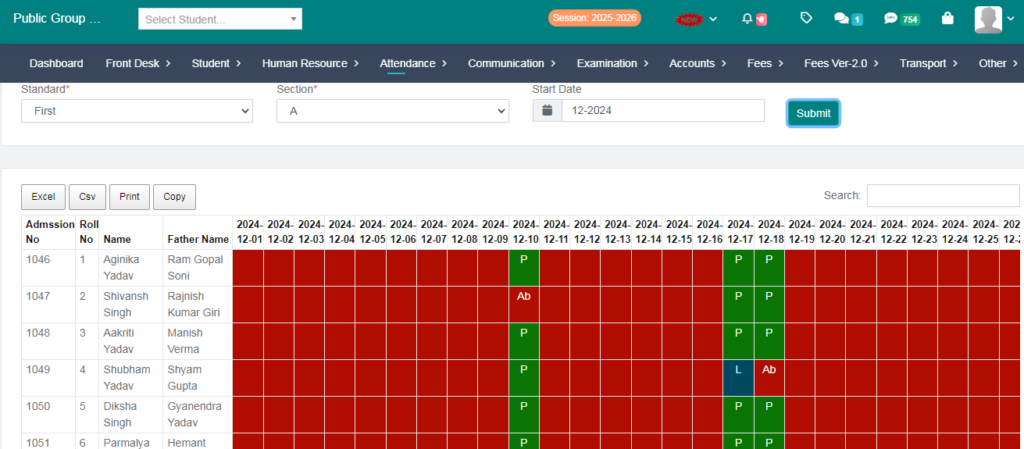
>Employee Attendence report: