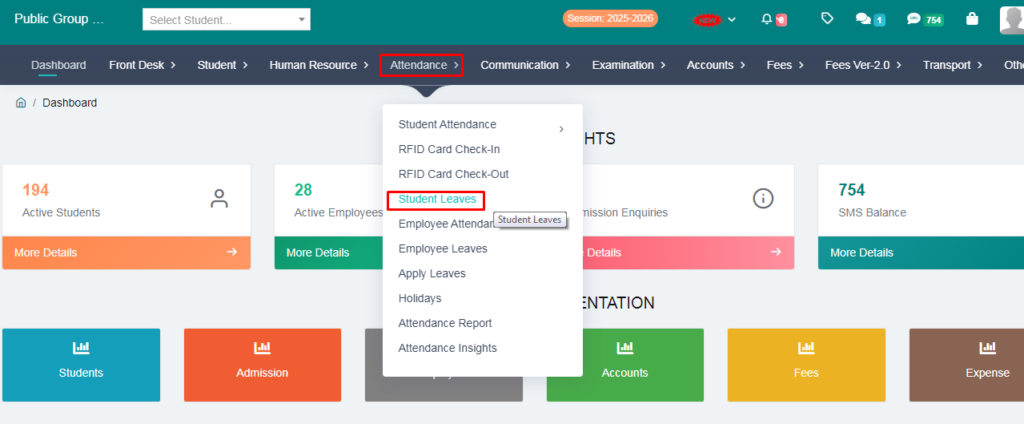
1. Go to the Attendence option.
2. Click on the Student leave.
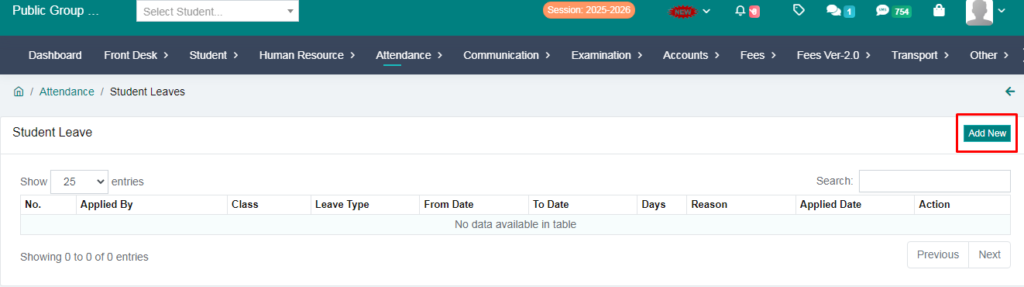
4. Click on Add New option
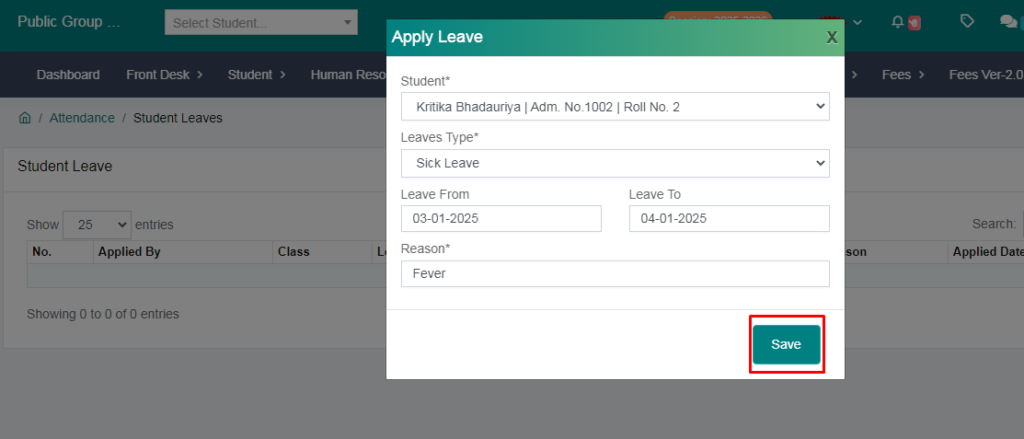
5. Fill the Form and Save leave
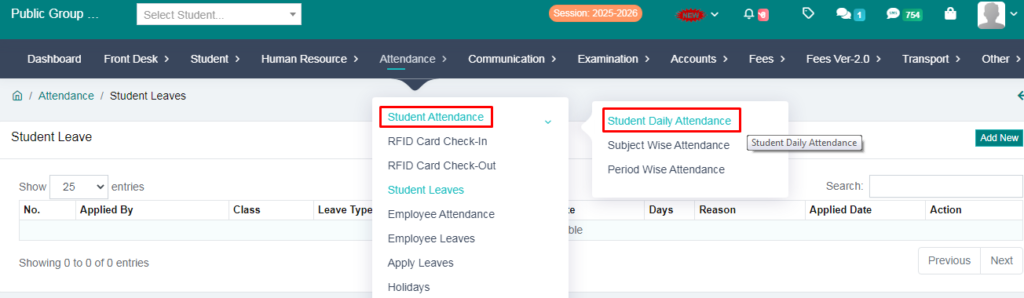
6. Go to Attendence option
7. Click on Student daily attendence
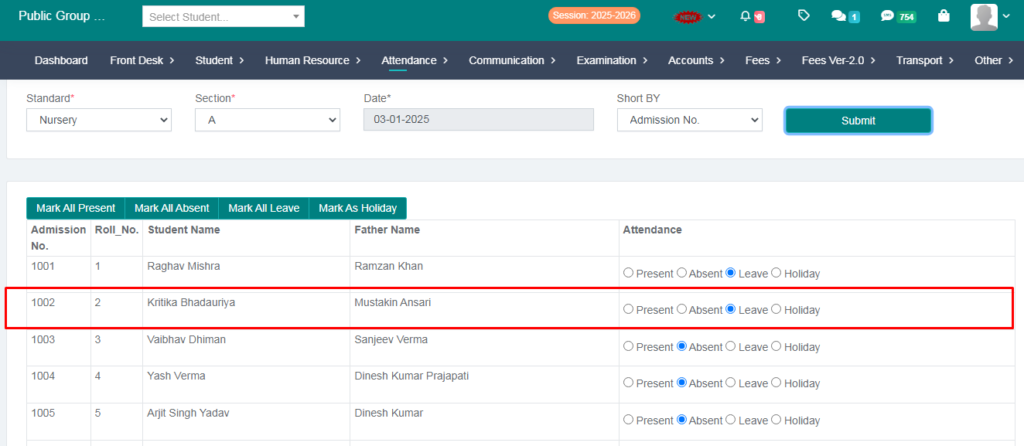
8. Student Leave is automatically added to the attendence sheet
1. Go to the Attendence option.
2. Click on the Student leave.
4. Click on Add New option
5. Fill the Form and Save leave
6. Go to Attendence option
7. Click on Student daily attendence
8. Student Leave is automatically added to the attendence sheet