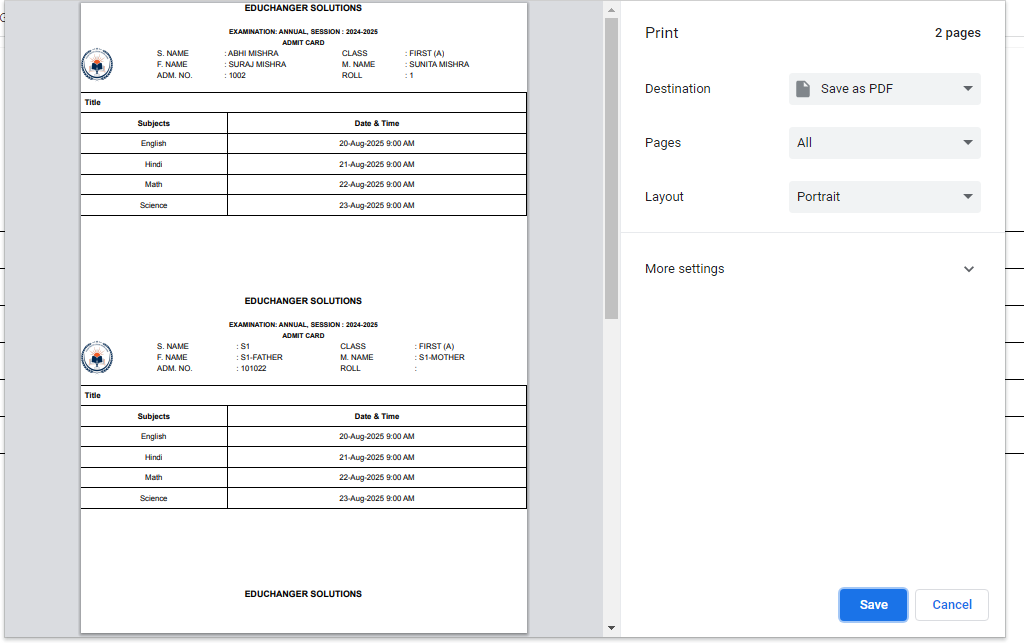
Purpose – From here, you can create and manage the exam datesheet by setting exam schedules, subjects, and timings in an organized and efficient manner.
> Follow these steps:
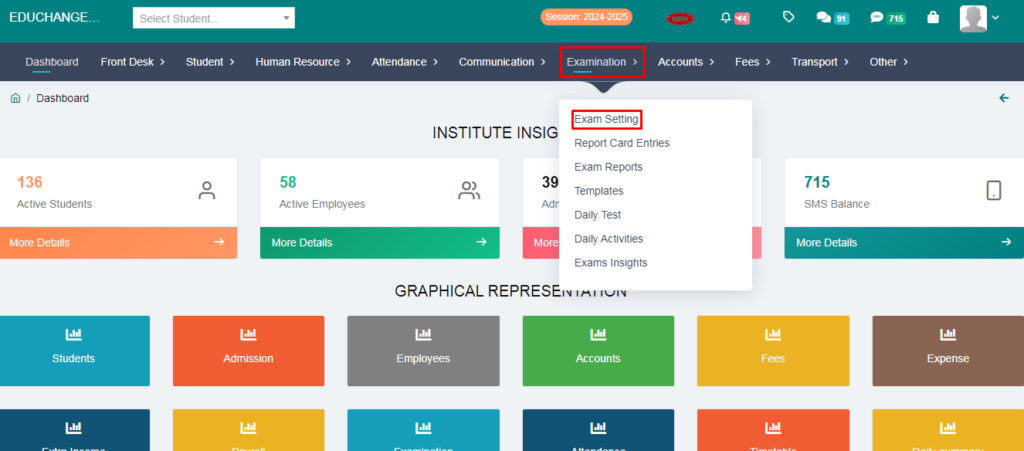
1. Go to Examination.
2. Click on Exam Setting.
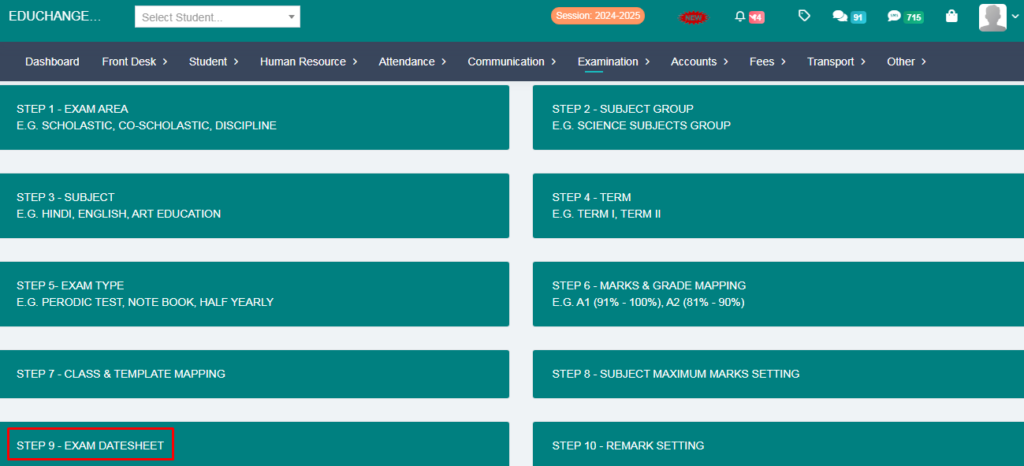
3. Click on Step-9 Exam Datesheet.
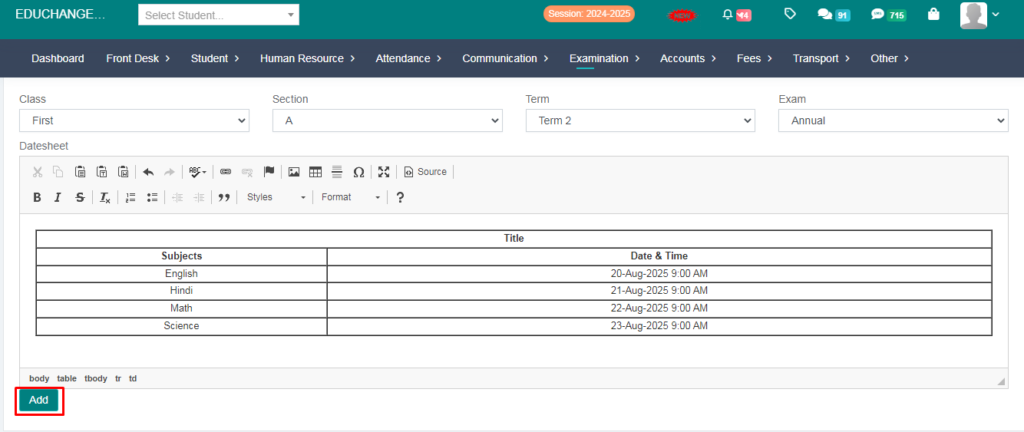
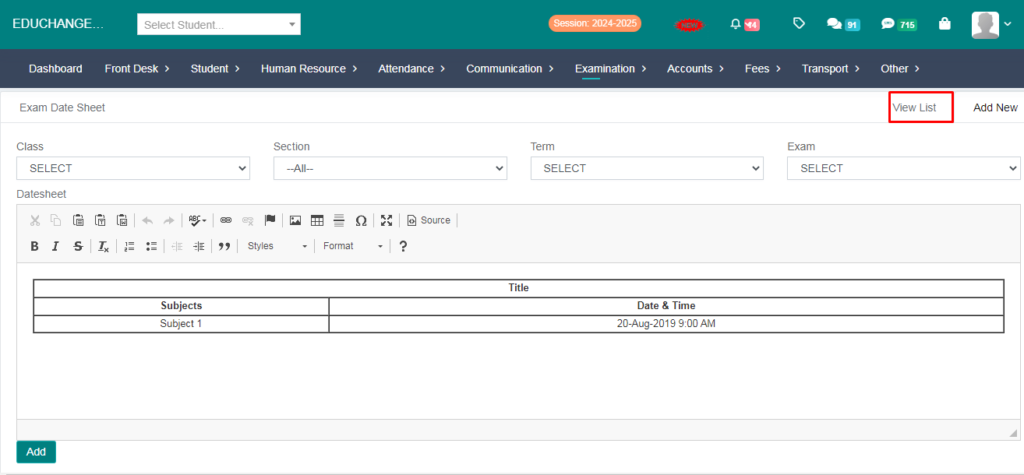
4. From here you can fill the subjects and date&time manually.
5. Click on Add Button.
6. Go to view list option.
7. Click on the Print Option.
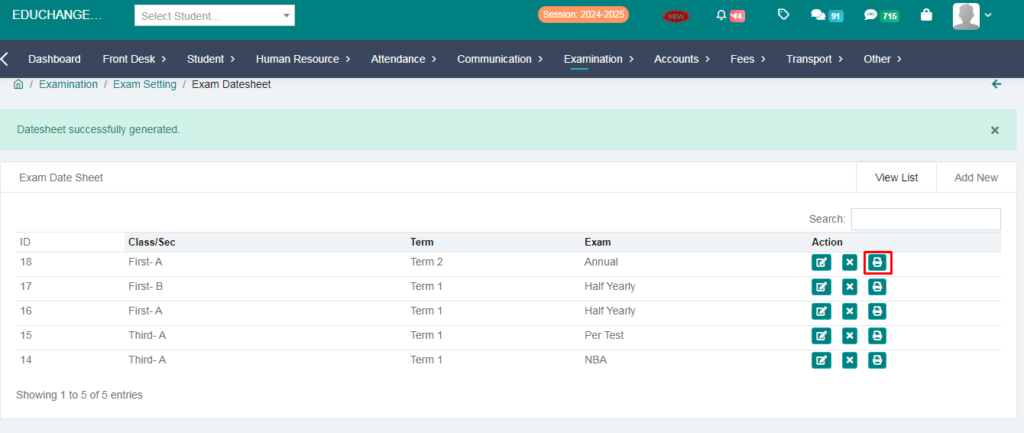
8. Your Datesheet generated succesfully.