Purpose – From here, teachers can enter student marks directly from their mobile app, ensuring quick updates and accurate academic records.
> Follow these steps:
1. Login Teachers ID.
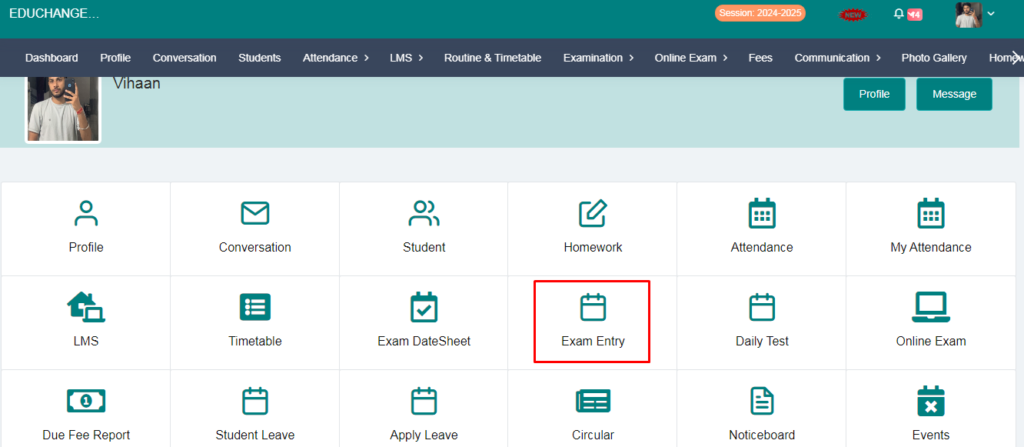
2. Go to the Exam entry.
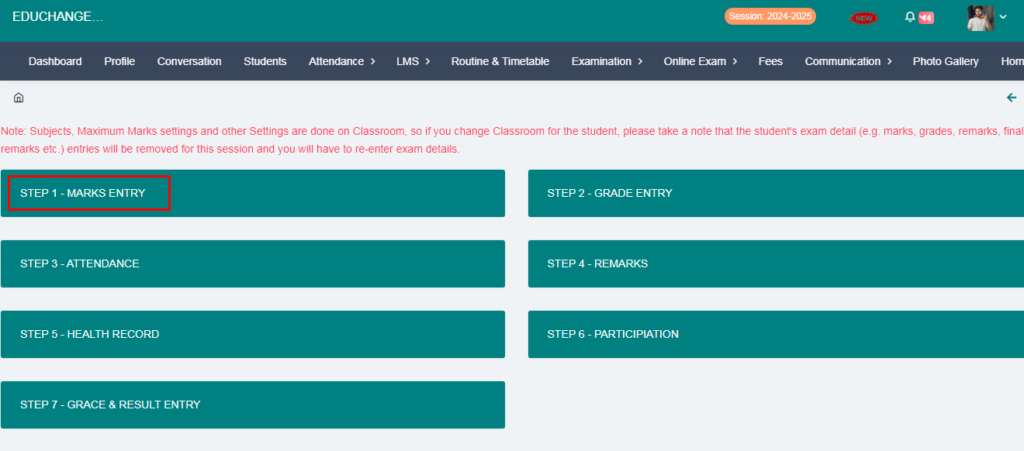
3. Click on Marks Entry.
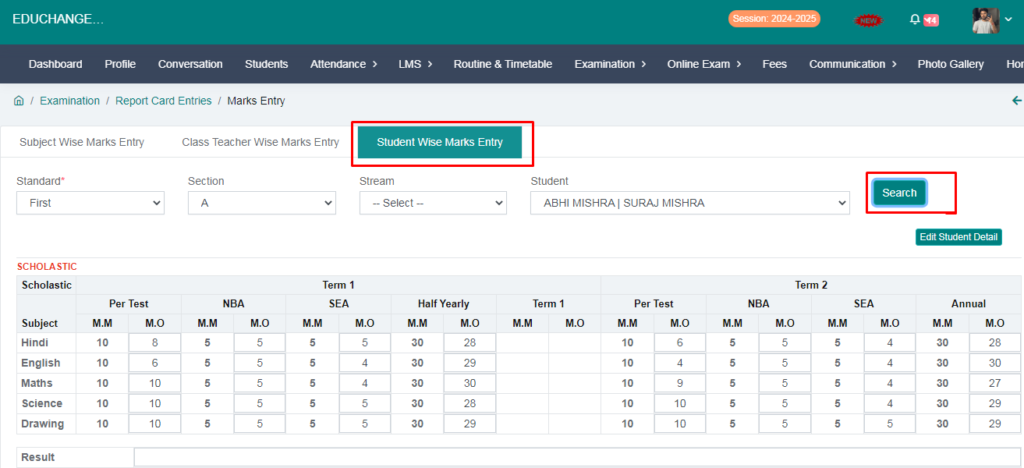
4. Go to Student wise marks entry.
5. Fill the form and click on the Search option.
6. Add marks and click on the save button.
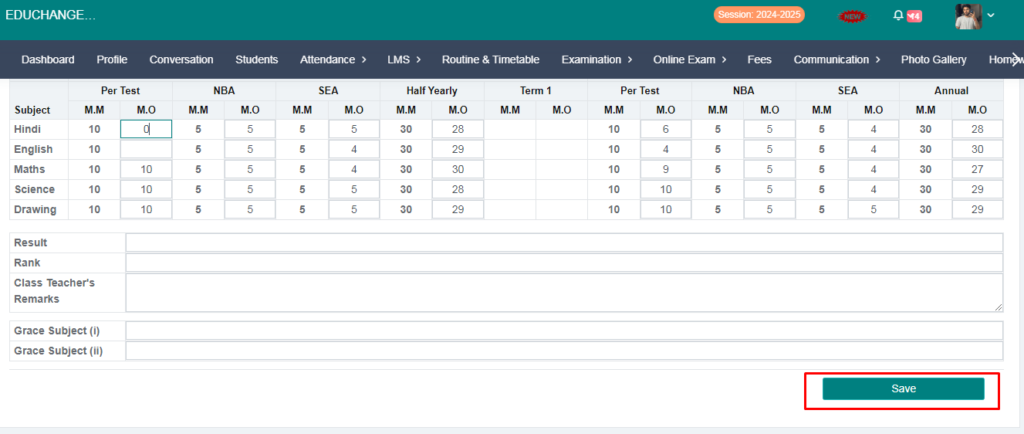
Your marks entry has been done.