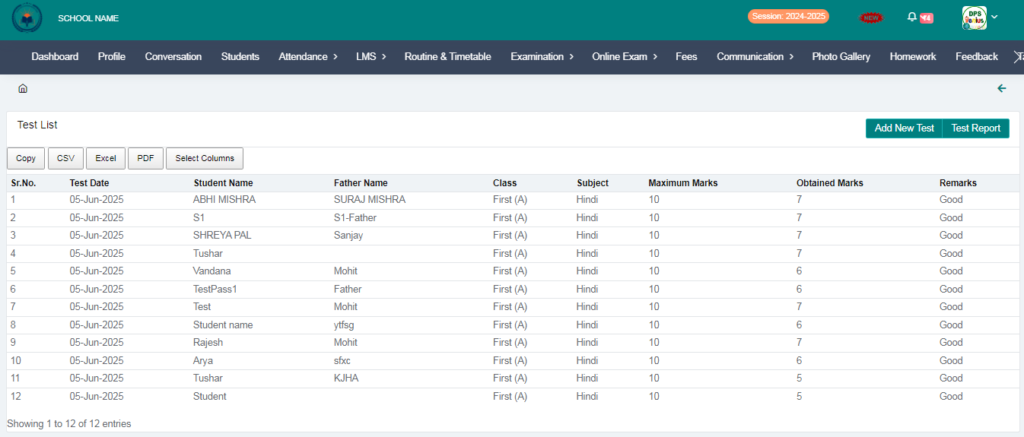
Purpose – From here, teachers can add marks for daily tests through their own login, update student performance regularly, and maintain accurate academic records.
> Follow these steps:
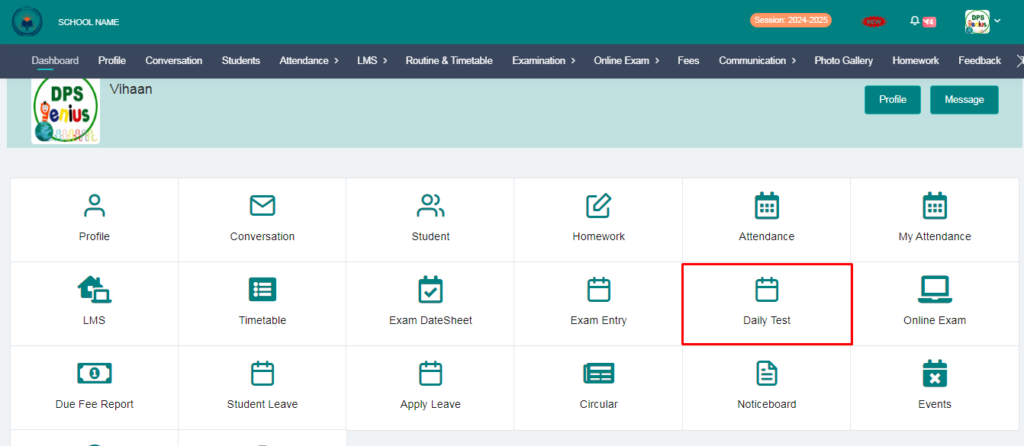
1. Click on Daily Test.
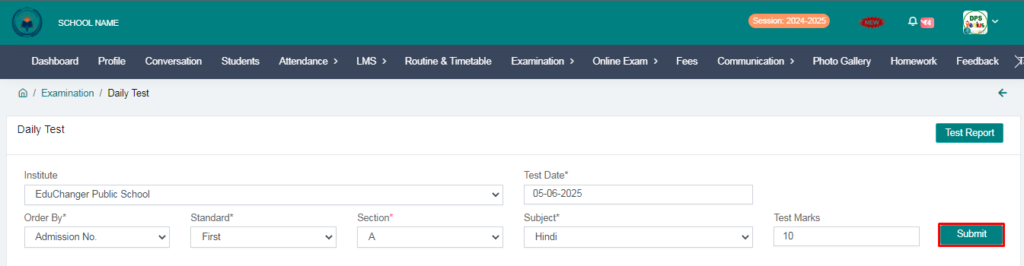
2. Fill the form and click on submit button.
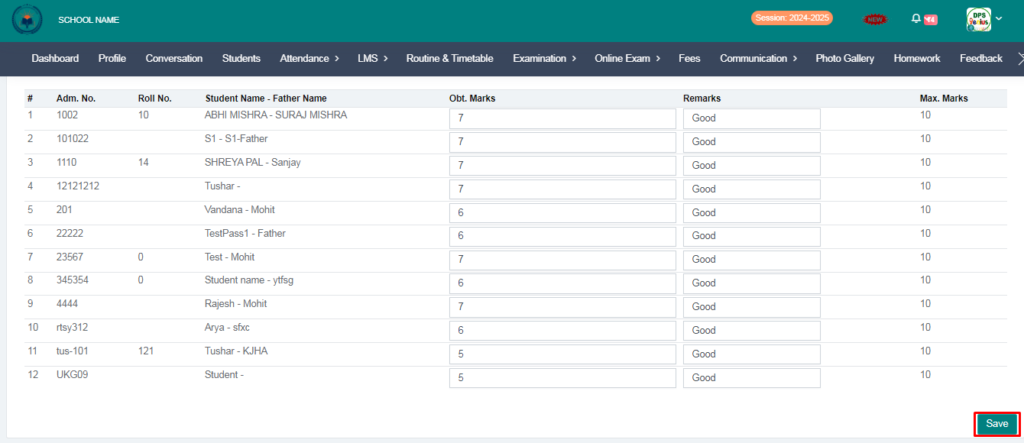
3. From here you can fill marks & remarks and click on save button.
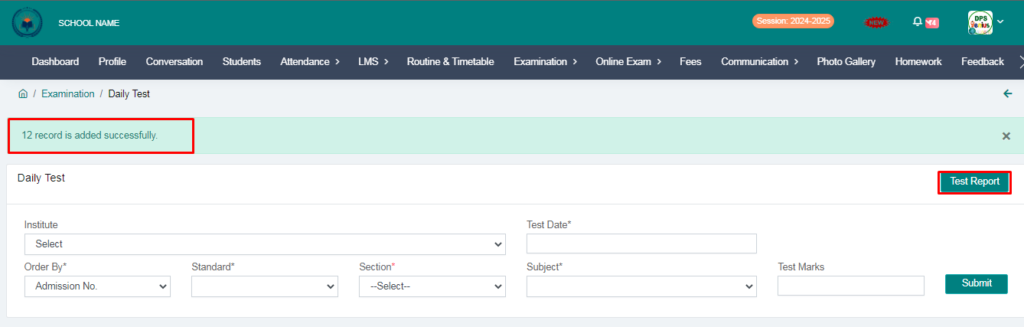
4. Marks added successfully , You can check test report by click on test report.
5. Fill the form and click on submit button, After click on submit button you will see view option
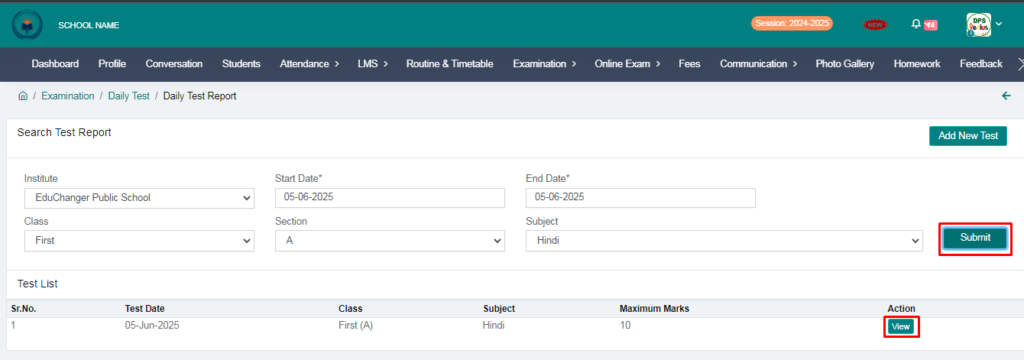
6. Click on view option and you will see daily test report.