Purpose – Now you can assign tasks to teachers easily, track their responsibilities, and ensure timely completion of assigned work through the system.
> Follow these steps:
1. Go to Human Resource.
2. Click on Task.

3. You can add task from here , click on add task .
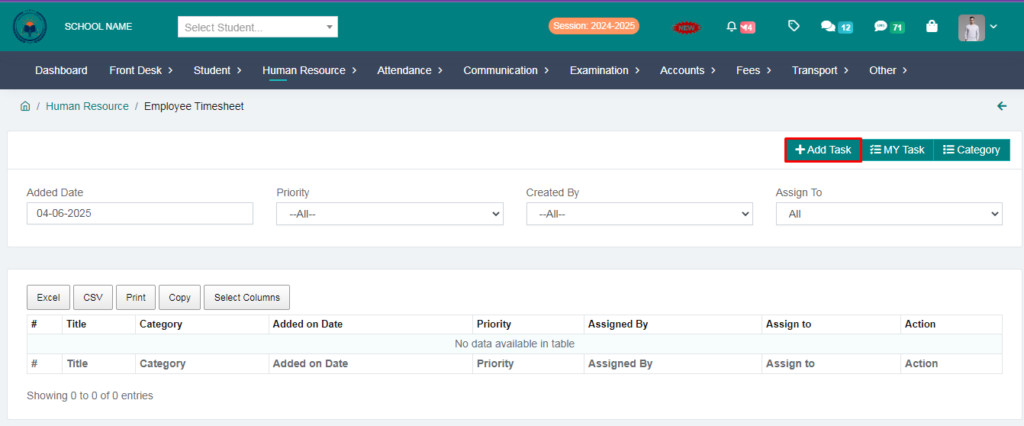
4. Fill the form and click on save button.

5. Task has been sent to the teacher.

> Now we will go to teachers login and check whether the task has been received or not .
6. Go to teacher login.
7. Click on task .

8. The teacher has received the task here , then you can click on action button
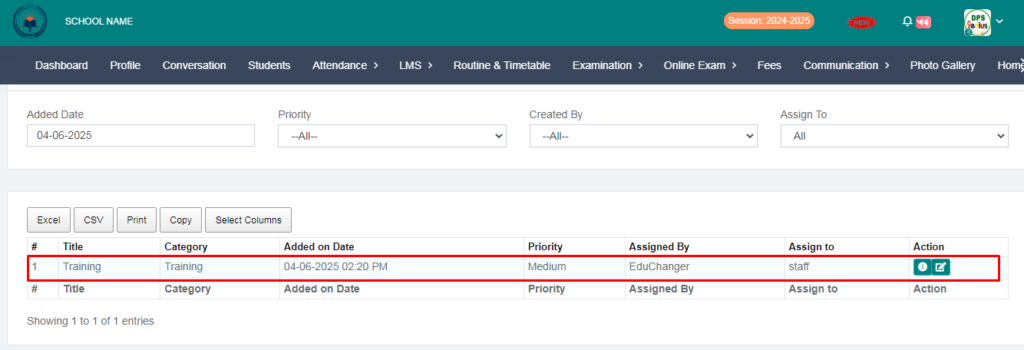
9. Your task will be shown here, After completing your task you can click on the action button to close your task status.
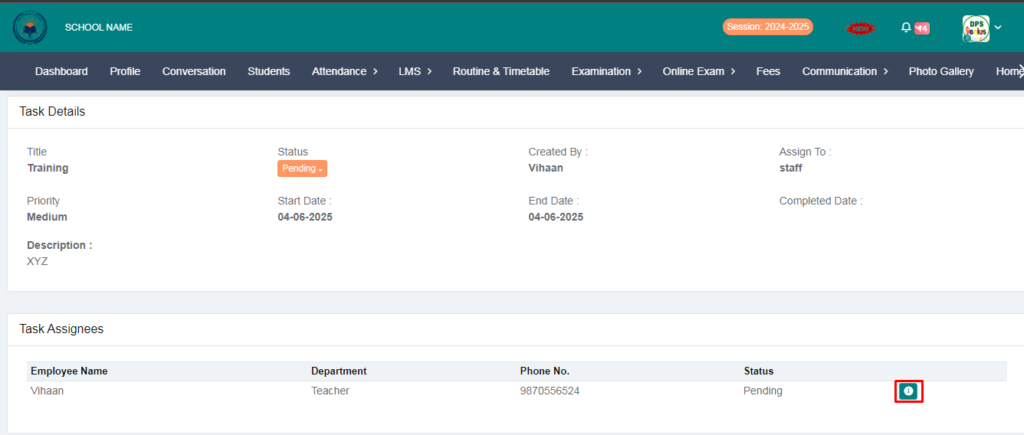
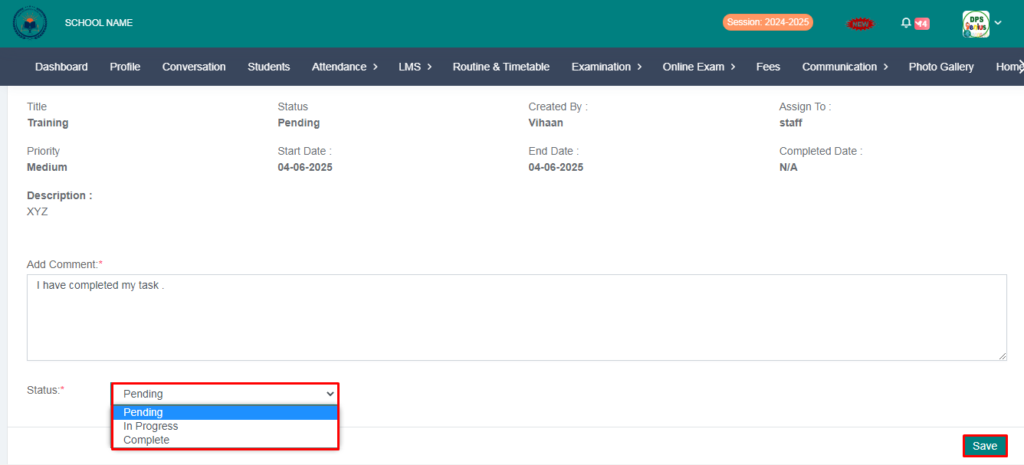
10. Now comment here and select your status that you have completed it and click on the save button.
> Now You can go admin login to see tearcher task status.
11. Go to task and click on action button to see teacher task status.
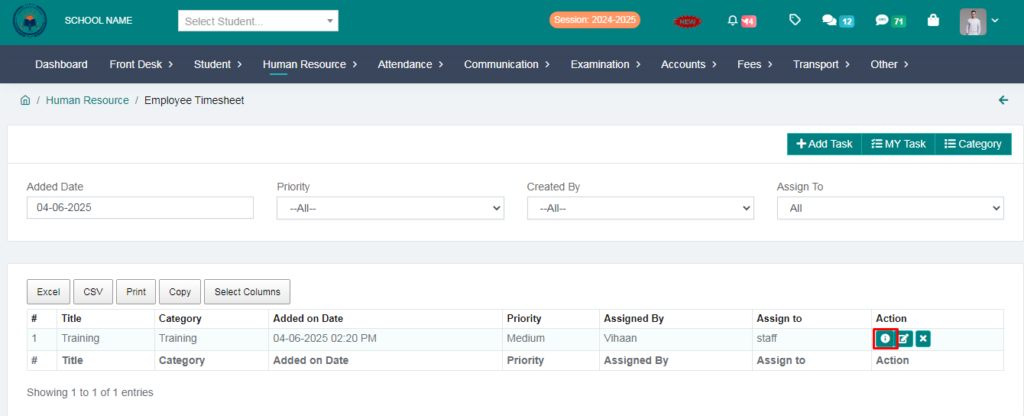
> Here you can see the status of the tearcher work or you can close the work by completing the status from your side .
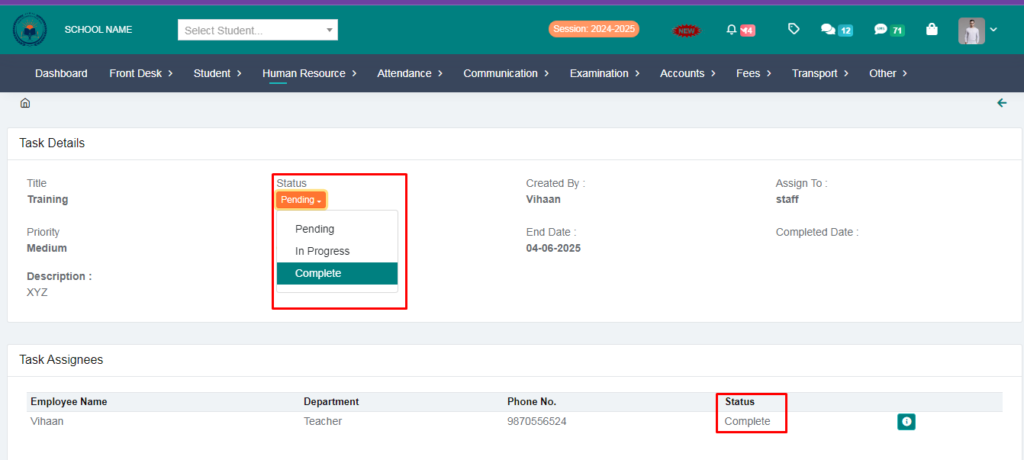
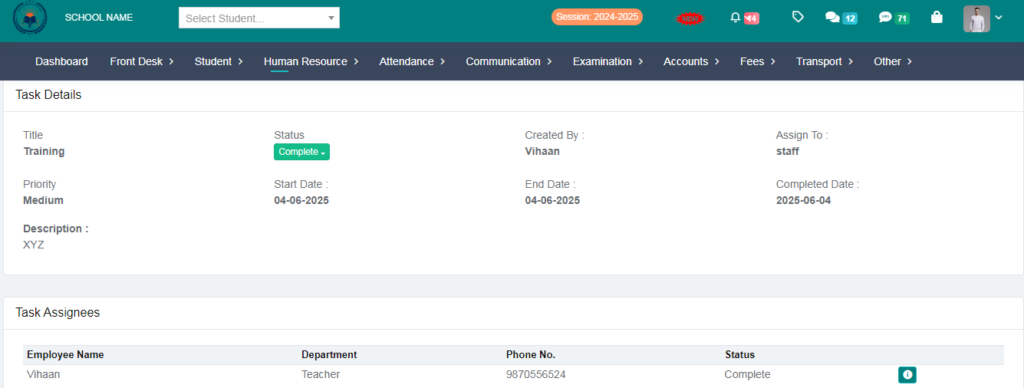
> Task has been complte sucessfull.