Please follow the steps:-
Step 1:
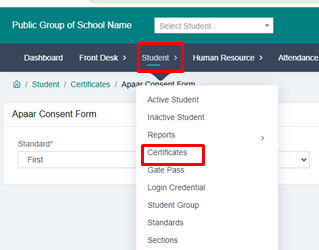
Click on the Student option.
Step 2:
Go to the Certificate option.
Step 3:
At the bottom of the Certificate page, you will find the option “APAAR Consent Form”. Click on it.
Step 4:
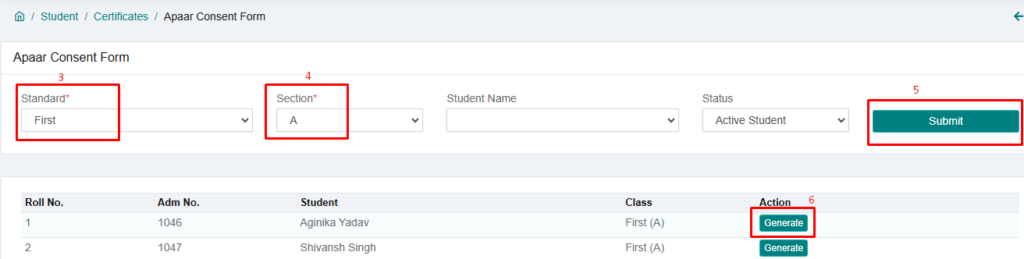
- First, select the class.
- Then, select the Section.
- Now click on the Submit button.
Step 5:
You will see a list of all students from the selected class. Each student will have a “Generate” button next to their name.
Step 6:
Click the Generate button for the student whose APAAR ID you want to create.
Step 7:
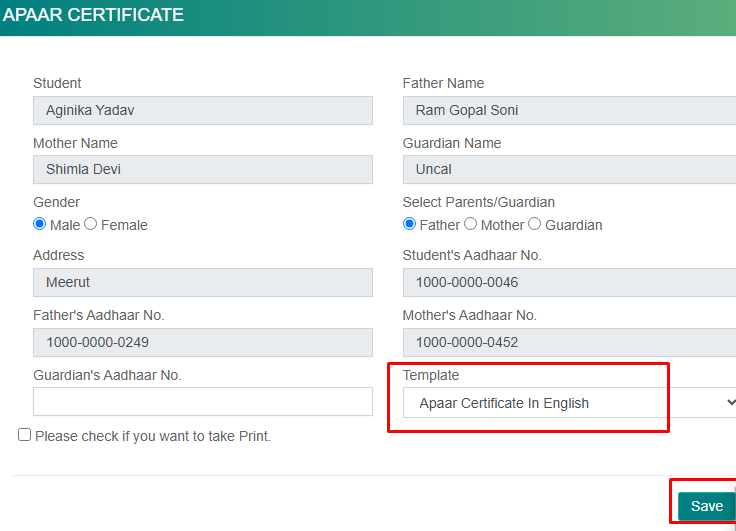
- A new profile screen will open.
- Select the template.
- Choose the language (Hindi or English).
Step 8:
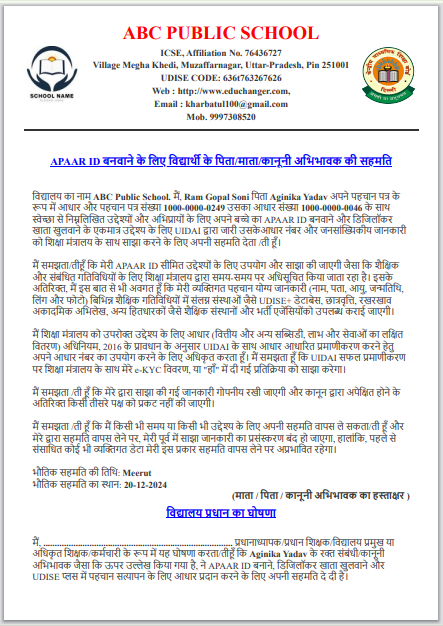
Click on the Save button and gate the APAAR ID Consent Form.
Step 9:
Your APAR ID has been generated. You can print it from here.