Purpose – Now you can generate, manage, and track employee gate passes directly from the ERP system, ensuring secure entry and exit management with proper records and easy monitoring.
> Follow these Steps :
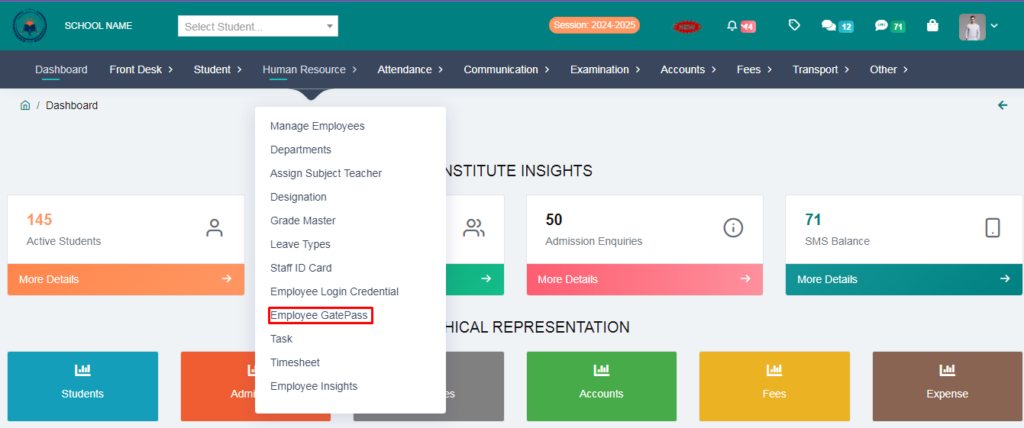
1. Go to Human Resource.
2. Click on Employee Gatepass.
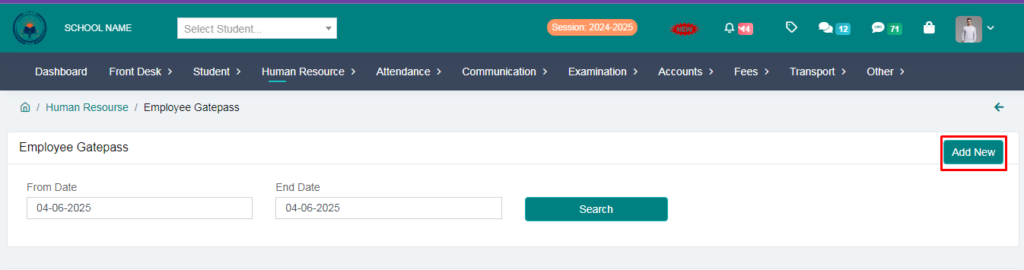
3. Click on Add New.
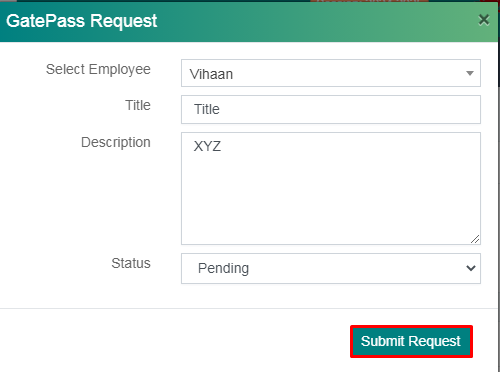
4. Now you can see gatepass request form , select employee & fill the details and click on submit request.
Employee Gatepass request has been added.
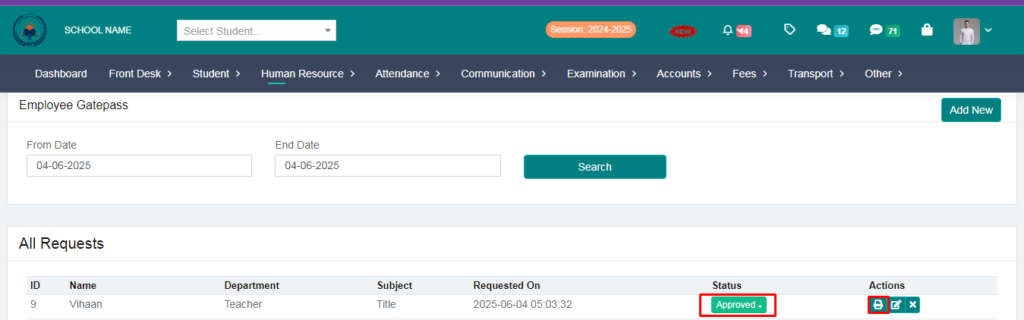
5. From here you can approve or reject the employee request status.
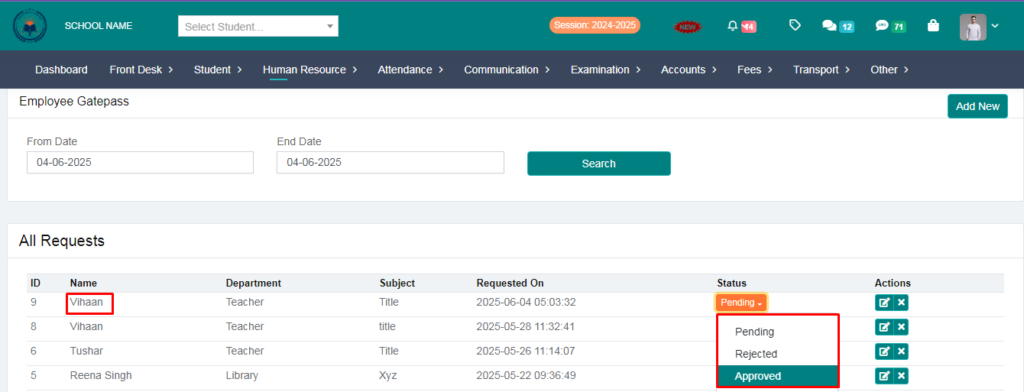
6. After approving the request you can take a print out of the gatepass slip.
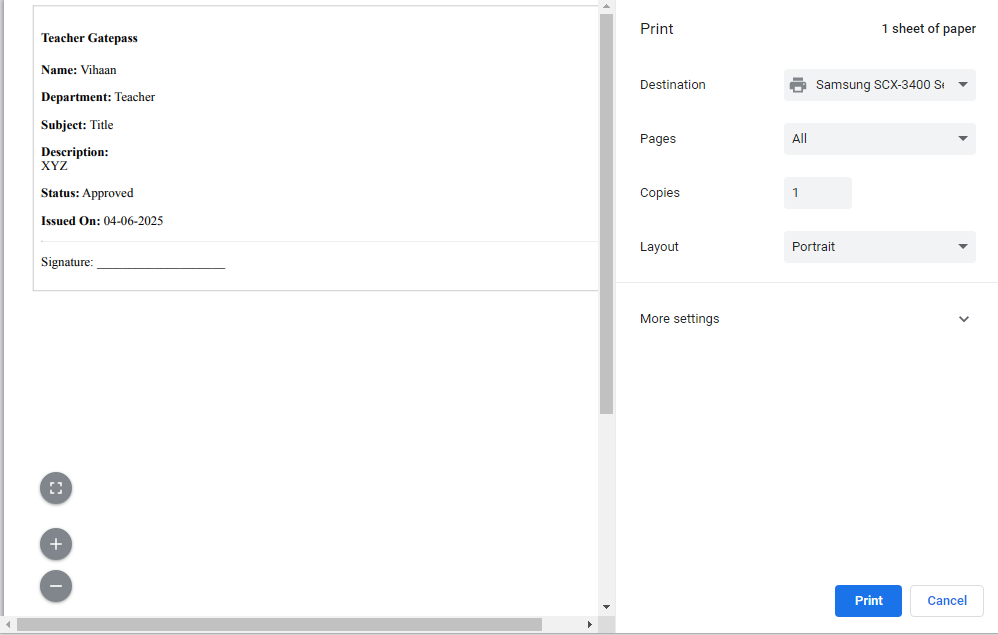
Employee Gatepass Generated Sucessfully