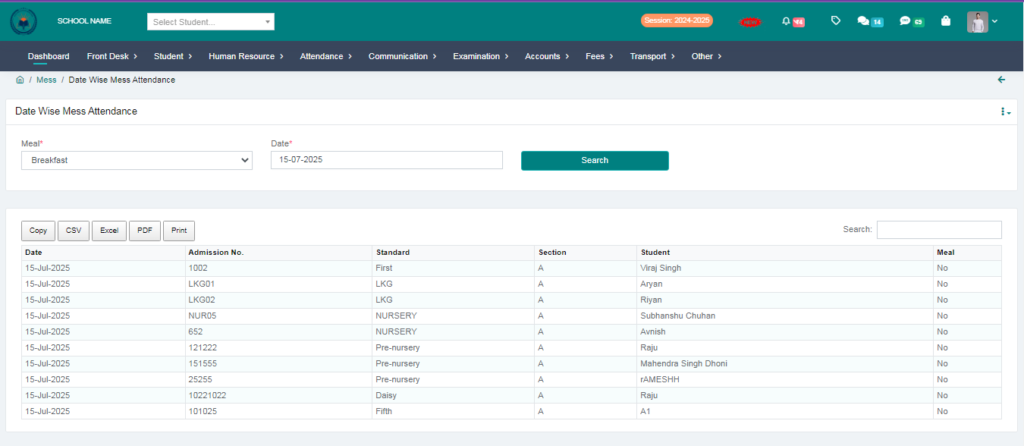
Purpose – Now you can manage mess attendance directly through the software using biometric integration. Simply connect your biometric machine to start recording student attendance, assign meals by selecting meal types and timings, and track daily attendance to see how many students have taken each meal.
> Follow these steps:
1. Go to Attendance.
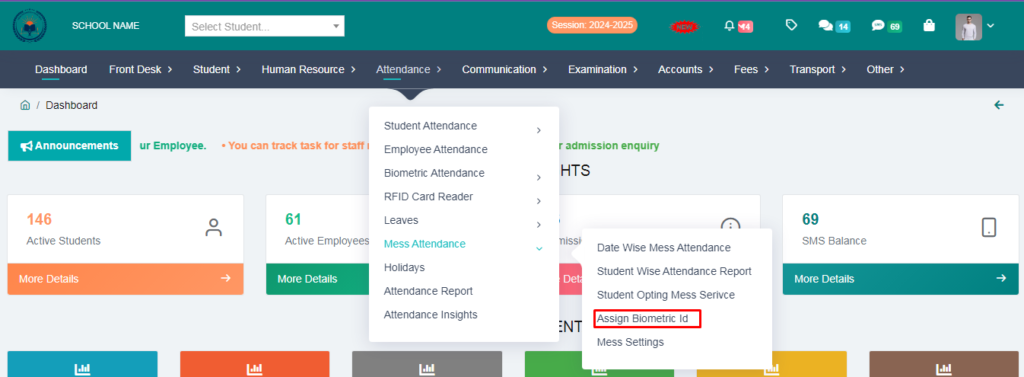
2. Click on Mess Attendance.
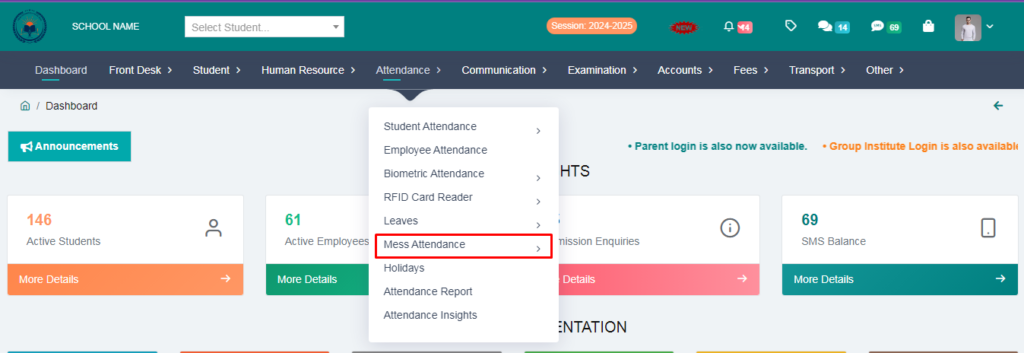
3. First of all we will click on mess settings.
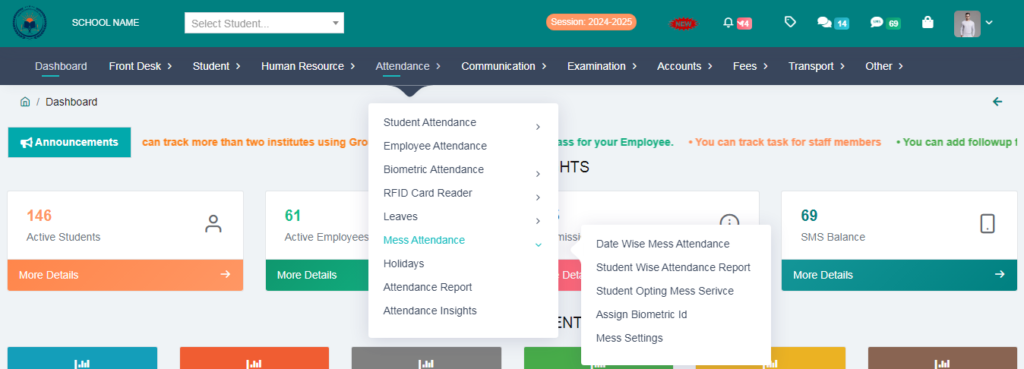
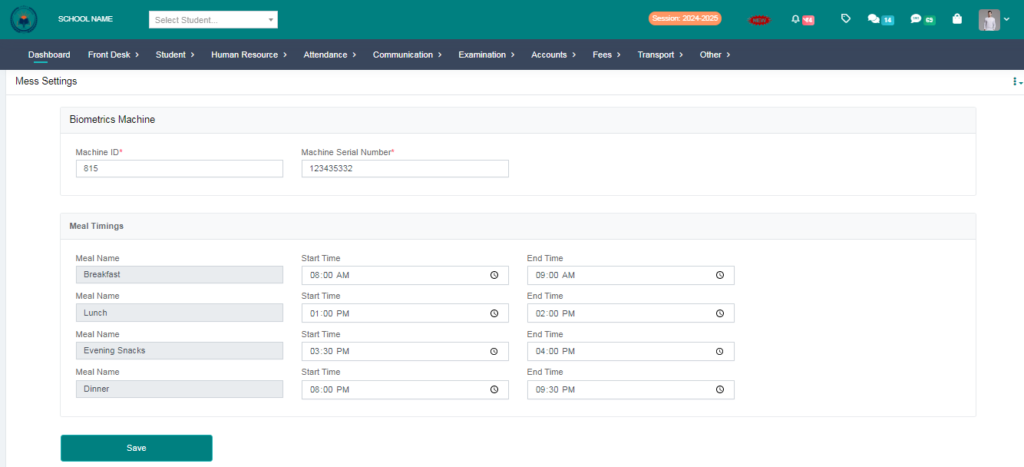
> Fill the biometric machine id & meal timings and click on save button
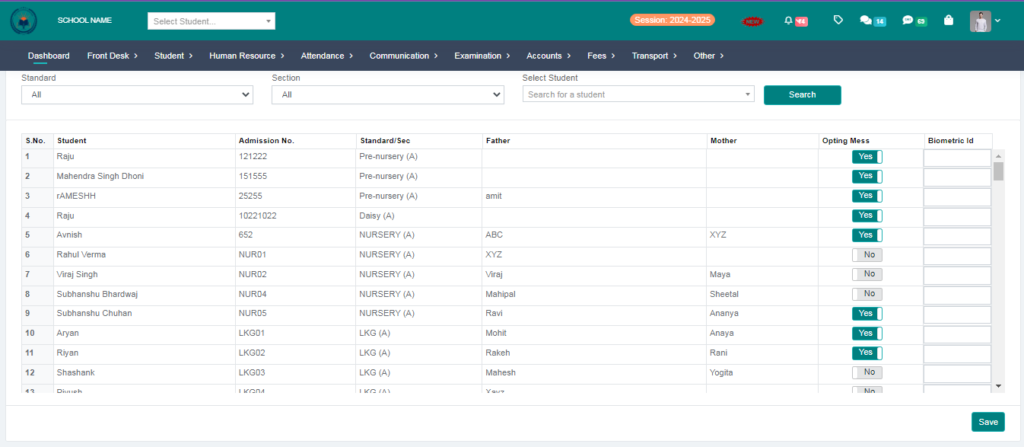
4. Click on Assign Biometriv ID
> From here you will assign biometric ID to the students ,Those who take mess have to say yes and enter their biometric ID and click on save button.
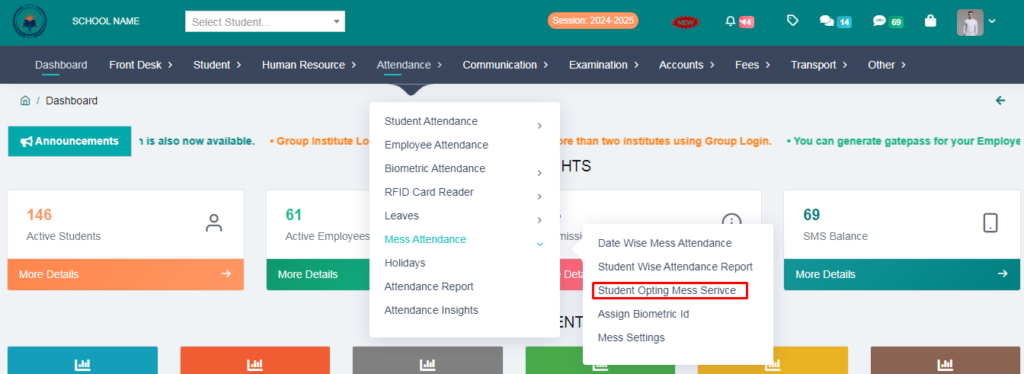
5. Click on Student Opting Mess Service
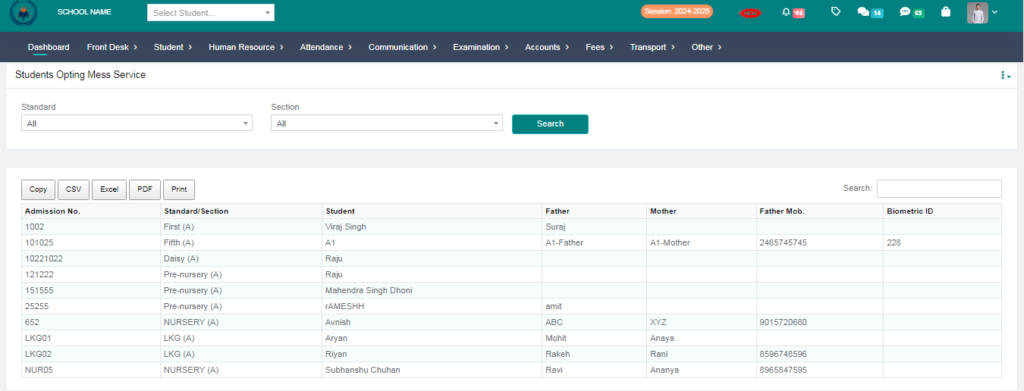
> From here you can check how many students are taking missing facilities
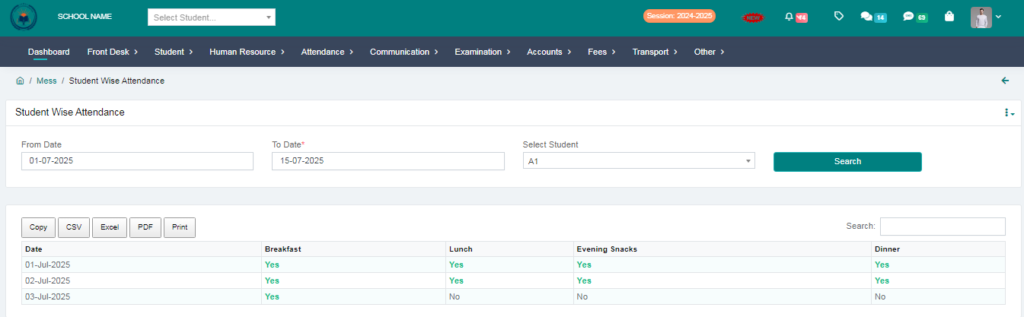
6. Click on Student wise Attendance Report.
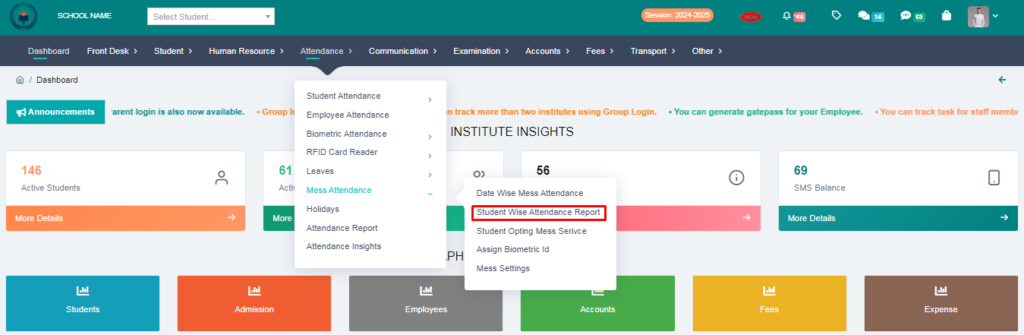
> From here you will get all the meal reports together, just select the date & student and click on search button. You will be able to see how many meals the student has taken on which dates
7. Click on Date wise attendance report.
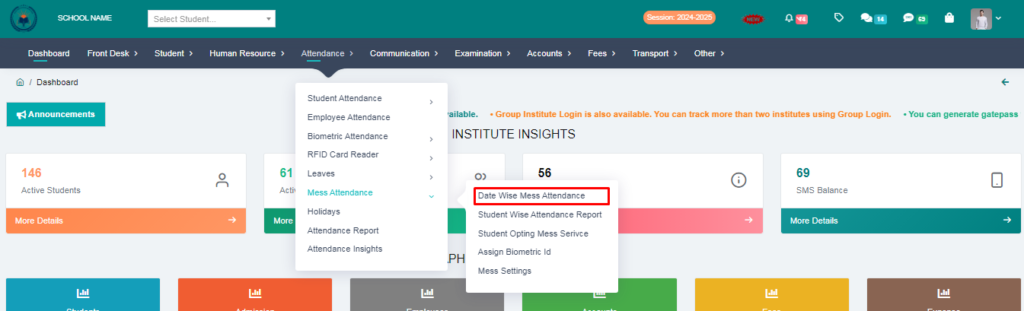
> From here you can check date wise mess attendance. Select the meal and after selecting the date click on the search button. Your mess attendance report will be generated.