
Purpose – Learn how to configure SMTP using your Gmail account to enable sending emails directly from your application, ensuring secure and reliable email communication.
For SMTP configuration open your Gmail account and simply paste following link into URL text box and press enter.
https://myaccount.google.com/apppasswords
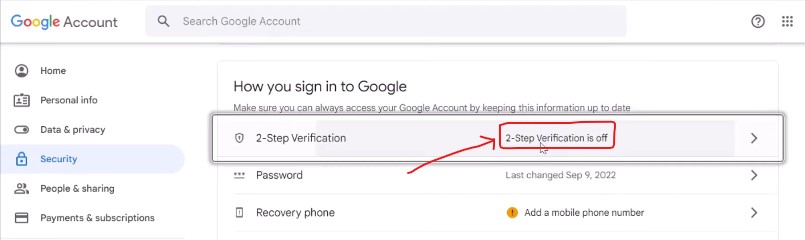
Then following screen (Image 1) may be shown in front of you (in case of Two Step Verification is off)
Image1:
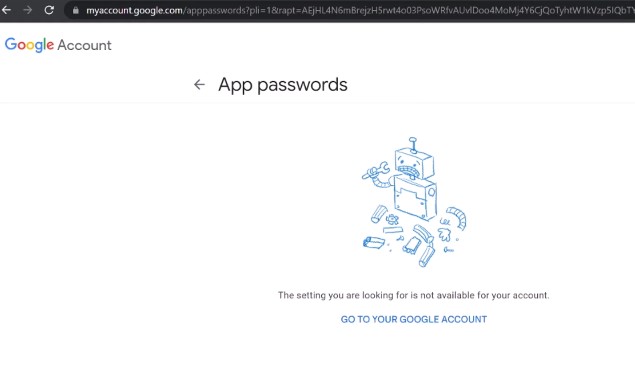
This will show a message i.e. “The setting you are looking for is not available for your account.”
Means: Two Step Verification is off, you have opened/verified “Two Step Verification” setting to your account. Refer image 2
Image2:
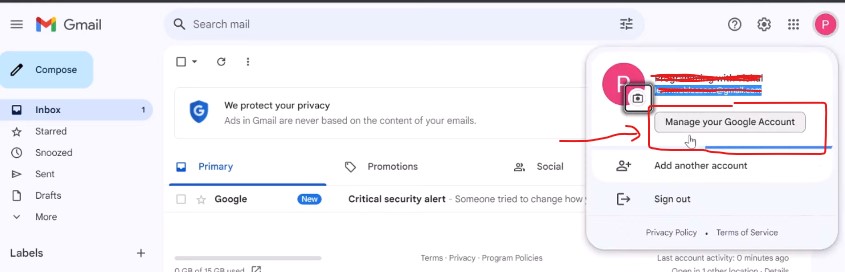
For this open your account and go to “Manage Your Google Account” and go to “Security” like image 3.
Image3:
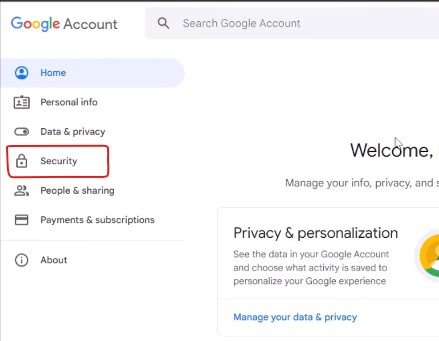
Now click on Two Step Verification like image 4.
Image4:
Now confirm your contact number, you will receive an OTP and enter OTP to verify your account then you will see following image and click on link TURN ON.
Image5:
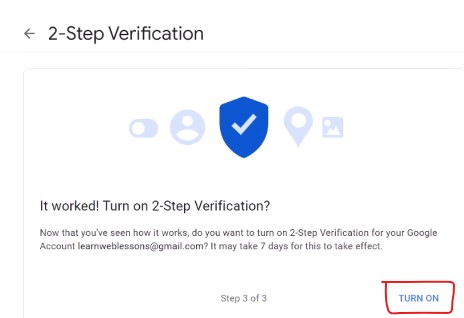
Now your Two Step Verification is ON.
Once you on Two Step Verification, then again enter following link into URL textbox.
https://myaccount.google.com/apppasswords
Then one screen will show here like image 6.
Image6:
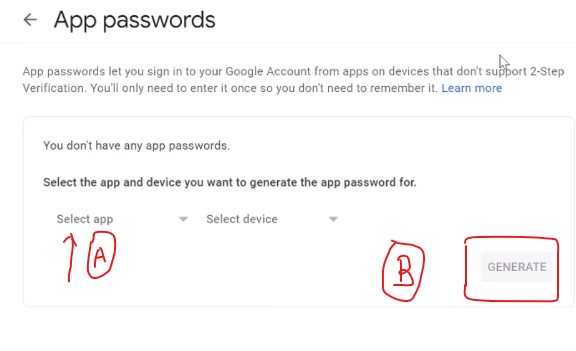
Here you will:
A: Click on select app and select option “Other” and enter any text like “Website”.
B: Click on button GENERATE.
Now this will show an App Password like image 7.
Image7:
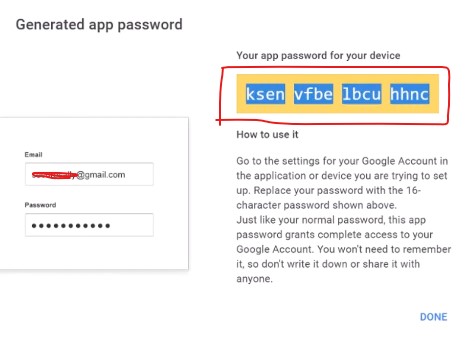
Now this password copy or save safely, don’t delete this app password, because of all emails will be send using this app password.
NOTE: If your Two Step Verification is on already then you can generate your app password directly after enters following link…
ERP SETTINGS:
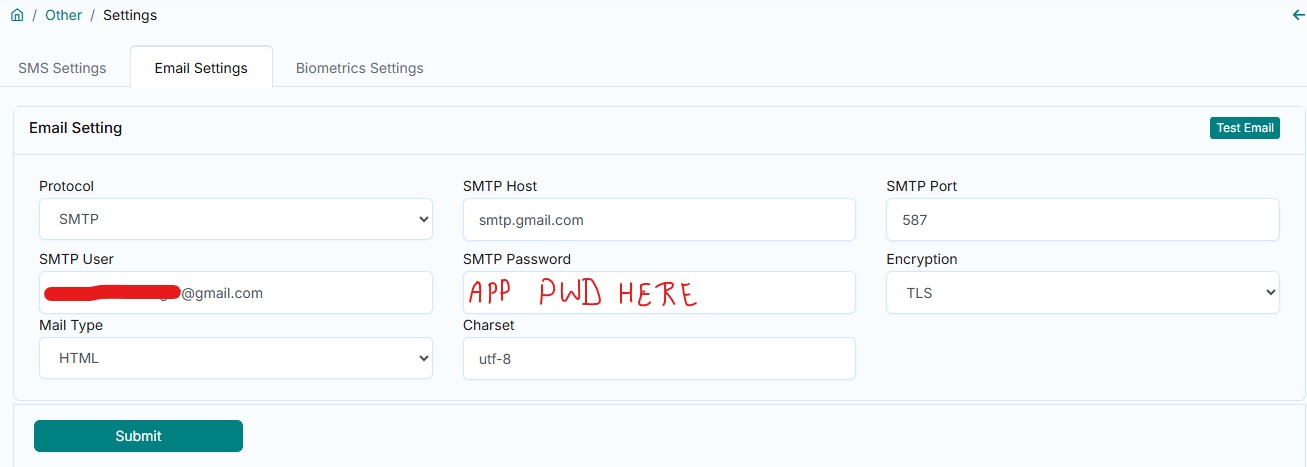
Now open your ERP account then go to menu Other > Settings > Integration Settings, following page will open here refer image 8.
Image8:
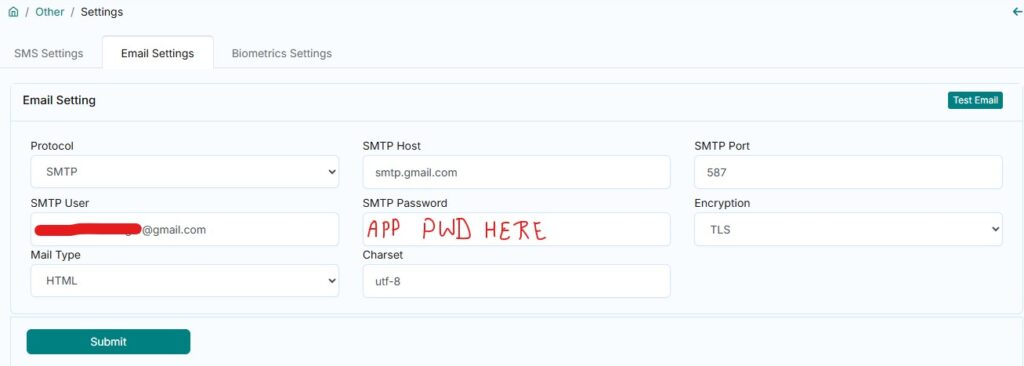
Here all settings will be same as showing into image, even then follow following details…
One side is label and right side information will be entering to textbox.
| Protocol | SMTP |
| SMTP Host | smtp.gmail.com |
| SMTP Port | 587 |
| SMTP User | your gmail id here (abc@gmail.com) |
| SMTP Password | App Password you generated from gmail id |
| Encryption | TLS |
| Mail Type | HTML |
| Charset | utf-8 |
Then Submit form to save the above settings.